


With almost 150 WordPress menu plugins options available in the market in 2026, the best WordPress menu plugins you want to choose have to have at least 5,000 active installations and show an overall rating of at least 4 stars out of 5 stars.
Why is a WordPress menu plugin necessary? Even with WordPress’s built-in menu functionality, you usually need more and better choices. These best WordPress menu plugins are useful in the situation. Any menu style that works best for your website can be created.
Top 10 Must-Have Plugins for WordPress Website in 2026
By Javeria Riaz on October 12, 2025The plugin should have been tested with the most recent three major WordPress releases, at the very least. The official WordPress directory is where the plugin ought to be located, so that it can be trusted.
There are several WordPress menu plugin options available like mega menu, responsive, and navigation WordPress menu plugins.
Key Takeaways
- By using the best free WordPress menu plugins, you will be able to better manage your site and provide users with a seamless browsing experience.
- UberMenu lets you generate new customization choices with its clever style generator whereas Max Mega Menu is a great plugin for adding different interactive components to a WordPress theme.
- The 150 customization options in the Responsive Menu plugin can be combined to create a unique feature. On the other hand, the greatest WordPress plugin for making your website’s menu mobile-friendly is WP Mobile Menu.
- HeroMenu makes it simple to design a responsive WordPress menu that looks polished and professional.

Everything is much simpler when you have fantastic WordPress menu plugins that are responsive, offer smooth navigation, and mega menu options. But when choosing a menu plugin, what should I look for? To choose the finest solutions for this collection, here are the following six most frequent features you should look for in the best WordPress plugins for menus in WordPress:
(You must have the first four!)
- It must function flawlessly and be responsive on mobile, tablet, and desktop computers.
- Without knowing any code, you can quickly modify the menu to suit your needs thanks to customization features.
- You can save more time by avoiding extensive settings by using predefined templates.
- Integration with WooCommerce, WordPress themes, and builders.
- The ability to build a mega menu with links and photos (not all plugins).
- Not all the advanced and unique WordPress plugins provide the option to set the navigation (menu) to be floating or persistent.
Expert Tip
Choosing the correct menu plugin for your WordPress site is crucial to improving navigation and user experience. For whatever you need – performance, compatibility, customization, usability, or mobile usability – there’s going to be a plugin for it. With a few clicks, you can turn your menu into an easily accessible, touch-friendly navigation system that makes your website more accessible and smooth.

Now is the time to upgrade your website’s navigation with these best WordPress menu plugins.

Explore the game-changing WordPress menu plugins! Take control of your website’s easy navigation with confidence today!
Here are the mega menu WordPress plugin options, which you can try:
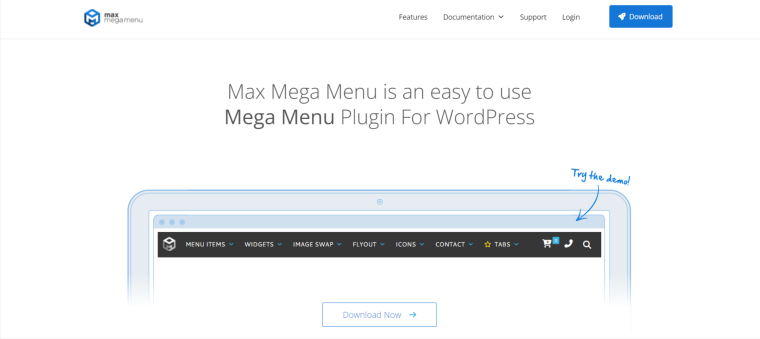
Your current menu is immediately transformed into a mega menu when you install Max Mega Menu. By avoiding code entirely, the drag-and-drop builder assists in creating the menu from your dashboard.
You have a lot of customization choices for your website, like your online store, because you can use your theme editor to style the mega menu and change the functionality of the menu using native WordPress settings.
Additionally, this plugin can create intricate menus with interactive features like maps, which are a great option for a restaurant website. Additionally, it may interface with third-party plugins and have features like calendars and contact forms.
Typically, only paid or sophisticated plugins have the mega menu feature; however, Max Mega Menu offers it for free. It loads quickly and is lightweight despite having a lot of features. For further features like support for Easy Digital Downloads and WooCommerce (or WooCommerce plugins for products or more), you might want to subscribe to the paid version.
Key Features
- Drag & drop interactive components
- Sticky menu
- Personalized styling
Pros
- It’s lightweight and well-coded, so it won’t slow down how quickly pages load on your website.
Cons
- Max Mega Menu’s drawbacks include the limited functionality of the free edition.
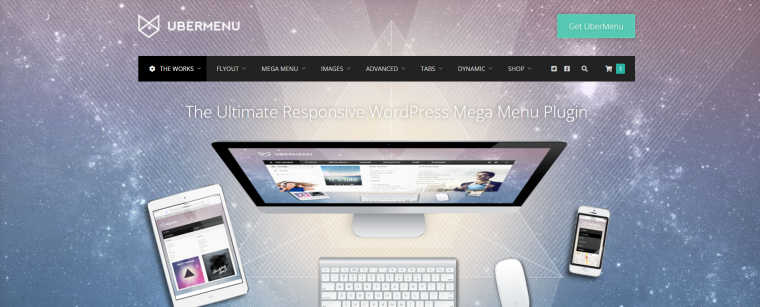
UberMenu is a well-liked plugin for creating intricate multi-level mega menus. Its exceptional feature enables you to include sophisticated content on the menu, such as Google Maps. You may even allow it to show grids of blog posts. Additionally, set up the grid to pull featured images and particular material.
If you would like, you can create many UberMenus with different settings or align the menu vertically. Although the plugin works well with the WordPress menu system, an UberMenu-specific style sheet must be included in your theme.
Struggling with WordPress website?
Try premium WordPress hosting solutions offered by Hostonce for a faster, reliable, and advanced solution!
Note: You can install the free mobile menu plugin ShiftNav if you think the menu is too complicated for smaller devices. This aids in creating mobile menus that resemble apps.
Key Features
- CSS3 transitions
- Live personalization with over fifty styles
- Touch support
- Advanced submenus
Pros
- Entirely responsive and mobile-friendly (but use ShiftNav if you plan to add a lot of content). You can add images, shortcodes, widgets, and custom HTML
Cons
- No free version or trial is available.
Here are the responsive menu WordPress plugin options which you can try:
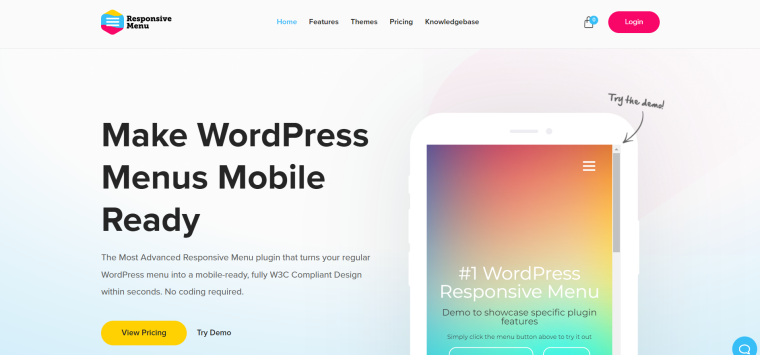
To transform your WordPress menu into a stylish sliding menu that works flawlessly on mobile devices, you should install WP Responsive Menu. It has several easy-to-use capabilities and integrates perfectly with the WordPress admin interface.
The reason of why use WordPress Responsive Menu plugin lies in its ability to conceal superfluous mobile functionality is awesome. The shortened menu creation procedure makes WP Responsive Menu unique. This enables you to use the dozens of adjustable options to quickly create a menu that is both aesthetically pleasing and useful.
Key Features
- Personalized logo
- Two choices for displays
- Support from social media icons
- Connects to WooCommerce
Pros
- WP Responsive Menu benefits include easy translation to suit any local audience and support for RTL languages. No prior knowledge of designing custom WordPress menus is required.
Cons
- After a year, support and updates expire; if you want it to keep functioning correctly, you must renew.

It’s likely that mobile devices account for the majority of your traffic. Nevertheless, you may need to tailor and optimize your WordPress website for mobile consumers in particular. It may be necessary to improve your mobile menu in order to make it more effective and user-friendly. The functionality of mobile websites will be improved with the WP Mobile Menu plugin.
The feature set of WordPress Mobile Menu is extensive for a free tool. It supports a custom logo and has a multilevel dropdown feature, a naked header, an overlay mask, and a background picture.
Naturally, you can also change the menu appearance to exactly match your branding guidelines like for a multi-lingual website. Ensure that your mobile site functions just as great as the desktop version.
Key Features
- Header bar
- Search in real time
- Animated icons
- WooCommerce supported
Pros
- It is designed to improve the mobile experience on your website. It can be used with any responsive and modern WordPress theme.
Cons
- Pro plans can be costly if you’re using the plugin on many sites.
Here is a navigation menu WordPress plugin option which you can try:

Hero Menu is a feature-rich WordPress menu plugin made to assist you in creating visually appealing and engaging website navigation menus.
Additionally, it provides a wealth of customization choices and cutting-edge capabilities to improve user experience and simplify navigation for different websites like blog hosting sites. Building mega menus, vertical menus, and mobile-friendly menus is simple with Hero Menu.
Looking for perfect brand identity?
Unlock the power of most premium domain names for your business and future-proof your website today!
HeroMenu ensures that you can quickly create a WordPress menu that looks quite professional. From an extremely feature-rich Mega Menu to the most basic menus with straightforward dropdowns.
Key Features
- Drag-and-drop menu builder
- Mega menus are supported
- Advanced styling options
- Good compatibility with popular page builders like Visual Composer, Beaver Builder, and Elementor
- WooCommerce compatibility
Pros
- The user interface is intuitive, allowing for easy menu creation and customization. Great compatibility with popular WordPress themes and page builders for a seamless experience.
Cons
- Some complex features may require technical knowledge.
Final Thoughts
The menu bar of a website not only serves as a navigation tool for readers to view content, but it can also be used to attract readers to your site. To put it another way, simply having a menu that works is frequently insufficient. To add excitement to the experience, there may be a need for an aesthetic component.
The good news is that you have the option to choose between a lot of available best WordPress menu plugins discussed in this article. Many of these plugins can keep their function like responsiveness, mega menu options, and smooth navigation in very nice and customizable ways.
FAQs
What is the pricing range of the Max Mega Menu plugin?
You can get the Max Mega Menu for free. Its paid version, meanwhile, costs between $26 and $99 every year.
Which WordPress menu plugins work best on mobile devices?
The WP Mobile Menu Plugin is the greatest option for anyone who wishes to make their website's menu more mobile-friendly.
Which WordPress menu plugins are the best for users of Elementor?
The well-known WordPress menu plugin JetMenu offers Elementor users full compatibility. This plugin's drag-and-drop builder makes it simple to construct a Vertical Mega Menu or Mega Menu.
How does the WordPress plugin UberMenu work?
UberMenu is an easy-to-use WordPress menu plugin. You may completely alter your menu's backdrop, icons, layout, and categories with this tool. Even your own photos can be added to the menu subcategory.

Wix vs WordPress: Which One Is Best?
By Aliza Irfan on November 10, 2025
Hostonce is the #1 WordPress Host
Ranked by 930+ customers in G2's Best Software Awards.
