


Websites compete with each other all the time in search engine results and how you handle search engine spiders has a big part to play in that visibility. One of the most drastic commands within the robots.txt file is “Disallow: /”. Missing out on deleting this line would result in an entire.
Many website owners and even developers underestimate the power of the robots.txt file. A single misplaced line like Disallow: / can tank your traffic overnight. Here, we’re going to take a look at what “robots.txt Disallow All” really is. Avoid typical SEO errors associated with this setup. Our aim is to assist you in using robots.txt wisely. Without inadvertently hiding your site from the internet.
SEO Checklist – Off Page Optimization to Boost Website Authority
By Hamza Aitizad on August 9, 2025Key Takeaways:
- Strategic use of
robots.txtsupports crawl efficiency, website security, and better search engine performance. robots.txtis a file that guides search engine crawlers on which pages to index or ignore.- Using
Disallow: /blocks all crawlers from accessing your site, effectively preventing it from appearing in search results. - While it can protect sensitive or unfinished content, overusing it can harm your site’s SEO and visibility.
- Careful configuration ensures important pages remain indexable while restricting private or low-value content.
- Testing your
robots.txtfile regularly helps avoid accidental blocks that could reduce organic traffic. - Understanding the difference between
DisallowandNoindexis essential for proper SEO management.
What is a Robots.txt File
Communicates directly with crawlers that represent search engines. Think of it like a gatekeeper. It gives instructions on what parts of your site should be crawled or not crawled. It’s an essential component of a technical SEO strategy.
Allow, instructing bots on what to do. As an example. You would place a Disallow command on the path. In opposition to this, Allow can counteract limitations to allow bots access to specific places. It is that robots.txt is not a security measure.
Bots to not crawl something does not mean they cannot access it. Reputable search engines like Google and Bing follow them strictly. Ignore the file completely. It’s not foolproof in stopping all unwanted behavior.
It is a critical tool for crawl budget optimization. It assists search engines in prioritizing content, lessening server load, and preventing duplicate indexing problems. It can have the opposite effect and do major damage to your online presence.
Understanding the Basics
- User-Agent Directive: Identifies which spiders the directives apply to. User-agent: * disallow: / applies the directives to every crawler.
- Disallow Directive: Instructs spiders not to crawl specified directories or pages. Disallow: /admin/ excludes the /admin/ directory.
- Allow Directive: Reserved to countermand a disallow directive.
- Management of Crawl Budget: Facilitates prioritizing crawl activity on top content by avoiding wasting the bots’ time on lower-priority pages.
- Limitations: Robots.txt influences only crawling, not indexing.
- Not a Security Tool: Robots.txt won’t conceal sensitive information. It will merely ask bots to please not go there. Always use proper authentication and file permissions for security.

Protect and Optimize Your Website
nsure your site is properly crawled and indexed with reliable WordPress hosting. Get started today with HostOnce WordPress Hosting and maximize your SEO potential!
What Does “Disallow All” Mean in Robots.txt
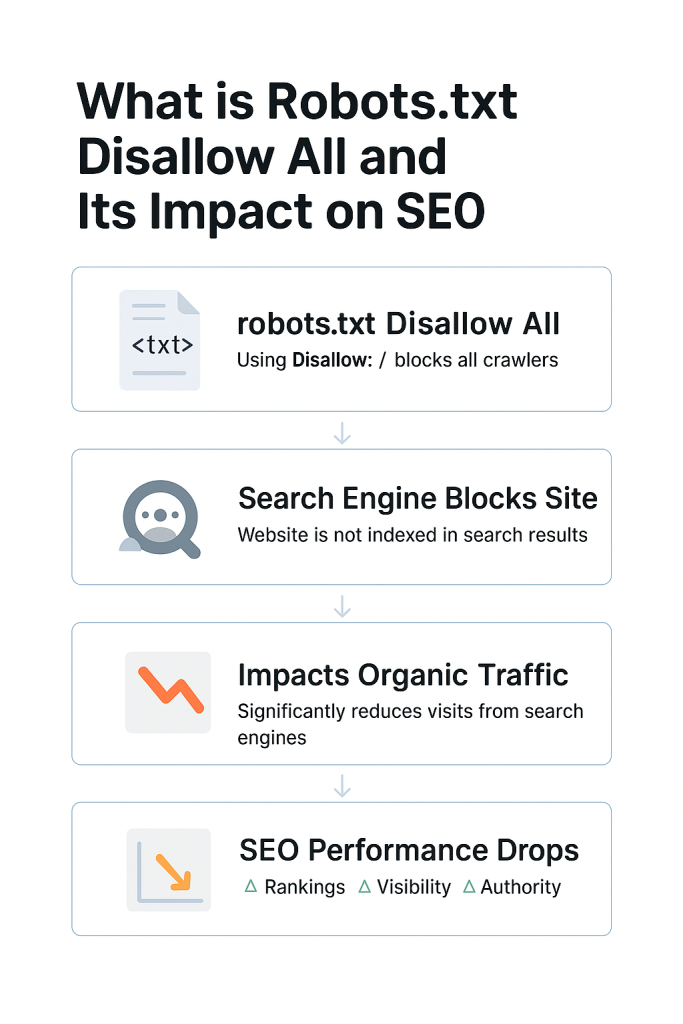
The Disallow All directive in robots.txt is penned as a concise yet effective instruction: Disallow: /. Used with User-agent: *, it tells all web spiders not to visit any section of the site. This directive is usually applied in development or temporary environments. It’s an easy way to keep your work-in-progress site out of search results.
A common myth is that disallowing all crawlers enhances security or keeps pages invisible to the general public. That’s not the case. Your pages can be accessed by anyone who knows the URL, and certain bots will simply ignore the robots.txt file. With some, the site owners apply Disallow: / with the intention of keeping low-quality or fleeting content out of Google’s index.
Yet the better approach with such cases is to let crawl and employ the no index meta tag, instructing search engines not to index a page after crawling it. Ultimately, the Disallow All command is a sledgehammer of a tool in the SEO arsenal. Its incorrect use can cause significant visibility and traffic problems.
The Critical Command
The most drastic command you can put in your robots.txt file is. This informs all the search engine spiders, ranging from Googlebot to Bingbot, not to crawl any page on your entire site. In the eyes of a search engine, your domain is off limits entirely. Applied, search engines honor this instruction and will not crawl or index any portion of your site.
Image directories will be omitted. Applying it to a live production site is usually disastrous. The bad news? You might not even realize it’s happening. Your pages can continue to be indexed temporarily using cached information. Those pages start dropping out of search rankings. Implementing this command is preferably done with strict version control and audit procedures.
Should You Use Disallow All
It is usually criticized as being harmful for SEO. It is as crucial as being aware of its dangers. In the proper situation, it can prevent the indexing of sensitive or incomplete content. It’s useful to prevent uncompleted content, broken links. Where developers mimic the live WordPress website for testing bugs or design previews.
These environments can duplicate the main site. For maintenance or migration, temporarily. In those instances, blocking crawlers prevents indexing errors. A 503 status. Proper crawl-delay directives might be better suited. Disallow: / on private intranet systems or internal portals.
Expert Tip
Always test your robots.txt file with Google’s Robots Testing Tool before deploying it live. A small misconfiguration, like using Disallow: / unintentionally, can block your entire website from search engines and drastically hurt your SEO.

Situations Where It Makes Sense
The best time to implement Disallow: /. It is not yet ready for public release. In development, your site might have unfinished navigation, test data, or test elements that don’t make sense in the final version. Copied versions of your live site are utilized internally for reviews or testing.
Disallow All stops duplicate indexing and safeguards the SEO purity of your main domain. It is necessary to prevent crawlers from accessing. Disallow All can serve as a temporary protection throughout this transition stage. Disallow All provides an easy means to limit exposure to crawlers.
The Disallow All Effect on SEO
It tells all search engine crawlers not to visit. Index any page on your site. This means your homepage, blog entries, product pages, and even your assets like pictures, stylesheets, or scripts. SEO-wise, it is similar to hiding your whole site from users. One of the most direct impacts of having Disallow All in place is a drastic drop in search engine rankings.
Update your pages in their database. Your highest-ranked content. This results in a loss of link equity, which is an important rank factor in Google’s algorithm. Backlinks to unencryptable pages have little or no SEO value. It also supports popular hosting platforms like Hostonce.
Structured Data
Results won’t have structured data and rich snippets anymore. Other SEO optimizations added to your HTML, your pages will have reduced display elements like star ratings, product availability, or featured snippets from search engines.
This can lead Googlebot to misread the functionality and the design of your site, possibly flagging it as low-quality or non-mobile. Its improper use on a live Hostonce website hosting can cripple your SEO strategy. That’s why it’s essential to understand its impact and use it only in controlled, intentional circumstances.
Alternatives to Disallowing Everything
To prevent search engines from accessing your site. The good news is that there are alternative methods better suited to SEO that allow you greater leeway without shutting things down entirely. Selecting the best technique is determined by what you’re attempting to accomplish.
Safeguarding sensitive information or coping with duplicated content. One of the better solutions is the use of the noindex meta tag. It will not prevent bots from accessing your content. It just prevents them from indexing it.
Best Practices: How to Avoid SEO Issues
- Use Google Search Console’s robots.txt disallow all Tester to check that you’re not inadvertently blocking useful pages or assets.
- Image files are not disallowed by all robots.txt. Google must render your site in the correct way for it to rank evaluate.
- See what Googlebot is doing with your site. Sudden decreases in crawling could be a sign of an overly restrictive robots.txt that disallows everything.
- Deleting a culprit Disallow: / line can rescue your SEO efforts from catastrophe.
Conclusion
The Disallow: / directive in robots.txt is likely the most powerful method you have to control crawl behavior, and its SEO implications are just as strong. How you can direct them is key to success over the long haul in SEO. A properly formatted robots.txt file doesn’t simply safeguard your site from errors.
Rank Math vs Yoast SEO: Best WordPress SEO Plugin for 2026
By Hamza Aitizad on August 9, 2025FAQs
Is robots.txt the best way to prevent pages from showing up in search?
It doesn't guarantee the blocked pages won't appear in search results especially if other sites link to them.
How do I check if my robots.txt is blocking important pages?
In order to check if your robots.txt is inadvertently blocking important pages, you can test with tools like Google Search Console's Robots.txt Tester.
Will Google immediately remove my pages if I block them?
No, Google won't immediately drop your pages from its index solely because you have included a Disallow: / directive.
Can I use Disallow: / temporarily?
Yes, you can use Disallow: / temporarily, especially for tight periods such as development, testing, or major site rework.

Hostonce is the #1 WordPress Host
Ranked by 930+ customers in G2's Best Software Awards.
