


Did you know that 75% of educational institutions make use of WordPress? When it comes to sensitive information, data privacy and compliance with privacy regulations are the basic foundation for your educational site.
If you own an educational website, being able to protect student data and handle personal information is a strong security measure. Learn how to secure student data in WordPress with the right plugins from hacks and other threats.

How to Build an Email List – Strategies for Growth
By Javeria Riaz on August 13, 2025
Stay compliant without the headache!
Protect your students and your reputation with Hostonce’s FERPA & GDPR hosting. With our built-in compliance tools, we give your WordPress site the security it deserves
Why Student Data Needs Extra Protection
In a world where data portability is key, dealing with sensitive student information requires more protection than conventional websites. When there is no proper data handling to help you secure student data, it can lead to fraud, identity theft, and unauthorized access to your WordPress core site.
Unlike basic websites, a WordPress user starting an educational website must be in compliance with data protection laws like the Children’s Online Privacy Protection Act and Family Educational Rights and Privacy Act.
Risks of Data Breaches in Educational Websites
Educational platforms are more targeted by hackers than other websites because of the sensitive information. A website without any data protection measures can be open to attacks like:
- Malware attacks on their WordPress database, which can be obtained from outdated software
- Phishing attacks are used to steal student records and other personally identifiable information.
- Unauthorized access or consent for data collection
The Role of WordPress in Student Data Protection
WordPress is one of the best website builders, offering services to millions of users all over the world. Although it has the best security practices for student privacy, it is still a vulnerable platform for hackers.
Protecting personal data from malicious sites involves setting up privacy guidelines, using the best security WordPress plugin, and obeying the General Data Protection Regulation.
What Is FERPA and How Does It Affect Student Data
FERPA is a United States law for protecting student information by offering certain privileges to parents over their children’s information. When a child reaches 18 or goes beyond high school, these privileges are transferred to them.
In the educational sector, FERPA ensures the privacy of information by allowing authorized parties to access their data. Furthermore, WordPress FERPA compliance denotes how data is stored between students and their families.
Understanding GDPR Compliance Requirements
GDPR is a European body that oversees how data is collected, processed, and stored. This organization has control over any company that handles sensitive information about people living in the region. WordPress GDPR compliance ensures:
- The best strategies for securely handling student data
- Transfer of data to only authorized parties
- There is data minimization when it is transferred to the student
- The processes involved in deleting data when it’s no longer needed.
Key Differences Between FERPA and GDPR for Schools and Educators
| Aspect | FERPA | GDPR |
| Scope | Educational bodies in the U.S. | Any company handling information of EU residents |
| Focus | Student privacy record | All personal information |
| Consent | Parent/student rights to review/amend | Explicit consent before data is collected |
| Penalties | Loss of funding from the government | Heavy fines that can reach €20M |
How to Secure Student Data in WordPress (FERPA and GDPR compliance)
- Using a secure WordPress hosting provider is one of the best practices for handling student information. Go for a hosting provider that offers the best security measures and privacy laws.
- Ensure that SSL Certificates are fully configured on your website. SSL ensures that data is encrypted and can boost the privacy of student education records.
- Conduct regular security checks to identify any threats or illegal attempts to access information. You can use plugins for monitoring and auditing your website
WordPress Plugins for Student Data Protection
For websites and educational institutions using a FERPA GDPR WordPress site, some plugins can keep student data and prevent any illegal access.
1. Complianz
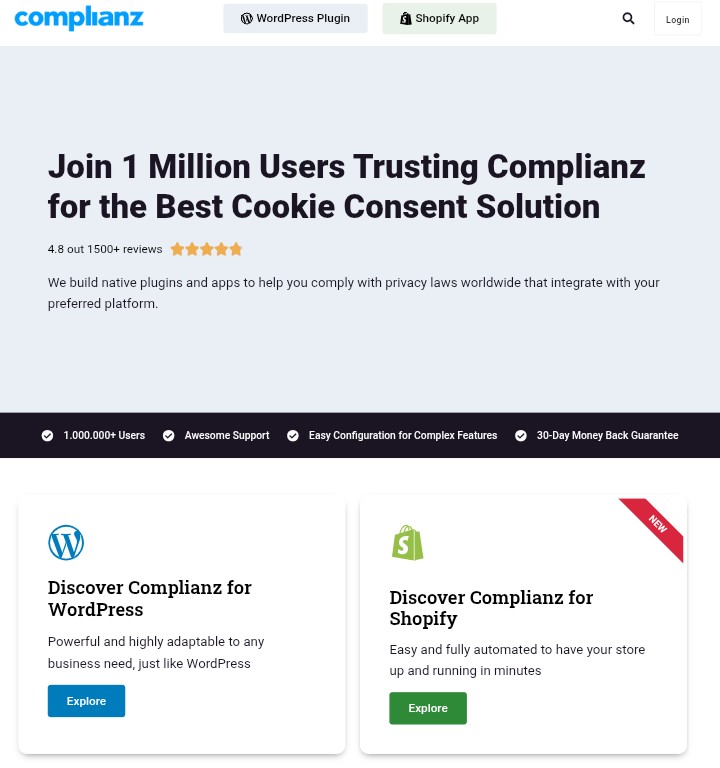
Complianz is a WordPress plugin designed for GDPR compliance. It includes privacy policies, cookie consent banners, and other security features. It is one of the best plugins for securing student information on WordPress.
Key Features:
- Automatic cookie scanning
- Multi-language support
- Customizable cookie banners
- Data processing agreement
| Pros | Cons |
| ✅ Easy GDPR Compliance | ❌ Complex |
| ✅ Compatible with popular plugins | ❌ Affect website performance |
| ✅ Customizable | ❌ The free version has limited features |
2. WP GDPR Compliance

WP GDPR Compliance is the best plugin for managing the data you collect. It is perfect for managed WordPress hosting owners. With this plugin, you can stay compliant with GDPR regulation and keep your website safe.
Key Features:
- Customizable settings
- User data request management
- Integration with plugins
- Cookie consent management
| Pros | Cons |
| ✅ Easy compliance | ❌ Not for beginners |
| ✅ Customizable | ❌ Affect performance |
| ✅ User data protection | ❌ Ongoing maintenance |
Best Practices for Data Collection and Storage
- If you have a domain website, minimize the right to access essential information. Granting access to a few parties can help protect student data from attacks.
- Reduce the amount of data you collect and store. The less data you have, the easier it is for you to protect.
- If you are using managed hosting for WordPress, ensure that all sensitive information is encrypted and safely stored.
- Design specific roles and restrict permissions to certain information. There are student privacy laws WordPress plugins that can help you
Features to Look for in a Hosting Provider
The hosting provider you choose can determine the success of your educational website and compliance with regulatory bodies. When it comes to the protection of sensitive data, here are features to watch out for when picking a hosting provider:
- DDoS protection against any attack
- Daily backups of website content
- Malware scanning and detection
- 24/7 customer support
Hostonce offers the best security features for protection against data theft and attacks. We ensure that your website complies with FERPA and GDPR while providing premium services for success.
How to Maintain Compliance and Data Privacy with WordPress Hosting
- Perform regular security checks and audits to ensure that you are adhering to the regulatory standards. These checks can be done once a week or set automatically.
- Stay updated with the latest information and regulatory requirements. You can do this by subscribing to official social networks
- If you notice there is a security breach, you can notify the relevant bodies, add more security measures, and tackle the issue immediately
Final Thoughts
Security is very important for online platforms because it promotes credibility and growth. As a business in the educational sector, knowing how to secure student data in WordPress can help prevent future attacks and penalties. Get optimized shared hosting for small businesses today
Always use the right security plugins and ensure that you are following the best practices for maximum protection. Find out more tips and guidelines by reaching out to us on Twitter (X) for any assistance.
FAQs
Do FERPA and GDPR apply to small educational websites?
Yes, both agencies apply to small educational sites. If you have an educational platform that deals with data collection and storage, compliance with these bodies is compulsory.
What happens if my secured student data in WordPress is violated?
Violations can bring penalties. For example, disobeying FERPA can lead to losing federal funding, while GDPR violations can bring fines that are worth millions.
Which plugins can I use to secure student data in WordPress?
Plugins such as WP GDPR Compliance and CookieYes are the best for GDPR compliance. You can manage data access, cookie consent, and privacy policies with these plugins
How often should I perform a security audit on my website?
It is advisable to perform a security audit on your website once a week. However, if you own a website that deals with sensitive information, a quarterly security audit is fully recommended.
How to Use the WordPress Data Package to Manage Application States
By Javeria Riaz on November 1, 2025
Hostonce is the #1 WordPress Host
Ranked by 930+ customers in G2's Best Software Awards.

