Keeping control of the website hosting prices is easy once you understand where your billings and payment history are located. This stuff lets you stay organized and avoid any unwanted surprises. Regardless of whether you’re using Hostonce or another hosting company, you need to keep track of your billing receipt and payment history. It allows you to maintain your budget and submit requests for refunds, renewals, and accurate business records.
In this tutorial, we will show you how to see your billing receipts and payment history in your WordPress account.
Table of contents
Why It’s Important to View Your Billing History
Below are some of the most common reasons that you should review your payment history:
- Your billing history reveals the very services you’re paying for.
- It’s useful for spotting and disputing unfamiliar or repeated charges.
- Keep tabs on expiration and auto-renewals to help you avoid service interruptions.
- Download official receipts for tax or business records.

Track Your Payments & Download Receipts Anytime
Get an Ideal Domain Name with Hostonce with affordable cost and no hidden charges to build your online presence.
Viewing Payment History on WordPress
You can go to your billing history in order to see your account transaction receipts. Billing records typically include details like the invoice ID, billing date, total charges, and other related information. To see your billing receipts and payment history, you can:
Step 1: Access Requirements
Now, before you can view your billing receipts and payment history, ensure you have the correct access:
- Sign in to your
WordPress.comaccount or your hosting provider’s dashboard using the email and password linked to your account. - If you’re running a business or handling a team site, make sure you’re logged in with administrator access. Billing and payment details can only be seen by those with Admin-level access.
If you meet these qualifications, then you can follow the steps below to read your billing receipts and review your payment history:
To view your billing history, sign in to your WordPress.com account and click on the menu option Purchases from the left:

Step 3: View Billing Receipts
Click the Billing History tab along the top of the page to access the Payment History. Now you’re going to be taken to the list of all the transactions made to your WordPress. com account, most recent ones first:

Step 4: Filter Payment Receipts
You can also filter from the top to see only purchases from a certain month:

Likewise, you can filter payment history for something like WordPress.com, WooCommerce, Jetpack, etc.

Step 5: Generate the Billing Receipts
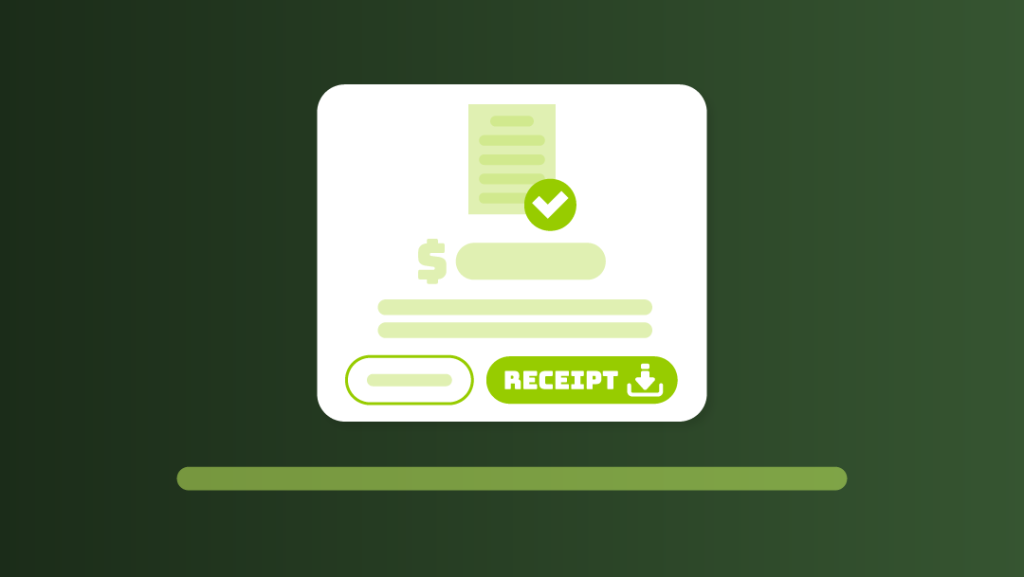
To get additional details about a payment, select the option labeled View Receipt. There you’ll also see a Print Receipt button, which can be used to open a print-ready version of the receipt. You can print it or save it as a PDF:
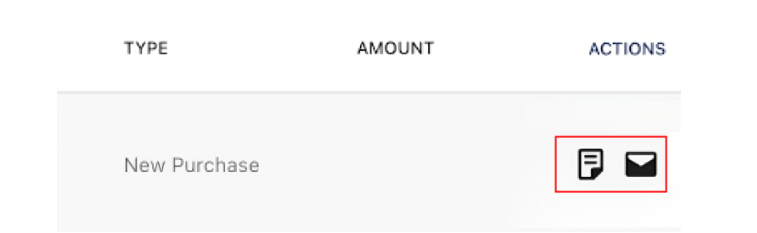
And if you want to email the receipt, click the Email Receipt button.
Step 6: Hostonce Billing Phone Number
If you require assistance with oversight, a refund, or a billing query that is not resolved via your dashboard, you can also contact Hostonce’s billing support directly.
Common Billing Issues
It also keeps a note of any issues you might run into while scrutinizing your billing receipts and statements. Here is how to identify and solve them with ease:
Unexpected Charge on Your Account
If you notice an unfamiliar charge, stay calm and don’t worry. It’s probably that one of your services, a domain or hosting plan, has been auto-renewed. To see, visit your Order History and check recent renewals. This will identify the fee and clearly show what it was related to.
Don’t Recognize a Payment
Don’t recognize a charge, or think it might be fraud. If it doesn’t, you should be able to reach the customer support. They’ll be able to review your payment history and determine if the charge is legitimate, or if there’s been some sort of error or fraudulent activity.
Need to Request a Refund
You bought a service in error, or simply decided you don’t need it. No worries! Some hosting companies, such as Hostonce, do have a refund policy, but that only applies to certain services and for a certain period. You can examine your provider’s refund policy and then apply for a refund if your purchase meets the terms and conditions.
Invoice Shows Old Contact Details
Invoices are automatically generated using the details available at the time of purchase. If you see outdated information, such as an old address or email, keep in mind that invoices can’t be changed afterward. To ensure future invoices have the correct details, update your account information before your next purchase or renewal.
How to Add or Update Billing Information
You can create new billing information or update your existing billing record from the Payment Methods section. It ensures uninterrupted hosting services, domain renewals, and security protection.
You can perform this process by signing in to your hosting account and visiting the Payment Methods section. You will see your saved card or your PayPal account there, as well as an option to edit or delete them.
If no payment method is set up yet, you’ll see a button labeled Add payment method. Select it to enter your payment details:

Conclusion
By reviewing your billing receipts and payment history frequently, it’s easier to stay on top of any website hosting prices. It allows you to keep track of what you’re paying for, ensure that you’re not surprised by additional charges, and remind you about renewals. Whether or not you are on WordPress.com or a similar service such as Hostonce, it’s important to know how to find and use this information. It can aid you in budgeting, in asking for refunds, and in maintaining business records.
In this guide, we showed you some basic steps to access your billing history, filter receipts, and even print or email when necessary. You also learn how to solve typical problems, such as strange charges or outdated billing data. Keeping your billing information up to date makes sure your services continue to run smoothly.
FAQ
Why is it important to check my billing history?
It allows you to monitor your spending, identify unfamiliar charges, prevent service disruption, and download receipts for business or tax purposes.
What do I do if there is a charge on my card I don’t recognize?
Navigate to your order history to see if a new renewal happened, or call customer service and ask them to confirm the charge.
Can I get a Refund for a service I don’t need anymore?
Yes, some hosting dealers will offer refunds on selected services within a time frame. Verify your provider's refund policy and request a refund if applicable.
I have a new credit card; how can I change it on my billing information?
Visit the Payment Methods section of your hosting account to add, remove, or edit payment information.
Is there a way to print or email a billing receipt?
Yes. Click on View Receipt and use the Print Receipt or Email Receipt buttons to get a copy.
What if my invoice reflects out-of-date contact information?
Invoices are not editable once created. Update your account info before making your next purchase to include the correct info.
