
Linux is an operating system that is quite popular in servers, desktops, and embedded systems. Managing disk utilization is one of the admin related jobs. One of the most important tasks in management is assessing how much disk space is being consumed by directories. Knowing how to check the directories size in Linux is pertinent whether one is in the process of troubleshooting a full disk, optimizing storage, or just checking out how much storage is being utilized.
This article will discuss with you, through various methods, both command-line and graphical, to check directory sizes in Linux. We will cover basic commands, advanced options, and practical tips for efficient disk usage monitoring.
Why Check Directory Size
Before we check Linux check size folder, let’s understand why:
- Prevent your system from running out of space.
- Large directories can slow down backups and file operations.
- Identify space hogs when your disk usage spikes unexpectedly.
- Keep track of user or application data growth over time.
Prerequisites
To check size of directory linux, you will need:
- Access to a Linux system
- A terminal emulator or shell
- Basic familiarity with Linux commands

HostOnce’s Shared Hosting offers fast, secure, and scalable NVMe SSD hosting with easy customization, strong uptime, and great value.
Method 1: Using du Command
The most common and versatile tool to get size of directory linux is the du (disk usage) command.
du -sh /path/to/directoryThey -s summarize the total size and -h for Human-readable format (KB, MB, GB). For example:
du -sh /home/DocumentsThe output will be:
1.2G /home/DocumentsThis tells you the total size of the Documents directory in a human readable format.

To see the size of each subdirectory:
du -h /path/to/directoryFor example:
du -h /var/log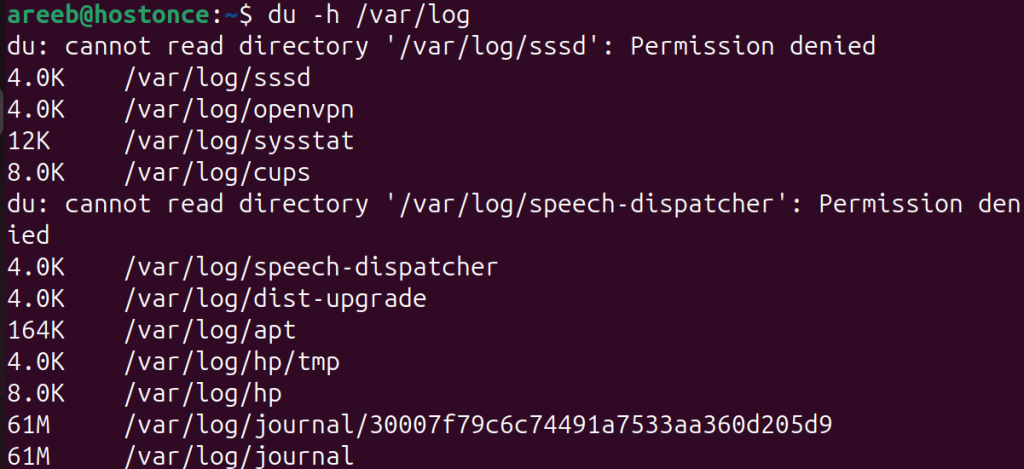
This lists the size of each subdirectory and file within /var/log.
Sorting by Size
To find the largest subdirectories:
du -h /path/to/directory | sort -hr | head -n 10- sort -hr: Sorts human-readable sizes in reverse
- head -n 10: Shows top 10 largest entries
Method 2: Using ncdu Command
ncdu is a powerful, interactive tool for visualizing disk usage.
On Debian/Ubuntu use the following command to linux get size of directory:
sudo apt install ncdu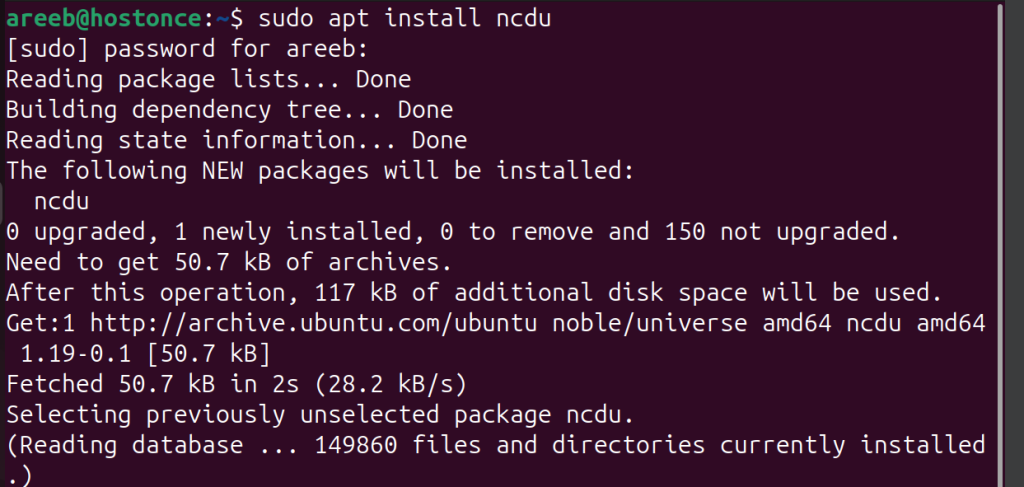
On CentOS/RHEL use the following command:
sudo yum install ncduOn Fedora use the following command:
sudo dnf install ncduThis command can be used by parsing the directory:
ncdu /path/to/directoryThis opens a text-based interface where you can navigate through directories and see their sizes.
Method 3: Using ls and find Command
While du shows directory sizes, sometimes you want to know which individual files are the largest.
Find Largest Files
find /path/to/directory -type f -exec du -h {} + | sort -hr | head -n 10This find size of directory linux with lists the top 10 largest files.
Using ls for File Sizes
ls -lhS /path/to/directory- -l: Long listing format
- -h: Human-readable
- -S: Sort by file size
Method 4: Using tree Command
The tree command gives a visual representation of directory structure and sizes.
On Debian/Ubuntu use the following command:
sudo apt install treetree shows file sizes, not cumulative directory sizes.
tree -h /path/to/directoryMethod 5: Graphical Tools
If you prefer graphical interfaces, most Linux desktop environments offer disk usage analyzers.
GNOME Disk Usage Analyzer (Baobab)
On Debian/Ubuntu use the following command:
sudo apt install baobabAfter installation, launch from the applications menu. Select a directory or an entire filesystem. View graphical pie charts and treemaps.
KDE Filelight
On Debian/Ubuntu use the following command:
sudo apt install filelightLaunch from the KDE menu. Interactive radial graphs show disk usage.
Conclusion
Checking the size of a directory in Linux is a fundamental skill for system administrators, developers, and power users alike. Whether you’re using the command line or a graphical tool, Linux offers a rich set of utilities to help you monitor and manage disk usage effectively.
By mastering tools like du, ncdu, and find, You can stay ahead of disk space issues, optimize performance, and maintain a clean and efficient system.
FAQ
How do I check the size of a directory in Linux?
Use the du -sh /path/to/directory command to check the total size of a directory.
What does the -sh option in the du command mean?
-s summarizes the total size, and -h makes the output human-readable (KB, MB, GB).
How can I see the size of all subdirectories in Linux?
Use du -h --max-depth=1 /path/to/directory to list sizes of subdirectories.
Is there a visual tool to check directory size in Linux?
Yes, you can use ncdu, a terminal-based disk usage analyzer with a visual interface.
How do I install ncdu on Linux?
Run sudo apt install ncdu on Debian-based systems or sudo yum install ncdu on RHEL-based systems.