cPanel has multiple useful functionalities. One of them is how it allows you to monitor the resources your websites use. This is how it helps you avoid overload and better manage your website. This guide has valuable information for those who want to learn how to check resource usage cPanel.
Table of contents
Key Takeaways
- Resource Metrics let you know where your device’s energy is spent
- Monitoring Resource Usage keeps a lot in balance
- Knowing common causes of high resource usage is vital
Detailed Breakdown of Resource Metrics
Log in to your cPanel account to check the resource usage. You can locate the Statistics bar on the right of your screen.

The Statistics section shows general metrics such as email accounts and disk usage and other things. It shows the current usage of resources.
Have a look at the detailed list of the Statistics content:
Key Resource Metrics
- Inodes. The number of files located on your hosting account. One email message equals one inode. An email message sent with two attachments equals three inodes.
- Addon Domains. The total number of domains that are added to your hosting plan.
- Subdomains. The total number of created subdomains.
- Disk Usage. The storage space that contains your files and processes.
- Bandwidth. Data transfer of your hosting plan on a monthly basis.
- Email accounts. The total number of created email accounts.
- Autoresponders. The total number of automatic replies there are in your email accounts.
- Forwarders. The total number of forwarders there are in your email accounts.
- Email filters. The total number of email filters and their limits in your current account.
- MySQL Databases. The total number and limit of databases. This metric is essential as it influences the performance of your plan and disk space. Keep this in mind when you create a new database.
- CPU Usage. The CPU power in percentage that your hosting plan consumes.
- Entry Processes. The total number of PHP processes executing to handle your site requests.
- Physical Memory Usage. The amount of physical memory used by the processes.
- IOPS. It means Input/Output per second. It shows how much data is written every second on your hosting plan.
- I/O Usage. The input and output that your hosting plan uses.
- Number of Processes. The total number of processes running at the moment.
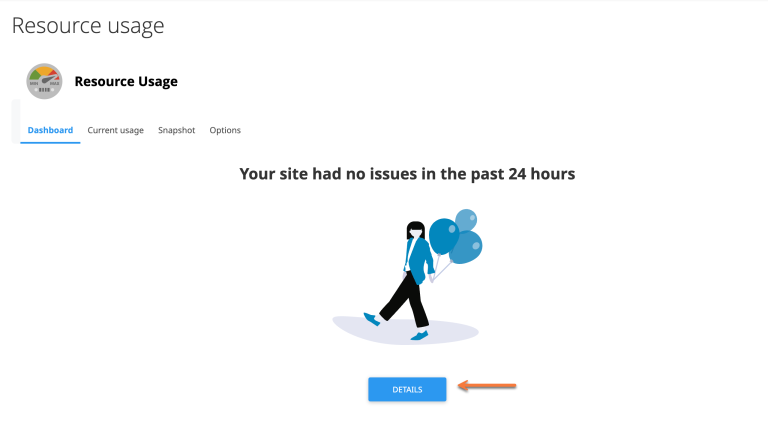
You may look into the Resource Usage section for more information.

Take control of your site performance today!
Choose Hostonce hosting for smarter monitoring and faster speeds with reliable uptime. Count on Hostonce to help you solve such issues!
The Faults Graph
The Current Usage tab gives you details about the usage of your hosting plan. This information is represented in the graphic form:
The Faults graph has the following concepts:
- CPUf. Average CPU use in percentage faults.
- EPf. Average concurrent web server or entry process faults.
- Nprocf. New processes created faults.
- VMemF. Value showing the full amount of allocated memory by process faults.
- PMemF. Memory failures i.e. situations when processes allocate new requests and too much memory of clients cannot be served.
- IOf. Time out of the usual data writing time.
- IOPSf. Time out of the usual data written.
Now you know how to find and how to check resource usage cPanel.
Q: How to check usage in cPanel?
A: Log in to your cPanel account and open the Statistics bar on the right side. Click Resource Usage from the main menu for detailed insights. You will see real-time graphs showing CPU and memory and disk usage.
Why Monitoring Resource Usage Matters?
Monitoring resource usage helps you maintain site speed. This act prevents crashes and optimize performance. It helps in identifying which elements of your website consume the most power. It could be a database query overloading memory or it could be a plugin causing excessive CPU usage. Monitoring makes it easy to solve the issue on time.
Do you think that monitoring resource usage in cPanel is just about keeping track of numbers? You are wrong. It is about consistent performance and website health maintenance. You can identify unusual processes or spikes consuming excessive resources when you monitor metrics like CPU and bandwidth. This is a proactive approach which helps you prevent downtime and reduce security risks due to overloaded servers.
Checking usage statistics regularly keeps your hosting plan easy on the budget and efficient enough. Regular monitoring helps you allocate your hosting resources effectively. How? You can pinpoint what parts of your website need optimization. Those parts could be database cleanup or cache improvements or image compression. You have to make decisions based on data to improve overall site speed and stability.
Do not forget to choose a trusted hosting provider.
Common Causes of High Resource Usage
Websites experience overload and high resource consumption because of:
- Bot attacks or heavy traffic surges.
- Poorly optimized scripts or outdated plugins.
- Badly compressed videos or large image files.
- Too many database queries at once.
Follow Hostonce Knowledge Base for more tips and similar articles!
Conclusion
To check resource usage cPanel is to ensure your website security. It is a crucial part of website management. You get to detect performance issues early this way. Is the issue cPanel CPU usage? Is the issue cPanel memory usage? It could rather be cPanel disk usage. Identifying and solving these issues can optimize your website for improved reliability and faster loading.
Frequently Asked Questions
How often should I check my cPanel resource usage?
It is best to monitor your usage weekly or whenever you notice your website slowing down.
What happens if I exceed my resource limits?
Your website may experience temporary slowdowns or timeouts or restricted processes until resources are freed up.
How can I reduce high resource usage in cPanel?
Optimize images. Update plugins. Enable caching. Remove unused files or databases to lower consumption.
Does Hostonce provide tools for tracking resource usage?
Yes! Hostonce includes an intuitive cPanel dashboard with built-in resource monitoring and detailed performance graphs.
