Educators are no longer limited to classrooms and textbooks in digital learning. Nowadays, students from anywhere in the world can access and share educational content online. One effective way to facilitate this is through a WordPress membership site.
Educators can use a WordPress membership site to build an exclusive, gated location where their students can learn and engage with courses, content resources, and community features. With the right setup, it can become a profitable, easy-to-manage, scalable, and professional learning platform.
In this post, we will discuss how to use WordPress membership sites to improve teaching and student engagement.
Table of contents
What Is a WordPress Membership Site?
A WordPress membership site is a website where you make some or all of your content and features hidden from the public based on their chosen membership level. Reader creates an account (free or paid) and gets access to members-only content, such as:
- Online courses
- Lesson materials
- Live webinars
- Exclusive forums or communities
- Downloadable resources
Memberships can be free, paid, or organized into tiers, letting each user access content suited to their level. This opens up the possibility of creating a virtual learning environment with personalized experiences for educators.

Boost Your Website with Hostonce VPS Hosting!
Get your VPS today for full flexibility, high-speed performance, and unlimited bandwidth. Easily scale resources as needed with round-the-clock support.
Benefits of a WordPress Membership Site for Educators
Let’s explore some well-known key benefits of using a WordPress membership site:
1. Control Over Course Content
With a WordPress membership site, you can manage all your course materials and control what content each member can access. This gives you full oversight of your students’ learning experience.
2. Create a Learning Community
You can add discussion forums, message boards, and comment sections to encourage learners to participate actively. This approach changes how they engage with the material and improves their learning experience.
3. Earn Additional Income
You can monetize your expertise by offering subscriptions, selling digital downloads, or providing premium content. This allows you to generate revenue while sharing valuable knowledge with your audience.
4. Custom Learning Experience
Since the site is an upgrade, it can be customized so that all of your students, regardless of their learning level(s), can benefit from the same platform.
5. Evergreen Learning
All your content stays accessible for future students, allowing them to benefit from your lessons without needing to recreate them.
How to Use WordPress Membership Sites
Here are some effective ways educators can use membership websites to enhance learning.
1. Create Online Courses
Using WordPress plugins like LearnDash, LifterLMS, or Tutor LMS, you can build structured and engaging online courses. Your courses can include:
- Video lessons
- Downloadable PDFs
- Assignments
- Quizzes
- Certificates of completion
You can also design courses to be self-paced, allowing learners to progress on their own schedule, or schedule lessons for live, real-time sessions.
2. Host Live Virtual Classes
You can integrate live teaching tools like Zoom or Google Meet into your membership site and restrict access to members only.
3. Offer Resource Libraries
Set up a members-only resource hub with lesson notes, templates, study guides, worksheets, and slide decks. Everything they need is located in just one place, making it easy for students to quickly learn their way around.
4. Running Exclusive Student Communities
Plugins like BuddyPress or bbPress can help you to integrate your community forum or social network aspects right onto your membership site. This way, students can ask questions, share insights, collaborate on projects, and keep learning beyond the classroom hours.
5. Offering One-on-One Coaching
A membership level that includes private coaching from an educator, Great for feedback, coaching, and mentoring
6. Selling Digital Products
In addition to courses, you can sell digital products on your membership site, like ebooks, templates, lesson recordings, checklists, etc. You can restrict access to all paid members.
How to Set Up a Membership Site with WordPress
We’re going to make a good-looking and working membership site. Let’s create a professional and functional membership site:
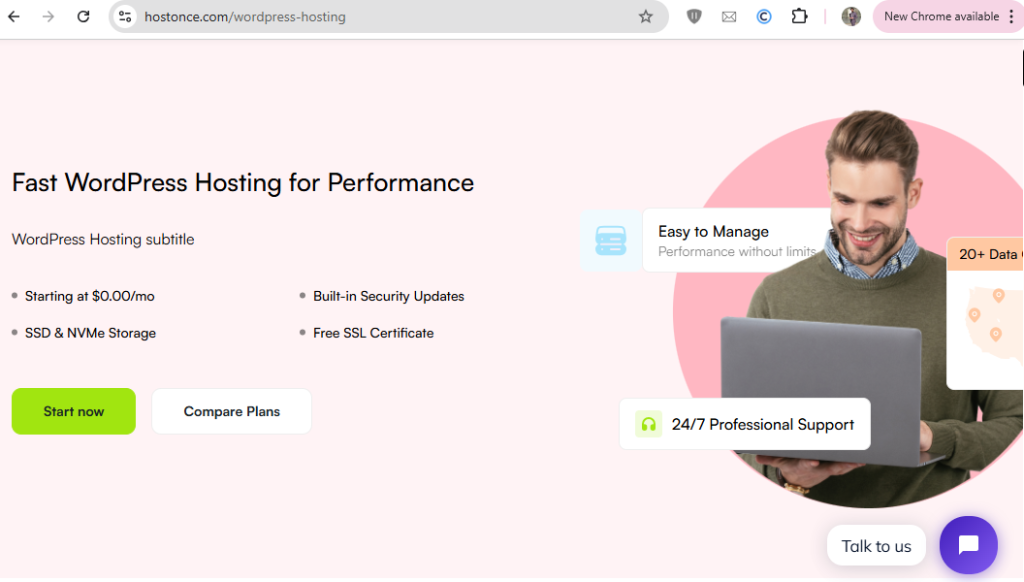
Step 1: Choose a Reliable Host
Your site has to be hosted. Popular membership site choices include Hostonce, Ultahost, SiteGround, Bluehost, Hostinger, etc. Opt for the web hosting that has SSL certificates and good security features.
Step 2: Install WordPress
Most hosting providers allow WordPress to be installed with a click. Go ahead and edit your site after you’ve downloaded the file.
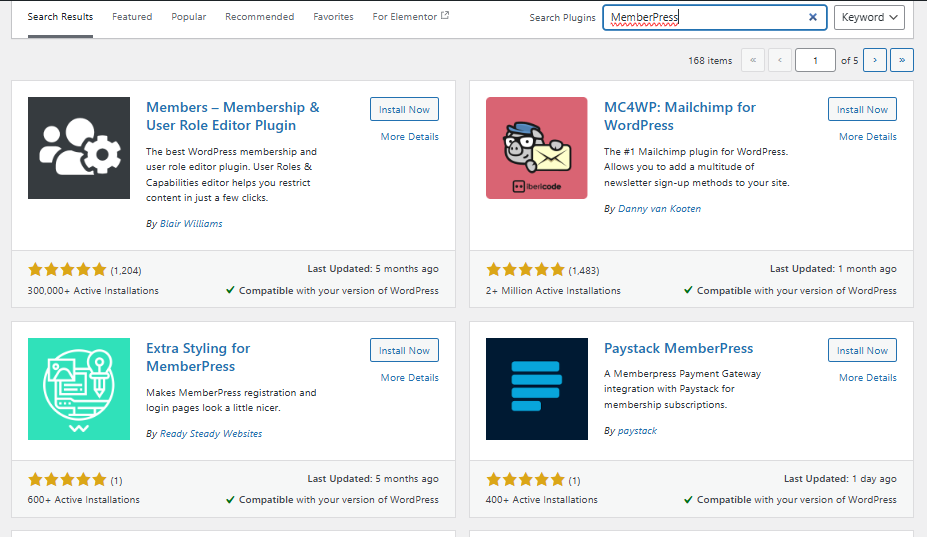
Step 3: Choose a Membership Plugin
Control what your members can see, based on other plugins. Popular options include:
- MemberPress: This is easy to get set up and has lots of features.
- Restrict Content Pro: This one works well for basic membership needs.
- Paid Memberships Pro: Options for variations in fees.
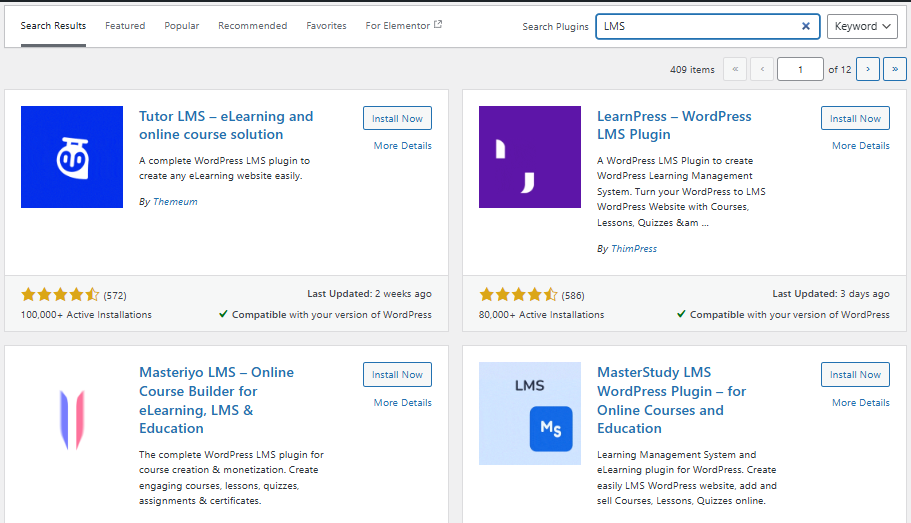
Step 4: Select an LMS Plugin
LMS Plugin allows educators to create courses and track their students’ progress. For this, you can use one of the following plugins:
- LearnDash: Best and most commonly used.
- LifterLMS: Simple but has premium features.
- Tutor LMS: Expensive, less customizable, but more budget-friendly.
Step 5: Set up Payment Gateways
Integrate popular payment processors such as PayPal, Stripe, or WooCommerce to accept payments seamlessly. You can also implement subscription models to generate recurring revenue from your membership site.
Step 6: Create Content and Secure It
Finally, you are all set to create and upload content like videos, PDFs, quizzes, and discussion topics. Use your membership plugin to control access by subscription level, ensuring each member sees the content meant for them.
Step 7: User Experience Design
Select a WordPress education theme like Astra, Kadence, or Education WP to create a user-friendly learning environment. Focus on clear navigation so students can easily find courses and access course materials.
Step 8: Promote Your Membership Site
Use the following to drive traffic:
- Email marketing
- Social media posts
- Webinars
- Free mini-courses as lead magnets
Membership Sites WordPress: How to Succeed
To be successful, build a membership site with the following tips:
- Begin with one level or course and grow it as your audience grows.
- Keeping your content up to date is always a plus, and providing clear, actionable steps helps students get the most out of your courses.
- Use polls, forums, or group projects that present Collaborative learning.
- Make sure your site is mobile/tablet friendly
- Analyze LMS data to monitor learner engagement and adjust the content when needed.
Background Problems and Their Solutions
Here are some of the most common problems and solutions:
1. Student Engagement Falls
Solution: Gamification Features, including badges, leaderboards, and completion certificates.
2. Technical Setup Feels Overwhelming
Solution: Use beginner-type plugins, follow a step-by-step guide. Or you can even hire someone to set it up for you initially.
3. Content Privacy
Solution: Use video hosts with encryption, and disable the right-click function on downloaded resources.
Conclusion
With a WordPress membership site, educators can create, market their course, engage with students, and make money online in one convenient location. It is ideal for those who need more control over education, whether you are an independent tutor, a school teacher, or an educational body. You can create a successful educational platform with the right content, tools, and strategy.
FAQ
How can educators benefit from a WordPress membership site?
Educators can control course content, engage students through forums and discussions, monetize their expertise via subscriptions or digital products, and offer personalized, evergreen learning experiences.
What types of content can I offer on a membership site?
You can offer video lessons, PDFs, assignments, quizzes, live webinars, discussion forums, resource libraries, and one-on-one coaching.
Can I monetize my WordPress membership site?
Yes. You can sell subscriptions, one-time course access, digital downloads, or offer premium content. Recurring revenue can be generated with subscription-based models.
How can I make my membership site interactive?
Add discussion forums, message boards, polls, and live classes via Zoom or Google Meet. Community features like BuddyPress or bbPress foster collaboration and engagement.
