
A common question in the field of hosting goes, “What is cPanel?” Easy to answer. cPanel is a Linux-based control panel designed to manage web hosting smoothly. The system functions more or less like a desktop application. You do not have to run complex commands with cPanel; there is a user-friendly dashboard to perform actions from.
Table of contents
What is cPanel Hosting?
Many wonder what cPanel hosting is. cPanel hosting refers to the practice where a hosting provider uses WHM to manage a server and creates cPanel accounts for clients. cPanel hosting is web hosting that includes the installation feature of cPanel. The hosting plan is there for you to control your hosting elements.
What is cPanel Used for?
cPanel has gained popularity as one of the most useful control panels among hosting companies and web developers. It is usually paired with WHM (Web Host Manager). Both components function together, serving their separate roles.
Web Host Manager issues administrative control over the server. Alongside server configurations, WHM allows for the creation of multiple accounts and the management of multiple websites.

“Control your website now!”
Ready to control your website with a reliable panel? Simplify your management—choose a hosting plan with cPanel now!
The cPanel dashboard provides access to various web files, data tracking, statistics, MySQL management, and SEO tools. Small wonder why cPanel is so popular.
Pros and Cons of cPanel Hosting
Various types of hosting use cPanel. They include dedicated, shared, and managed WordPress hosting. It is quite a simple control panel solution; therefore, it is a recommended choice for beginners. Much like every other control panel, cPanel also comes with its advantages and disadvantages.
Benefits:
Friendly Interface: The cPanel interface groups various features with manageable modules. Users can locate them easily this way. The cPanel dashboard considers user intuition for smooth navigation.
High Compatibility: cPanel is highly compatible with multiple web browsers, such as Google Chrome, Mozilla Firefox, and Safari. On top of that, cPanel supports various third-party applications, including SEO tools and site builders.
Numerous Features: cPanel does not require advanced technical knowledge. It lets users perform complex tasks like making subdomains and FTP accounts, generating site backups, and managing MySQL databases.
Default Software Installation: cPanel is integrated with the Softaculous Apps Installer. It allows access to 400+ applications, including content management systems. Softaculous cares for each application from installation to updates in its entire lifecycle.
Reliability: The cPanel blogs and forums contain many practical resources. Technical manuals for both WHM and cPanel are available as well. They provide guidance on how to tackle issues with cPanel products.
Drawbacks:
Vulnerable Security: Research has shown that the two-factor authentication (2FA) method in cPanel is not reliable against strong force attacks.
Expensive License: cPanel has the most costly license in comparison to its competitors. Many users avoid it because of the high costs.
Data Loss or Corruption: cPanel often removes all data in the middle of major updates and overwrites server settings. A failed or crashed hard drive results in this issue. This is where you must perform a full disaster recovery so that your web server can be restored.
How to use cPanel
Food for thought: do not equip anything if you do not know how to use it. The same can be said for cPanel. You should know what is cPanel and how to use it. Let us discuss the various ways to access it.
Most hosts add a direct link in the welcome mail that connects to the cPanel dashboard. In case there is no link, use the browser address bar to log in to your cPanel account.
Mention :2082 at the end of the URL if your site address starts with HTTP. Use :2083 if it is HTTPS. An example:
- http://your-site-address.com:2082
- http://your-site-address.com:2082
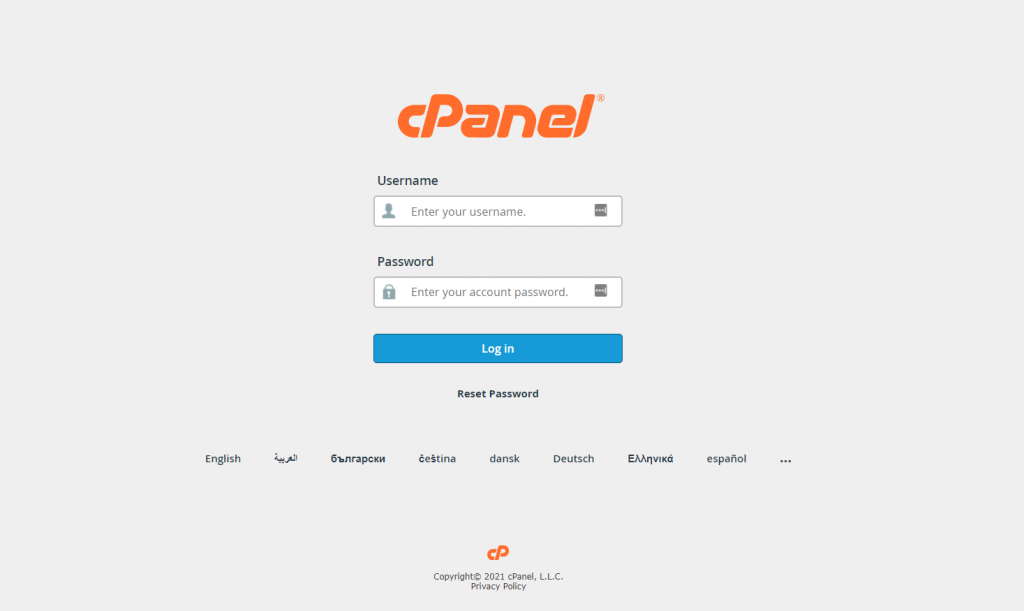
Use your cPanel username and password to log in. You can access various features and modules once you access the control dashboard. About time we briefly discussed some sections.
Files
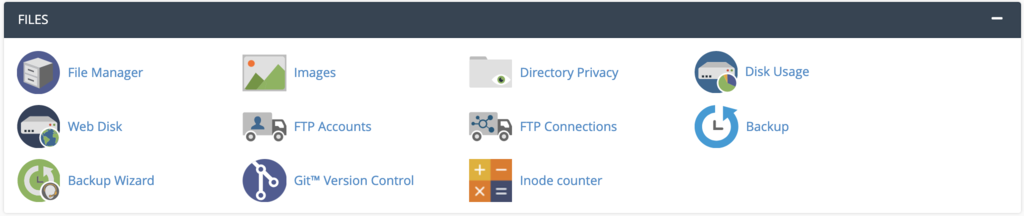
The Files section is used for direct file management. Using this, you can set up a backup magician, specify privacy levels, and upload files without an FTP client.
Preferences

The Preferences section is used for configuring various aspects of the cPanel dashboard, including information, theme, and language. You can also use the module for password management and to add new cPanel accounts.
Databases

Your website will need a database to store essential data and information if it uses a content management system like WordPress.
Softaculous Apps Installer
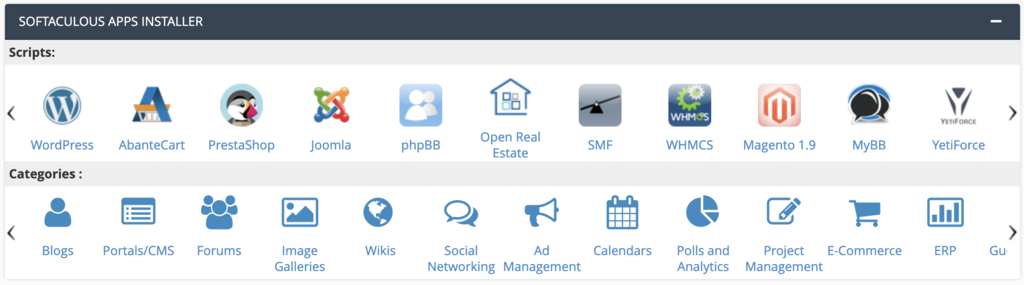
Softaculous is a big script library. It automates the installation process of multiple applications. The most popular ones include WordPress, Drupal, phpBB, and Joomla.
Software

Although your web hosting will include a dedicated section for the Softaculous Apps Installer, you can also use the Software section to locate the auto-installer. It is placed with other applications and scripts.
Domains

It is usual for webmasters to use the same hosting account for multiple sites. The Domains section offers the aspects for all domain-relevant tasks. These tasks include the creation of park domains, the management of domain names, and setting up addon domains.
Metrics

Metrics refer to the features in the module work used to track website statistics. This is how it monitors resource usage and counts visitor number. These metrics allow you access to insights to help your decision-making, so that you can enhance your website.
Security
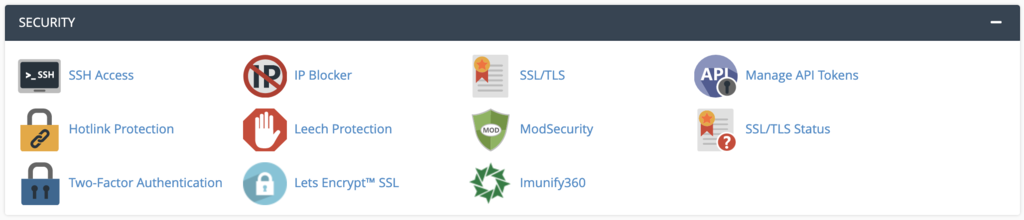
Every site owner is concerned when it comes to security. This concern gets bigger when it is a matter of sensitive information like credit card information. This module allows you to keep security settings in check.
Explore our knowledge base to learn more about hosting.
The aforementioned sections aside, some actions that you can perform via cPanel are:
- Manage and edit website files.
- Save essential contact information.
- Creation and management of MySQL databases for WordPress sites.
- Install software with just a few clicks.
- Enable Cloudflare for superior performance.
- Add and update DNS records.
- Monitor specific site and server metrics.
- Configure security layers.
- Activate cron jobs.
- Creation and management of email accounts.
On the matter, here is a bonus guide on how to install cPanel on a VPS.
Conclusion
As a popular Linux-based web hosting control panel, cPanel offers a range of modules. These features include Files, Databases, Preferences, Domains, Metrics, Software, Security, and others. The simplicity and user-friendliness of cPanel make it an easy choice for beginners and professionals alike.
The hosting plans at Hostonce make it easy for you to have cPanel.
Frequently Asked Questions
Is cPanel free?
Not at all. It requires a licence, a costly one at that, and hosting providers often add the cost in their hosting plans.
What are the differences between WHM and cPanel?
WHM is built for administrators to create cPanel accounts and manage servers. Meanwhile, cPanel is for end-users for website management.
Is cPanel a good choice for beginners?
cPanel is considered a good choice for beginners because of its simplicity and straightforwardness. You do not need advanced technical skills to use cPanel.
Can cPanel be accessed on any browser?
Surely. cPanel is compatible with popular browsers like Microsoft Edge, Safari, Mozilla Firefox, and Google Chrome.
