A Service Level Agreement (SLA) serves as an important contract between you and your hosting provider. It highlights exactly what you can expect regarding uptime, performance, and the speed of support that will be available to you.
Hosting SLAs usually guarantee uptime of 99.9 to 99.999 %, meaning, depending on your plan, your site could be down for 5 minutes to 8 hours in an entire year. It also includes customer support response times; for example, critical issues are resolved in 15 to 30 minutes, and all other issues are dealt with in 24 hours.
How to Choose the Best and Cheapest VPS?
By Festus Nkopuruk on November 6, 2025This blog aims to clarify the contents of an SLA, the reasons these are important in maintaining the reliability of your website, and the best way to assess one to help you in deciding on a web hosting provider.
Key Takeaways
- Service Level Agreement (SLA) is a signed agreement between the web provider and is your guarantee of reliability, uptime, and performance.
- When you receive an SLA, you are guaranteed a 99.9 or a 99.99 uptime SLA agreement; you will have a guaranteed non-functional website for a period of time, and the SLA will clearly define the parameters of the downtimes.
- SLAs will define how responsive support should be, how performance should be maintained and performance metrics, and any other form of maintenance.
- As a best practice, on SLA Agreements, perform external checks relative to planned maintenance windows and external issues.
- When a provider has a transparent and trustworthy SLA, you can be sure your site stays continuously online, stays fast, and stays supported.
Why SLAs Matter in Web Hosting
Reliability is everything in web hosting. Downtime, even a few minutes, will be very costly. An online store, blog, or any site loses visitors, sales, and trust. Therefore, as a customer, you need to understand whether your host will be reliable, hence the importance of an SLA.
An SLA is a customer’s tool for understanding and managing their risks. If a hosting provider states an SLA of 99.9%, availability promises, or a certain response time for support, they will most likely provide it. Customers know what will happen if those promises are broken.
Many hosts will over-promise but under-deliver. Downtime will frustrate users, hurt SEO, and devalue a brand. Meanwhile, an SLA is your assurance that a host will deliver what they say.

Power WordPress Site with Guaranteed Performance
Whether you’re running a blog, business site, or online store, HostOnce’s WordPress hosting is built to deliver consistency, security, and scalability as your traffic grows.
Key Components of a Web Hosting SLA
A solid SLA will articulate what a hosting provider will deliver, as well as what it will offer in case of an SLA violation. Consider the following:
1. Uptime Guarantee
The most trusted hosts offer uptime guarantees in the range of 99.9% to 99.99%. This means your site will only be down for a few minutes a month. For example, a 99.9% guarantee means an uptime of 43 minutes a month, while a 99.99% uptime guarantee amounts to 4 minutes. This figure illustrates the reliability of the provider’s servers with respect to keeping your site up during the 24 hours of a day.
2. Support Response Time
There should be precise time limits on how long it takes the support staff to respond to requests and solve problems. For example, critical outages should see a 15-minute response time, while other issues seem to encourage a longer response time. Speed of web hosting and openness to support during downtimes are invaluable.
3. Performance Metrics
Other SLA’s performance-related provisions may focus on server speed and network latency. These guarantee that your site will load and serve traffic quickly during peak times, both of which help in user experience and in Search Engine Optimization.
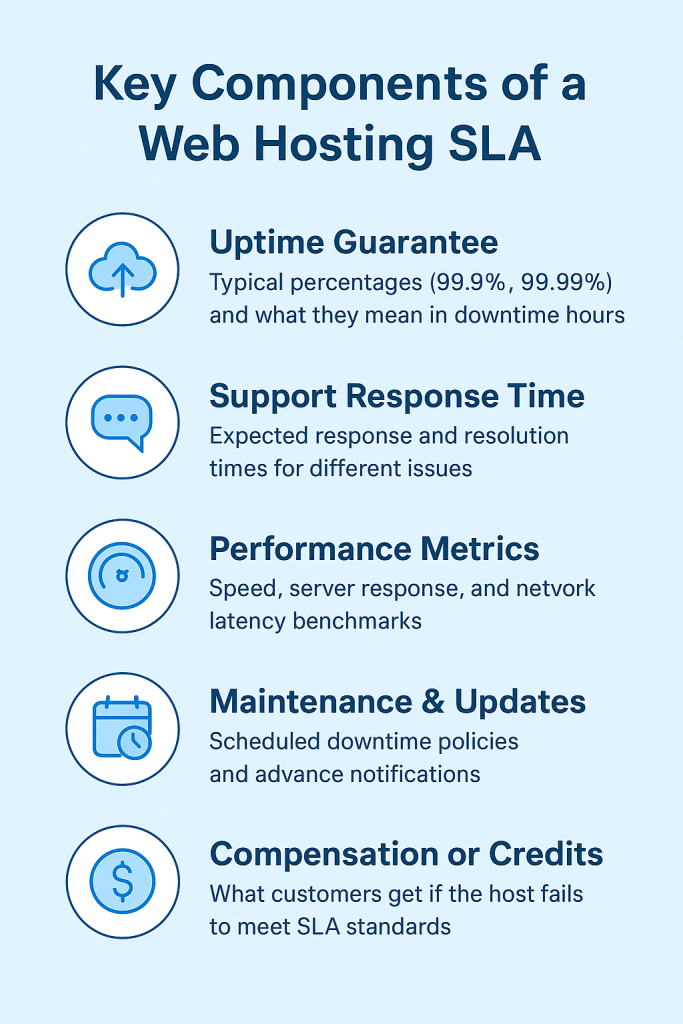
4. Maintenance & Updates
System updates or hardware maintenance may be required for every host. However, this should be planned, announced, and communicated beforehand. To avoid unexpected interruptions, the SLA should specify how much notice you’ll get and how often maintenance may be carried out.
5. Compensation or Credits
If the host renders services below the agreed standards and, for instance, your uptime is less than the guaranteed level, you should get service credits or partial refunds. The SLA (Service Level Agreement) should specify how to claim the credits and whether the compensation is automatic or requires a request.
All things considered, understanding these components enables you to determine the reliability and transparency of your hosting provider.
Expert Tip
Always verify your host’s uptime claims using independent monitoring tools like UptimeRobot or Pingdom. Real performance data helps you confirm whether your hosting provider truly meets their SLA promises and gives you leverage if they don’t. Also, review your SLA at least once a year to ensure it still aligns with your website’s growing needs and traffic demands.

Decoding the Uptime Guarantee
The critical component of any web hosting SLA is uptime, as it illustrates how reliable your website will be. However, those minuscule percentages such as 99%, 99.9%, and 99.99% all signify different meanings.
Let’s break it down:
- 99% uptime → 7 hours and 18 minutes of downtime in a month.
- 99.9% uptime → 43 minutes of downtime in a month.
- 99.99% uptime → 4 minutes of uptime lost in a month.
For eCommerce stores and business-critical sites, a 0.1% difference can mean hours of lost access, frustrated customers, and lost sales.
Understanding your uptime is critical. Many SLAs disregard planned server maintenance, DDoS protection, and customer-configured issues. Most hosts account uptime as available server time, not your full website. Reading the fine print is imperative.

Example Downtime Comparison:
| Uptime Guarantee | Monthly Downtime | Yearly Downtime |
| 99% | ~7 hours 18 minutes | ~3 days 15 hours |
| 99.9% | ~43 minutes | ~8 hours 45 minutes |
| 99.99% | ~4 minutes | ~52 minutes |
| 99.999% (“five nines”) | ~26 seconds | ~5 minutes |
SLA Best Practices for Businesses
The effectiveness of an SLA depends on its utilization. To optimize your hosting agreement, businesses must consider a few additional points.
1. Choose the Right SLA Level for Your Needs
Different websites vary in their levels of uptime and support. Take, for example, a restaurant website, which may work just fine with 99.9% uptime, whereas a business eCommerce store or SaaS platform should target 99.99% uptime or higher. Your SLA expectations should reflect your website’s criticality; the more vital your online presence, the stricter your uptime and response guarantees should be.
2. Set Internal Uptime Expectations
Your SLA should be complemented by the internal performance goals your business sets. This ensures your team understands the level of downtime that’s tolerable, when issues should be escalated, and hosting performance should be measured against business goals.
Get Reliable Hosting Backed by a Solid SLA
Don’t leave your website’s performance to chance. Choose a hosting provider that stands by its promises with guaranteed uptime and transparent SLAs.
3. Monitor and Review SLA Performance Regularly
Make sure to monitor uptime and performance independently using UptimeRobot, Pingdom, and other tools, instead of relying solely on your host. Regularly reviewing your host’s SLA performance, ideally quarterly or annually, ensures they’re keeping their end of the bargain. If their performance is consistently subpar, consider renegotiating or changing providers.
Selecting an SLA and evaluating results lets your company ensure your website is dependable, responsive, and capable of growing.
Conclusion
A Service Level Agreement (SLA) is your website’s safety net; it defines how reliable and responsive, and accountable your hosting provider is and how much of it is true. Understanding it is crucial before you sign, so you don’t have invisible gaps in service, and your business remains online when it is important.
Take a moment to evaluate how your current hosting provider’s SLA stacks up. Are the uptime guarantees, support response times, and compensation policies clear and unambiguous? If the answer is ‘no,’ it’s time to change your host.
Take a look at Hostonce‘s hosting plans. SLAs are clear, and 99.9% uptime is guaranteed, so your website is on top every day.
New Agency Hosting Plans for Enhanced Security, Control, and Performance
By Festus Nkopuruk on November 7, 2025FAQ
Why is an SLA important for my website?
An SLA protects you from vague promises by defining what happens if your hosting provider doesn’t meet agreed standards. It helps ensure consistent uptime, faster issue resolution, and fair compensation in case of downtime.
What’s the difference between 99.9% and 99.99% uptime?
It may seem minor, but the difference is significant.
- 99.9% uptime = about 43 minutes of downtime per month
- 99.99% uptime = about 4 minutes of downtime per month
For eCommerce or business websites, even a few extra minutes of downtime can mean lost sales or customers.
Are maintenance periods included in uptime guarantees?
Usually not. Most hosting providers exclude planned maintenance and emergency updates from uptime calculations. Always read the SLA carefully to understand what counts toward downtime.
What should I do if my host breaks the SLA?
If your uptime or service levels fall below what’s guaranteed, document the issue (using uptime monitoring tools) and contact your provider. Many hosts offer service credits or partial refunds as compensation, but you may need to file a claim manually.

Hostonce is the #1 WordPress Host
Ranked by 930+ customers in G2's Best Software Awards.