




WordPress 3.7, released in 2013, brought automatic updates to improve security and streamline the update procedure. This is further enhanced by HostOnce’s WordPress auto-update tool, which is part of all hosting packages and enables users to plan small and large updates.
Maintaining security, performance, and compatibility with contemporary web standards is crucial if HostOnce hosts your WordPress website. To make this procedure easier, HostOnce offers a WordPress auto-update function with all hosting packages.

How to Build a Gutenberg Plugin to Add Functionality to the Block Editor
By Javeria Riaz on August 12, 2025HO WordPress auto-update also controls plugin updates, gets email alerts, and makes complete backups. This guarantees that websites remain safe, reliable, and completely current without the need for human intervention.
Key Takeaways
- HostOnce’s WordPress auto-update feature automatically updates your WordPress website, handling both small security fixes and major core changes to keep your site safe and reliable.
- WordPress core developers schedule major upgrades to reduce potential compatibility issues, while they implement minor releases, such as security and bug fixes, immediately.
- While certain premium plugins might need manual upgrades, the WordPress auto-update tool enables you to choose whether to update plugins in addition to WordPress or only the WordPress core.
- The system creates a complete backup of your WordPress website before any updates, so you can quickly restore it if an upgrade causes compatibility or functional issues.
- The system automatically performs updates in response to critical vulnerabilities, regardless of your schedule, to ensure your website remains safe at all times.
When And Why Should You Update WordPress?
Generally speaking, you should regularly update your WordPress website. The functioning and security of your website depend on WordPress upgrades. Thus, be sure to install any new updates that become available.
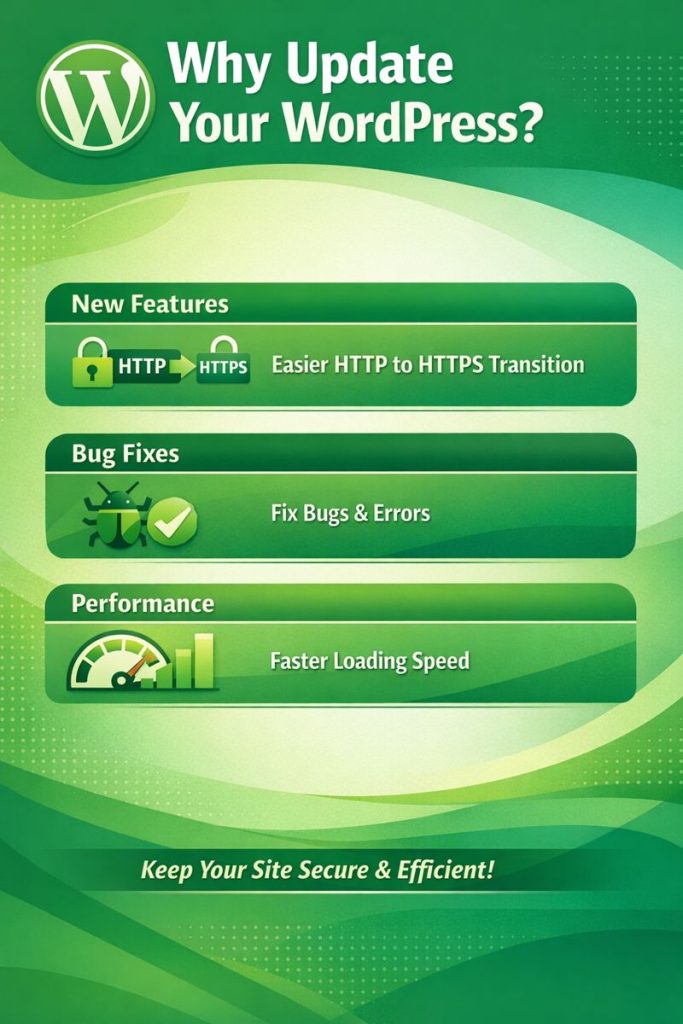
The following are a few advantages of WordPress updates:
- Safety. One of the most frequent reasons for cyberattacks is outdated software. Sucuri reports that an outdated version of the program was present on 49% of all compromised WordPress websites in 2019. Updates to software address security flaws that may have existed in previous iterations.
- Features. You can take advantage of new useful features, such as a simpler transition from HTTP to HTTPS, by updating WordPress.
- Bug Fixes. A software bug is an error that produces a misleading result. They are an inevitable aspect of the software development process. These problems are typically fixed in subsequent patches when they are discovered. As a result, it’s crucial to constantly update your plugins.
- Performance. Certain software updates increase efficiency while managing specific tasks. This can improve your website’s loading speed, which is crucial for keeping users coming back.
Enabling automatic updates with the HostOnce WordPress auto-update tool becomes a clear choice when you take into account the benefits and history of WordPress updates.
The HostOnce WordPress auto-update tool keeps your website safe by preventing it from missing important security updates, like preventing DDoS attacks. Simultaneously, you gain access to the most recent WordPress features, enhanced stability, and a more seamless and dependable performance.

WordPress Updates Made Easy!
Ready to get the most out of updates in your WordPress website? Boost your online growth and performance with high-speed hosting from HostOnce.
Flexible and Improved WordPress Auto-update Scheduling
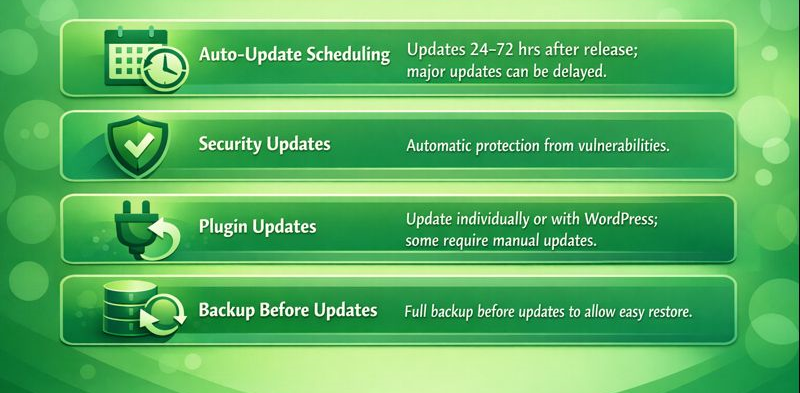
You may customize update schedules with the WordPress auto-update feature. Updates can be implemented 24, 48, or 72 hours after they are released. Any planned updates will be sent to you via email. While significant releases, such as core updates, can be postponed to reduce potential compatibility concerns, minor releases, like security or security plugin updates and bug fixes, can be updated instantly.
Updates may happen automatically to safeguard your website in the event of serious vulnerabilities. These security-focused changes do not jeopardize your website’s functioning. WordPress.org Security Updates provides information on how to handle security releases for WordPress.
Expert Tip
Using HostOnce to enable WordPress auto-updates updates guarantees that your website always runs the most recent version without requiring human intervention. You don’t need to keep track of releases or worry about missing important patches because the autoupdate tool takes care of both small security fixes and significant core updates. Automating updates saves you time while maintaining the security and stability of your website. Instead of spending hours on maintenance, you may concentrate on producing high-quality content, enhancing the look of your website, or implementing marketing techniques.

WordPress Automatic Updates For Plugins
You may also manage WordPress plugin updates using this tool. You have the option to update WordPress manually or in conjunction with plugins. Because of licensing and unique updating procedures, some premium plugins might need to be updated manually.
Always Back Up Before WordPress Update Automation
A complete backup of your WordPress website, including multilingual websites, should be made before any updates. This guarantees that your website may be swiftly and consistently returned to its prior condition if a new version or plugin creates problems.
The most important thing to do before updating WordPress is to make a backup of your website (choose the best backup method according to your preferences). Although updates are necessary, there is always a chance that something will go wrong. You risk damaging your WordPress website and losing your data if your WordPress auto-update is unsuccessful or faulty.
Grow Your WordPress Website
Apply smart updating tips while keeping your site fast, secure, and reliable with premium WordPress hosting from HostOnce!
It will be simpler to restore your website’s most recent functional version if you have a backup of it. You can activate WordPress’s automatic updates after backing up your website files to your PC or Windows system (try Windows Hosting) or a cloud storage service.
Don’t update themes, plugins, and essential WordPress files all at once. Rather, concentrate on one element at a time. In this manner, you can make sure that everything functions as planned.
Extra Advantages
Updating WordPress guarantees compatibility with new plugins and WordPress themes, lowers security threats, and enhances site performance. Frequent updates also improve the user experience overall and assist in preserving compliance with contemporary web standards.
Updates for WordPress should be done carefully because they may fail and leave you with common WordPress errors, like a white screen, or result in problems with plugin or WordPress core compatibility. To avoid these problems, it is essential to test updates in a staging environment and back up the live site before releasing them. This especially applies to websites used for business and education.
Your team may significantly cut down on the time they typically spend upgrading WordPress plugins and themes with the help of the HostOnce WordPress auto-update tool. The HostOnce auto-update solution saves you time and money if you oversee dozens or even hundreds of websites, freeing you up to concentrate more on your main company and less on maintenance.
Discover Your Website Branding Now!
Get instant, data-backed domain ideas that match your brand vision. Use HostOnce’s smart AI tool to generate unique, brand-ready domain ideas in seconds.
Conclusion
Keeping your WordPress website software up-to-date is essential for maintaining smooth performance and security. Regular updates not only provide the latest features but also protect your website from potential vulnerabilities and compatibility issues.
Manually monitoring and applying updates can be time-consuming and sometimes risky. With HostOnce, you can use the WordPress auto-update tool to enable automatic updates, ensuring your website stays secure, stable, and up-to-date without extra effort.
FAQs
How do I schedule auto updates in WordPress?
You may manage when updates are applied with HostOnce's WordPress autoupdate feature. Updates can be scheduled 24, 48, or 72 hours following a new release, or they can be scheduled right away. Additionally, you can establish distinct timetables for major releases (core updates) and minor releases (security and bug patches). Whenever a delayed update is planned, the tool will notify users via email.
What happens if you don't update WordPress?
Your website is exposed to viruses and hackers if you don't update WordPress. Data loss and website damage may result from this. Additionally, you can lose out on innovative features that could greatly simplify developer work. Features like reusable blocks and WordPress-compatible new media uploads may be lost.
Does updating WordPress affect my website?
Updating WordPress indeed has an influence on your website, but it varies depending on the sort of update and how your site is configured. Updates for WordPress can offer new features, increase security, and boost performance, but they may also make themes and plugins incompatible.
What to do before updating WordPress?
- Select the best time to update WordPress on your website
- Make a backup of your website.
- Turn off caching.
- Update plugins and themes.
- Update WordPress.
- Turn the cache plugin back on.
- Verify the functionality of your WordPress website.
Working with WP-CLI for WordPress Multisite: Streamline Your Network Management
By Javeria Riaz on August 8, 2025
Hostonce is the #1 WordPress Host
Ranked by 930+ customers in G2's Best Software Awards.
