The WordPress REST API was only available to users as a plugin until December 2016 when it was released as part of the software core in version 4.7. With over 99% of WordPress users using WordPress versions of 4.7 and above, we can say that over 99% of WordPress website owners have access to the WordPress REST API.
But, what is WordPress REST API and what does its functionalities mean for website owners? This article will answer these questions and walk you through the basic REST API commands.

Everything You Need to Know About WordPress SEO
By Hamza Aitizad on August 9, 2025Key Takeaways
- The WordPress REST API was released as part of the WordPress core in version 4.7 in December 2016, but it was around as a plugin before then.
- API is a set of rules that allows different software applications to communicate with each other.
- REST (Representational State Transfer) is a set of rules that defines how one system or application interacts with another.
- The REST API operates on six basic principles. Any app that conforms to these principles is considered to be RESTful.
- The WP API commands allows you fetch, add, update and delete data without going through your WordPress dashboard.
- Using caching tools like LiteSpeed helps to boost the performance of your website and helps the server manage multiple clients requests at a time.
Understanding the WordPress REST API
The WordPress REST API is an interface that allows developers to send, receive, and manage website data programmatically using HTTP requests. In simpler terms, it acts as a bridge between your WordPress website and external applications, allowing them to communicate with each other.
To better understand how the WordPress REST API works, we must first consider some very important concepts.

Boost Site Performance With Reliable Hosting
With Hostonce WordPress Hosting, you can install, manage, and update essential tools and plugins to optimize your website’s performance.
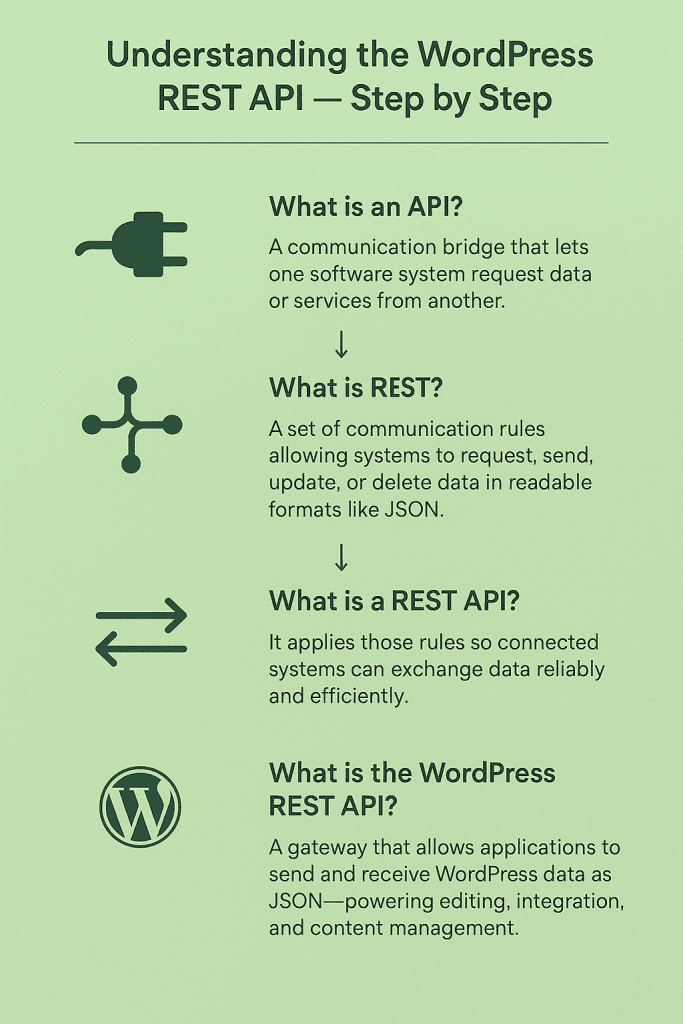
What is an API?
API means Application Programming Interface. An API is a set of rules that allows different software applications to communicate with each other. The Application Programming Interface is more like a bridge between software applications. It allows one application to request data or services from another application without directly interfacing with it. Simply put, an API is a set of code that allows one system to interact with another.
APIs help to simplify software and website development by allowing developers to use the features of other software without having to deal with the technical requirements and complexities of that software. It plays a key role in connecting different tools and services in one system.
For example, using APIs, a business directory website can integrate the real-life locations of stores through Google Maps. Another example is online stores. E-commerce websites can process payments through integrated gateways using the API as a bridge between the website and those gateways.
What is Representational State Transfer (REST)?
REST is a communication standard, or rather a set of rules, that defines how one system interacts or interfaces with another. It allows a system to request data from another system. This requested data is then delivered to the requesting system in a format that is readable, such as JSON. Aside from requesting and sending data, REST also allows data like posts, email addresses etc., to be added, updated, or deleted on a server using normal web requests or a set of commands.
REST is commonly used when a website needs to send or receive information from another system, such as a mobile app, a payment platform, or another website. Most modern APIs, including the WordPress REST API, are built using REST principles.
For example, REST is used by e-commerce plugins to coordinate a user’s online shopping experience. It allows the sending of product details, stock levels, and order information between the plugin or website and other platforms and payment gateways.
What is the REST API?
REST API is a set of guidelines used to design applications that are connected, allowing them to send and receive data to each other easily. REST API operates on six basic principles. Any web apps that conforms too these principles are said to be RESTful.
Key characteristics and principles of a REST API
Resources
REST APIs are built around things called resources. A resource is anything you want to work with, such as a user profile, a product, or a blog post. This means that each piece of information has its own address on the internet, so that it can be accessed directly. For example, a single blog post can have its own link that retrieves only that post.
Statelessness
Each request sent to the server must include all the information needed to carry it out. This means the server does not remember previous requests. So, every time an app or website sends a request, it must explain exactly what it wants. This makes the system more reliable because nothing depends on old data still being remembered.
Client and Server Separation
The client (which can be a website or mobile app) and the server (where data is stored) work independently. This means that front end can change without affecting the back end, and vice versa. For example, a WordPress theme can be installed to change the design of the website’s pages without changing how the server stores data.
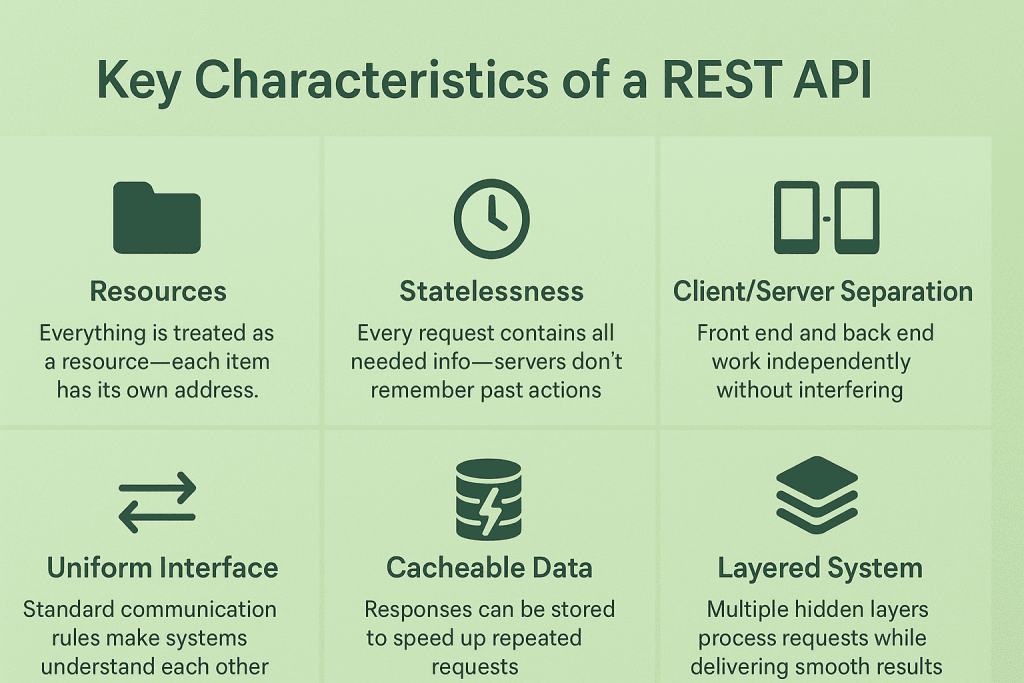
Uniform Interface
REST APIs use standard methods to perform actions, so that systems can understand each other easily.
Cacheable Data
A RESTful API usually has cacheable data. This means that the API stores responses so that it does not have to ask for it every time the data is needed. Caching data makes frequently used data easier to find so responses can load faster, making the website or app feel quicker.
Layered System
A REST API can have multiple layers working behind the scenes, such as security systems or web traffic management tools. This means the user does not need to know what happens in between. The request still goes through the same process smoothly.
What is the WordPress REST API?
The WordPress REST API is an interface that allows applications to interact with your WordPress site by sending and receiving data as JSON (JavaScript Object Notation). It powers the WordPress Block Editor and enables custom applications, plugins, and themes on WordPress to create advanced interfaces for managing and publishing content.
Using REST API, developers can build plugins that provide a new admin experience, create interactive front-end features, or bring WordPress content into other applications. For example, a weather plugin could use a REST API to pull real-time forecasts from an external service and display them directly on your WordPress site.
While WordPress already has APIs for plugins, settings, and shortcodes, the REST API is unique because it allows systems outside your WordPress installation to communicate with your site. This is what makes it possible for you to integrate third-party apps like a CRM to manage customer data, a booking system to schedule appointments directly from your site, or a marketing dashboard that tracks user engagement and analytics in real time.
Key Uses of the WordPress REST API
- Single Page Applications (SPAs): The WordPress REST API makes it possible for developers to build dynamic front-end experiences using JavaScript frameworks like React or Vue.js, pulling content from WordPress to create interactive websites with fast load speeds.
- Custom Admin Experience: The REST API allows developers to create tailored admin interfaces outside the default WordPress dashboard, thereby making content management more efficient.
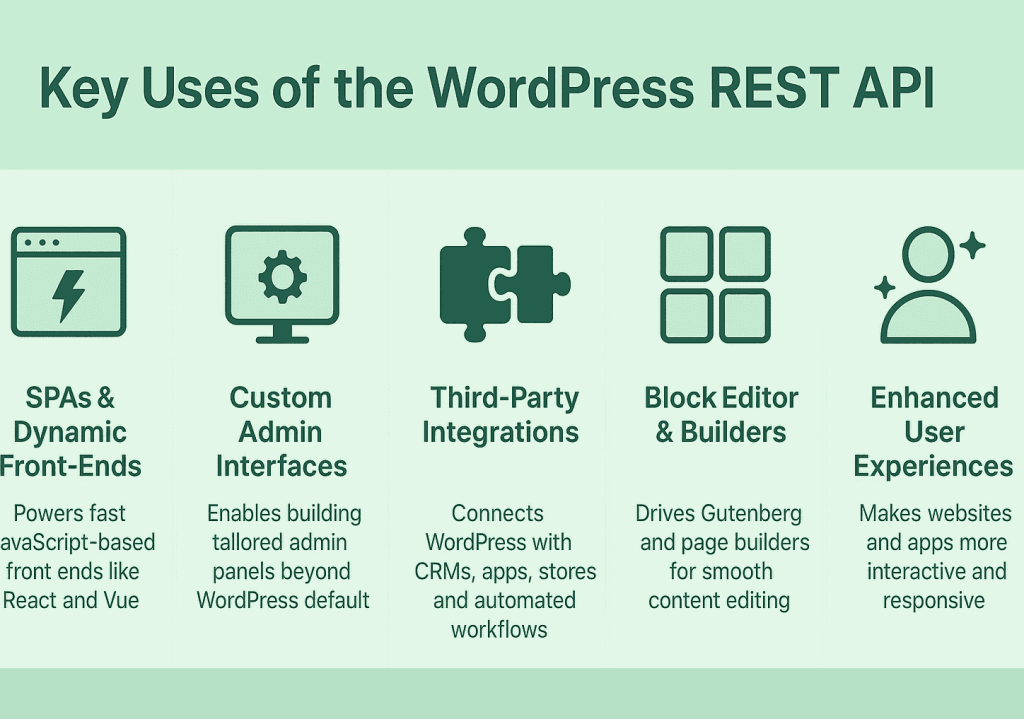
- Integrations with Third-Party Apps: WordPress can connect with CRMs, e-commerce platforms, mobile apps, and other tools, allowing automatic updates, syncing, and workflow automation.
- Powering the Block Editor and Page Builders: Modern editors like the Gutenberg block editor and page builders rely on the REST API to save content, fetch media, and make content editing easy for users.
- Improved Front-End Experiences for Users: The WP API makes mobile apps, payment gateways, and other integrated software more responsive. This makes your website more interactive and responsive and consequently improves visitor experience.
Reliable Hosting for Data Security
With Hostonce hosting you get automatic backups, malware protection and monitored servers to help keep your website safe.
Implications for WordPress Users and Developers
The integration of the REST API into WordPress websites has different impacts on its users. Users with or without technical knowledge can enjoy the features of the WP REST API. For users with technical knowledge, it grants them great creative freedom, and for non-technical users, it creates a better web experience.
For Users
The REST API makes your WordPress site faster and more interactive. It improves mobile apps and admin screens, and allows your site to easily connect with other tools like CRMs, themes and plugins on WordPress. The features of the WP REST API makes it easy to for you to manage your content, track user activity, and use integrated features more efficiently on your WordPress website.
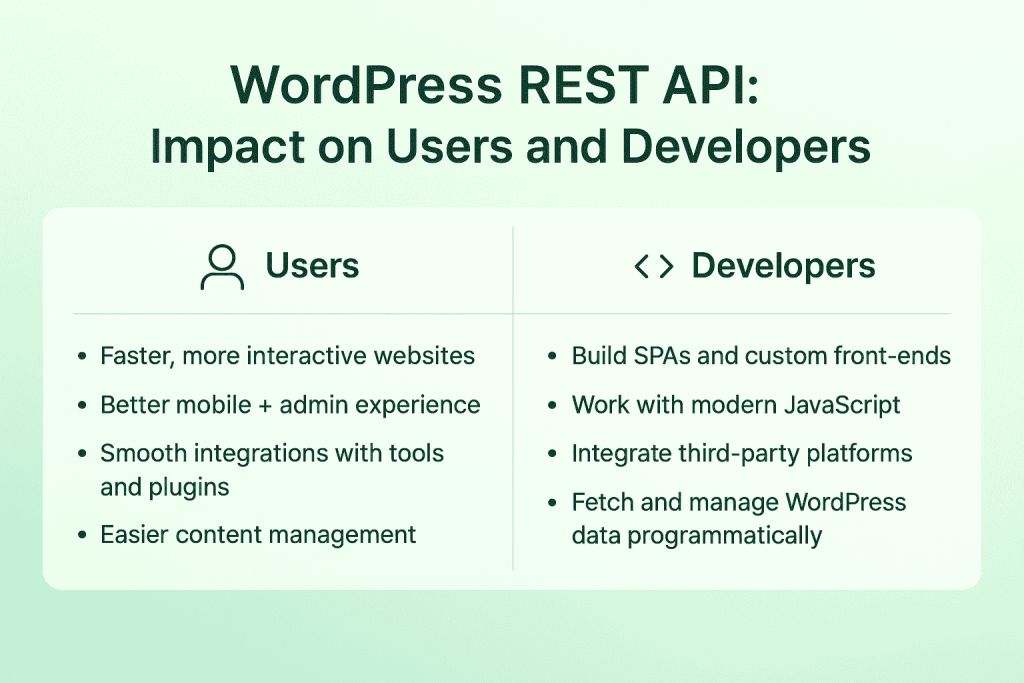
For Developers
Developers can use the REST API to build Single Page Applications (SPAs), custom front-end experiences, or integrate third-party platforms with WordPress. It allows you to work with modern JavaScript, fetch and manipulate content, and create interactive websites and apps. Even traditional PHP developers can benefit by combining PHP with REST API calls to extend functionality and integrate external systems more easily.
How to Use the REST API in WordPress: Overview of WordPress REST API Commands
The WordPress API commands are the instructions or communication language that you use to tell your API what to do. There are four basic commands, which are GET, POST, PUT/PATCH, and DELETE. These commands allow you to view, add, update, or delete content without opening the WordPress dashboard.
GET
Use the GET command when you want to fetch a post from your WordPress site. To use this command, type the following URL in your browser:
https://yourwebsite.com/wp-json/wp/v2/posts
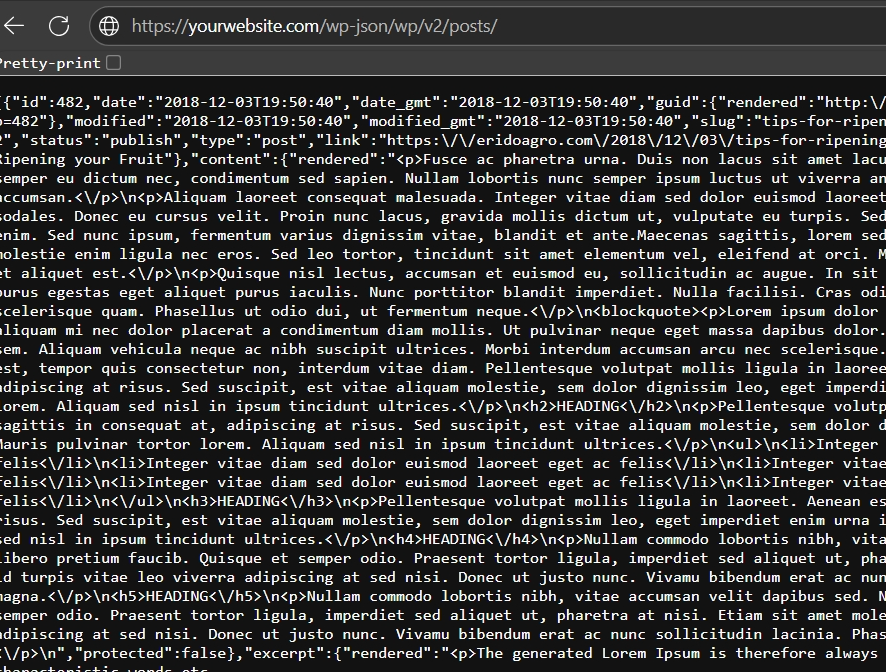
After typing the URL, in your web browser, you will see a list of all your published posts in JSON format. Each post shows details like its ID, title, content, author, and publication date. The GET command is useful when you want to view or display content without making any changes.
POST
The POST command allows you to create new content on your blog or website. If you want to add a new post, you would have to send a POST request using a tool like Postman or code. You would have to attach your username and password so WordPress can verify that you have permission to post content on the site. Here’s an example of the data you would send in JSON format:
POST https://yourwebsite.com/wp-json/wp/v2/posts
{
  "title": "WordPress Post",
  "content": "This is the content of my post",
  "status": "publish"
}
After entering the code, the API will respond with the details of the newly created post. The POST command is great if you want to automate content creation or connect your site to other apps.
PUT / PATCH
The PUT or PATCH command is used to update content that has already been created. If you want to replace an entire post, use the PUT command, but if you only want to make changes to some parts of the post, use the PATCH command. For example, to update the title of post ID 12 using PUT, you would send:
PUT https://yourwebsite.com/wp-json/wp/v2/posts/12
{
  "title": "Updated Post Title"
}
If you only want to change the title without touching other fields, you can use PATCH instead:
PATCH https://yourwebsite.com/wp-json/wp/v2/posts/12
{
  "title": "Partially Updated Title"
}
Both commands require authentication. The API responds with the updated post data, showing that your changes were applied successfully.
DELETE
Use the DELETE command when you want to remove data totally from your website. This data can be a blog post, a user profile or email account, etc. For example, let’s say you want to delete post ID 12 permanently, type:
DELETE https://yourwebsite.com/wp-json/wp/v2/posts/12?force=true
Adding ?force=true ensures that the post is completely removed. The API confirms the deletion, usually showing the post ID and status. The DELETE command is very useful for clearing outdated content.
Expert Tip
To ensure your WordPress REST API, performs well, minimize the number of API calls you use and combine related requests when possible. This will reduce your website’s server load and keep your website performing well even during high traffic.

Best Practices for Using the WordPress REST API
To fully enjoy using the WordPress API for developing websites and also for tool integration, here are some best practices that you must follow:
- Set up proper authentication to ensure that only authorized users can access your website data. This helps to prevent data breaches and helps to keep your website safe.
- Validate and clean all data that comes to your website from external sources. Doing this can help you prevent malicious code from infiltrating our WordPress site.
- Allow caching on your website. Caching, which is the storing of frequently used data helps to reduce the load on your server. It improves your site’s response time and helps to maintain WordPress API uptime on high-traffic websites.
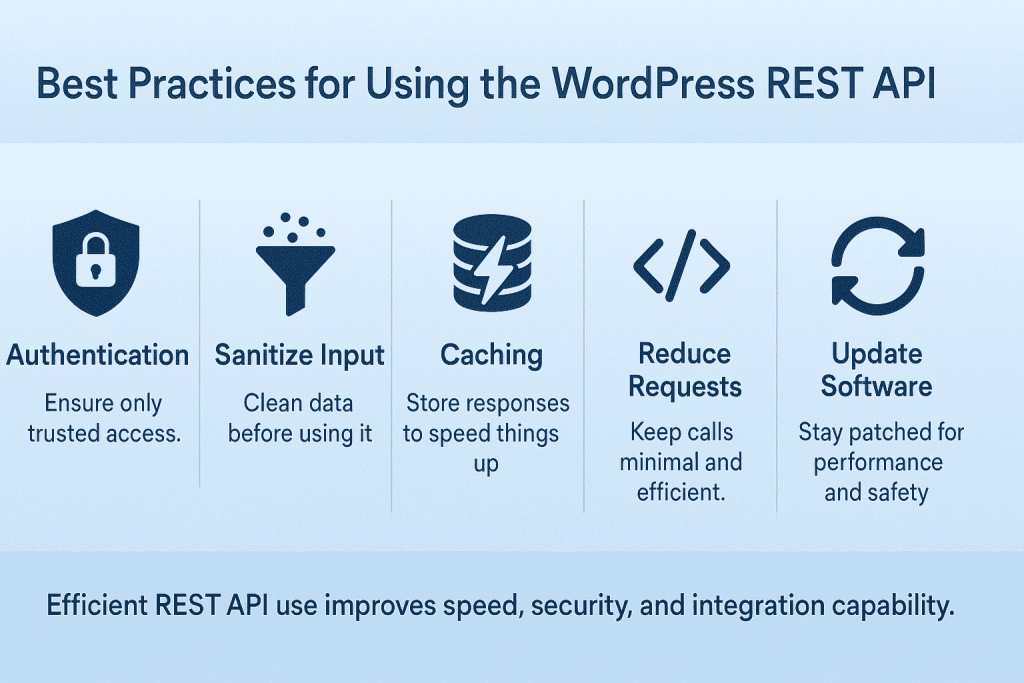
- Reduce the number of API calls that you use and try to combine requests when possible. Doing this will help to improve your WordPress site’s performance and keep your code efficient and fast.
- Keep all your WordPress plugins and themes constantly updated to avoid security risks. Timely and consistent updates will guarantee you get the latest features, allowing both web services to integrate seamlessly.
Build your website on stable, optimized servers
Experience fast page load speed, seamless user interactions, and reliable uptime with Hostonce VPS hosting solutions.
When Not to Use the WordPress REST API
While the WordPress REST API is a very powerful tool, it may not be the best choice for building your website or app. Here are some common reasons why it is not always suitable.
Compatibility
Apps or websites built using the REST API can sometimes have compatibility issues, especially on older devices or browsers. The REST API can also be resource-intensive when handling many requests at once. This makes it less suitable for sites with insufficient server resources to support its operations. For example, websites hosted in a shared hosting environment may experience slow response times or timeouts due to limited resources when handling concurrent API requests.
Accessibility
Many screen readers cannot interpret content that is rendered solely using JavaScript. This becomes an issue because it makes the content inaccessible to visually impaired users. The content is also usually inaccessible to search engine crawlers and hurt SERP rankings.
SEO
If your website relies on traditional SEO plugins like Yoast, Rankmath or AIOSEO, then you should definitely avoid using the WordPress REST API. Also, if your site runs on limited server resources or does not use proper server-side rendering then you should avoid the WP REST API.
This is because REST API–based or headless Website setups can make SEO more complex. REST API requests can also lead to slow load times and timeouts, which can have a negative impact on WordPress SEO.
How to Disable the WordPress REST API
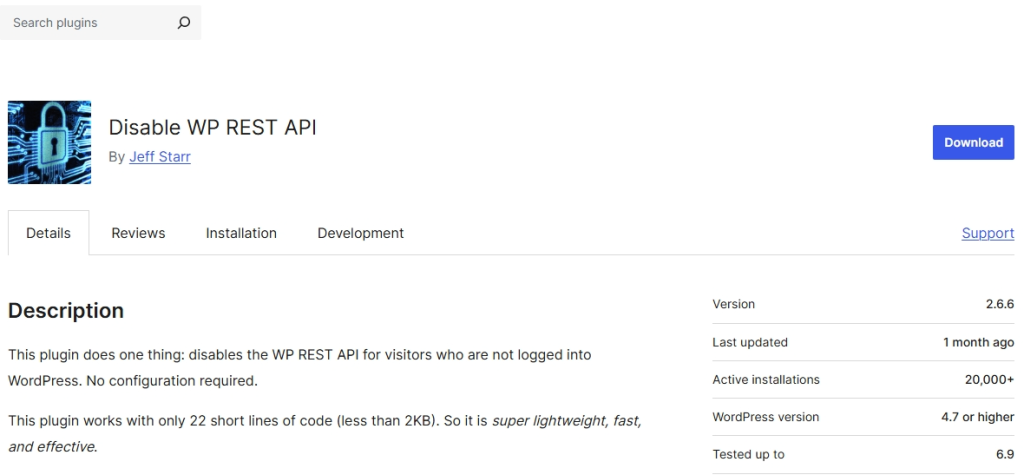
You can disable the REST API WordPress if you do not want applications to be able to access data on your site through it. It is important to not however, that the process is risky and if not properly handled, you could risk breaking your site. The safest way to disable the REST API WordPress is by using a plugin like the Disable WP REST API plugin. This disables the REST API for all non-authenticated users on your site.
Alternatively, you can add some code to your theme’s functions file or a site-specific plugin. Using these codes, you can simply disable the WordPress Rest API for unauthorized users or completely disable the REST API WordPress:
In your plugin, add just these two lines of code to completely disable the REST API WordPress:
add_filter( 'json_enabled', '__return_false' );
add_filter( 'json_jsonp_enabled', '__return_false' );
Note that this would affect the Gutenberg Block Editor, Jetpack, Yoast SEO, and many modern themes on your website. Completely disabling the WP REST API can also prevent you from saving posts or using core dashboard features. To prevent this, it is better to only disable the WP REST API for unauthorized users. You can do that using these lines of code.
add_filter('rest_authentication_errors', function($result) {
    if (!is_user_logged_in()) {
        return new WP_Error('rest_not_logged_in', 'You are not currently logged in.', array('status' => 401));
    }
    return $result;
});
Disabling the REST API for unauthorized users help to protect your site from DDOS attacks and data breaches.
Conclusion
The WordPress REST API is a powerful tool that lets your website interact with other applications. It allows you to fetch, add, update, or delete content without opening the WordPress dashboard. To get the best out of it, it is important to optimize your website by putting security measures in place, keeping all plugins and themes updated, and following best practices to maintain smooth WordPress site performance.
6 Hot Changes Coming to WordPress 6.6
By Festus Nkopuruk on November 7, 2025FAQs
Do I need coding knowledge to use the REST API?
Basic understanding of HTTP requests and JSON helps, but you can also test endpoints with tools like Postman or WP-CLI without writing code.
Who Should Learn How to Use the WordPress REST API?
Aspiring WordPress developers who want to build an application or web service leveraging the CMS functionality should learn REST API. It is also essential for users wishing to develop a WordPress headless CMS or migrate their content to another platform.
How can the REST API improve my WordPress site performance?
By automating content management and reducing manual dashboard work, the REST API can save time and allow your site to handle tasks efficiently. Proper caching and optimized API calls also help maintain fast site performance.
Can I use the REST API for custom applications?
Yes. The REST API allows you to build headless WordPress sites, mobile apps, or integrate with third-party software while still using WordPress as your backend.

Hostonce is the #1 WordPress Host
Ranked by 930+ customers in G2's Best Software Awards.