
According to research, a user will wait between 0.3 and 3 seconds before losing focus. The user will become distracted and may dismiss the browser window if your website takes longer than that to show crucial information. So, follow these 10 web hosting optimization techniques for a faster website.
Key Takeaways
- In order to provide fast load times and dependable uptime while guaranteeing a flawless end-user experience, web hosting optimization is essential.
- In terms of performance, security, and even scalability, your website hosting package will be crucial. A wrong choice can lead to long load times, frequent downtime, and low potential for growth.
- Website performance can be improved with a well-executed Content Delivery Network (CDN).
- Optimize your code by streamlining JavaScript and CSS files using tools like UglifyJS and CSSNano.
- Implement accelerated mobile pages (AMP) to significantly speed up page load time for mobile users.
Table of Contents
- Factors Influencing Web Hosting Performance Optimization
- What Does a Fast Website Mean?
- Follow These Web Hosting Optimization Techniques
- 1. Smooth Optimization for Mobile
- 2. Reduce the Size of Your Pictures
- 3. Cut Down on HTTP Requests
- 4. Don’t Use Too Many Animations
- 5. Select the Top Server Optimization Hosting Services
- 6. CDN (Content Delivery Networks)
- Faster Hosting for WordPress Optimization
- 7. Minimize the Use of External Resources
- 8. Reduce Redirects
- 9. Minify and Combine HTML, CSS, and JavaScript Files
- 10. Make Use of Website Caching
- Bonus Tip: Use GZip Compression
- Claim Your Domain Now!
- Conclusion
- FAQs
Factors Influencing Web Hosting Performance Optimization
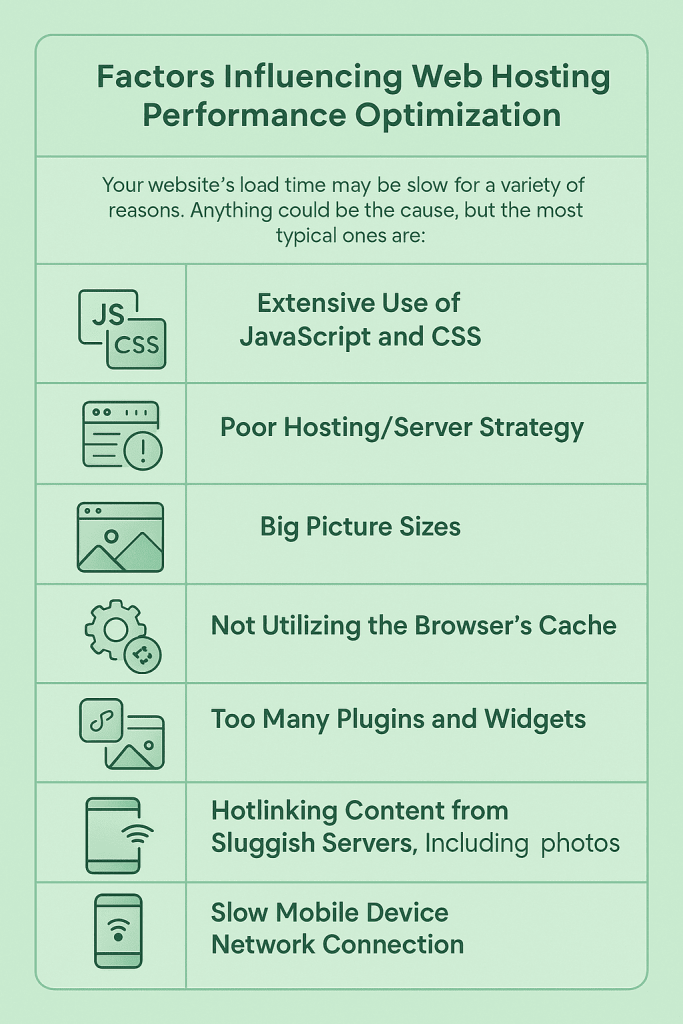
Your website’s load time may be slow for a variety of reasons. Anything could be the cause, but the most typical ones are:

Top 3 Features To Look For in Good Web Hosting Support
By Favour Brown on May 13, 2026- Extensive use of JavaScript and CSS
- Poor hosting/server strategy
- Big picture sizes
- Not utilizing the browser’s cache
- Too many plugins and widgets
- Hotlinking content from sluggish servers, including photos
- Volume of traffic for older browsers
- Slow mobile device network connection
This implies that you may improve page performance in a variety of ways, which will be discussed in this blog. However, you must evaluate your page load speed before you begin debugging to enhance website performance.

Optimize Your eCommerce Website!
Slow load times kill conversions. Get lightning-fast performance and keep your visitors engaged with HostOnce fastest eCommerce hosting solutions.
What Does a Fast Website Mean?
These are the suggested Core Web Vitals thresholds that you should strive for:
| Metric | Good | Bad | Percentie |
| Maximum Contentful Paint | ≤ 2500 ms | > 4000 ms | 75 |
| Initial Input Delay | ≤ 100 ms | > 300 ms | 75 |
| Total Layout Shift | ≤ 0.1 | > 0.25 | 75 |
Follow These Web Hosting Optimization Techniques
1. Smooth Optimization for Mobile
The majority of your target audience enjoys using mobile devices to access information. It makes sense that users will leave a website if it is not mobile-friendly. Two crucial components of mobile optimization are render blocking and lazy loading web development approaches.
Another strategy is to combine your files. The methods used to determine whether your website is mobile-friendly include PageSpeed Insights, Google Analytics, SiteChecker, BrowserStack, and mobile-friendly tests.
2. Reduce the Size of Your Pictures
Images may add interest to the content on your website. Nonetheless, they frequently account for a significant amount of a web page’s size. This is particularly true for huge, high-resolution photos, which can significantly impede the pace at which pages load and irritate consumers who require quick access to online content.
Web designers and developers use image compression programs like TinyPNG or ImageOptim to solve this problem. By drastically reducing the file size of your photographs without compromising quality, these website optimization solutions can guarantee quicker page loads.
Expert Tip
Choosing the appropriate image format for the intended use is another popular remedy. There are clear benefits to several image formats: For photos where color diversity is important, JPEG is perfect. PNG works well for pictures that need to be clearer and have sharper lines. Faster load times, better quality, and fewer file sizes are provided by new formats like WebP and progressive JPEG.

3. Cut Down on HTTP Requests
The web browser uses HTTP requests to retrieve various elements of the page from a web server, including stylesheets, scripts, and pictures. There will be some overhead involved in connecting the browser to the distant web server for each request, particularly when using HTTP/1.1.
Additionally, browsers often have a restriction on the number of concurrent network requests; so, if you have a large queue of requests, some of them will be banned.
Eliminating requests that are just superfluous should be your first approach. What is your website’s minimum render time requirement? Determine that, then load only the external resources that are required.
Any extraneous photos, JavaScript scripts, stylesheets, typefaces, etc., should be eliminated. Superfluous plugins should be removed if you use a content management system (CMS) like WordPress because they frequently load extra files on every page.
4. Don’t Use Too Many Animations
Animations can give your website a dynamic and engaging element, like if you own a restaurant website, a food animation would be a great addition, but on the other hand, they cost resources and speed. In order to render smoothly, complex animations might be especially difficult and require additional resources.
Animations can slow down websites if they are not managed appropriately, especially for those with sluggish network connections or older devices. Because of this, website owners must choose their animations more carefully to improve the usability of their websites.
Give priority to the animations that are necessary for the user’s experience on the page; remove the others. Select lightweight animation options whenever you can. For instance, compared to JavaScript-based animations, CSS animations are frequently lighter.
5. Select the Top Server Optimization Hosting Services
There are many web hosting companies around the world, and it’s critical to select one of the top, higher-quality web hosting services (try HostOnce fastest hosting services) for your website. Therefore, it won’t contribute to a delayed loading time.
To decide whether or not to purchase from hosting companies, you can thoroughly examine their physical and virtual infrastructure, business size, location, and other aspects. The type of hosting service also affects website performance optimization. Services can be either shared hosting (try HostOnce scalable shared hosting plans), VPS, dedicated, or free.
6. CDN (Content Delivery Networks)
Your company’s revenue will suffer if visitors are unable to access the quantity of information on your website. As a result, content delivery networks can store copies of online pages.
CDNs, which are networks of computers that serve information with either static or dynamic data, have several benefits, especially when there is a lot of traffic. While not all businesses can afford to use CDNs for efficient content distribution, doing so is beneficial for improving website performance.
Faster Hosting for WordPress Optimization
Give your WordPress website the speed and performance it deserves with optimized and premium WordPress hosting solutions by HostOnce.
7. Minimize the Use of External Resources
External resources, such as scripts and plugins like WordPress plugins, can enhance the function and visual appeal of your website, but they can also harm performance. Your web page will load more slowly since external resources typically require one or more additional server requests.
External resources, if used on a page, can add additional requests. Chatbots, analytics, social media widgets, unique WordPress plugins, and embedded video are just some examples of external resources that can add user requests. Over time, the cumulative effect of all external resources can ripple into extended load time and an unpleasant user experience.
Review all third-party scripts, plugins, and other resources regularly to confirm whether or not they remain essential to your website’s operation or increasing user engagement. Remove any unnecessary or unused resources or replace them with an alternative that adds little or no load time.
8. Reduce Redirects
Redirects can undermine your web performance optimization efforts, even if the redirect might help with the website’s structure when redesigning or redirecting users toward relevant or newly published material. To prevent unnecessary redirection, always use direct links in your content and navigation.
9. Minify and Combine HTML, CSS, and JavaScript Files
Try loading both CSS and JS in a single request for each. To do this, different JS and CSS files are minified and combined into single bundles. Because browsers have a limit on the number of parallel network requests they can make, your website, like a multilingual website, will probably load more quickly if it only requires three requests overall than if it needs to load thirty different resources.
With the use of technologies like WebPack, developers may benefit from the performance advantages of a single bundle when deploying to production and the ease of using numerous files when constructing the website. However, generally speaking, merging files just entails copying each file exactly as it is into a single file.
The practice of making JavaScript and CSS files smaller by eliminating or condensing symbols in the source code is known as minification. Although not completely readable by humans, the result is functionally identical. However, browsers have no trouble reading it, and the smaller file sizes will load more quickly.
10. Make Use of Website Caching
The process of storing a version of your files in a cache, a temporary storage location, that may be retrieved more quickly is known as web caching. Enabling browser caching has many benefits, including lowering server effort, latency, load times, and bandwidth consumption.
The primary drawback is that your website will almost always be available in two or more versions. If you are running a real-time service that depends on accurate data, this may cause problems. However, this may be somewhat resolved by making a portion of the cache empty whenever fresh data is imported.
Bonus Tip: Use GZip Compression
Gzip compression ought to be enabled on your HTTP servers. For some file types, gzip compression reduces the size of HTTP responses. Typically, it is only utilized for textual responses. This should conserve bandwidth and speed up load times.
Claim Your Domain Now!
Secure a unique online identity that reflects your business idea. Register your domain in seconds with HostOnce!
Conclusion
People are impatient when they browse the internet. Even if your website is strong and attractive, it will have a high bounce rate if it takes a long time to load. If you take these 10 web hosting optimization techniques into account, optimizing your website’s loading speed and bounce rate won’t be difficult.
FAQs
How do I check my website optimization?
You can use Website Grader. It is an SEO tool that assesses the performance of your website, pointing out its advantages and suggesting areas for improvement. It evaluates your website for: Site Performance. Optimization for search engines.
How to improve website speed?
To improve website speed, lowering the quantity of HTTP requests can decrease website loading times, thus a faster website. When several CSS and JavaScript files are combined into one file, the efficiency of websites is enhanced, file sizes are decreased, and HTTP requests are reduced.
What are four steps to optimizing a website?
The foour steps of optimizing a website are page speed, content and keywords, user experience, and performance evaluation.
How do you optimize your website?
- Recognize your users' motivations.
- Content should be optimized for both readers and search engines.
- Determine the authority of the content.
- Improve the technical SEO of your website.
- Boost conversions by improving the user experience.
- Pay attention to the people who visit your website
.
Best Web Hosting: Top 10 Providers for 2026
By Javeria Riaz on October 11, 2025
Hostonce is the #1 WordPress Host
Ranked by 930+ customers in G2's Best Software Awards.