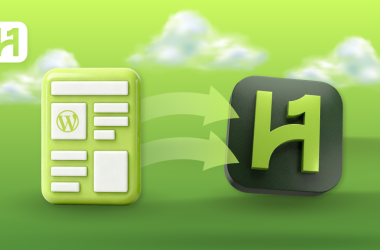



About 20,000 new WordPress websites are created per day, and many eventually need to switch hosts due to performance, scalability, or business requirements. With the HostOnce Migrator plugin, customers can migrate their websites quickly, safely, and without technical issues or downtime.
It’s never been simpler to move your WordPress website to HostOnce. Customers can now easily transfer their websites from other hosting providers using the HostOnce migrator plugin. This specially designed HostOnce plugin provides a seamless and user-friendly experience. This reduces complexity, enhances dependability, and ensures users receive comprehensive support at every step of the process.
WordPress Error 500: Internal Server Error
By Aliza Irfan on May 3, 2026Key Takeaways
- With just a few clicks, you can relocate whole WordPress sites—including databases, media, themes, and plugins—using the HostOnce Migrator Plugin, which reduces errors and does away with manual transfers.
- By using the HostOnce Migrator Plugin, your website stays operational throughout the migration process, guaranteeing visitors’ continuous access and maintaining SEO rankings.
- No technical expertise or coding knowledge is needed to use the HostOnce Migrator Plugin. Its user-friendly interface is effective for both novice and expert users.
- The HostOnce Migrator Plugin ensures a secure and reliable process by encrypting all data during transmission and providing specialized help for complicated migrations.
HostOnce WordPress Migrator Plugin – The Easiest Way To Migrate Your WordPress Site
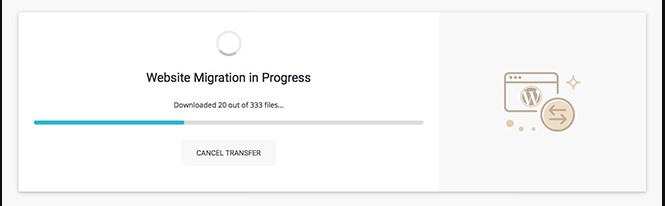
Moving WordPress themes, plugins, and material to a new server may be a daunting and complex task. HostOnce provides a user-friendly migration solution that eliminates technical obstacles and simplifies the process for users of all skill levels.
Relying exclusively on manual transfers can require more time and effort. HostOnce’s website migration service facilitates simple WordPress site migrations to provide a more seamless and effective option.
You may move your WordPress websites with ease with the HostOnce Migrator plugin. It offers a simplified, user-friendly process that puts dependability and happiness first. Our solution is designed to meet stringent performance standards defined in collaboration with our reliable partners and achieve a migration success rate of at least 85%.
HostOnce also provides improved manual support for scenarios that go beyond typical migrations. Anyone can migrate their sites, like WordPress sites, with confidence, ease, and solid support at every stage.

Discover Your Website Branding Now!
Get instant, data-backed domain ideas that match your brand vision. Use HostOnce’s smart AI tool to generate unique, brand-ready domain ideas in seconds.
HostOnce Migrator Plugin – Manage Multiple Websites From A Single Account
It has never been easier to combine several websites, like multilingual websites, under a single hosting account. HostOnce’s sophisticated migration system makes it simple to relocate all of your sites to a single, centralized dashboard.
For agencies, independent contractors, and power users who manage multiple projects concurrently, this configuration is perfect. Managing everything in one place saves time and reduces complexity compared to juggling multiple logins, hosting providers, and billing schedules.
Consolidating your sites with HostOnce offers more than just ease of use. It guarantees dependability and consistent performance on every project. The same high-speed infrastructure, strong security measures (encrypt data with SSL certificates), simplified backups, and scalable resources are available to all websites, providing you with total control, increased productivity, and a more seamless workflow as your online portfolio expands.
Why Choose HostOnce Migrator Plugin?
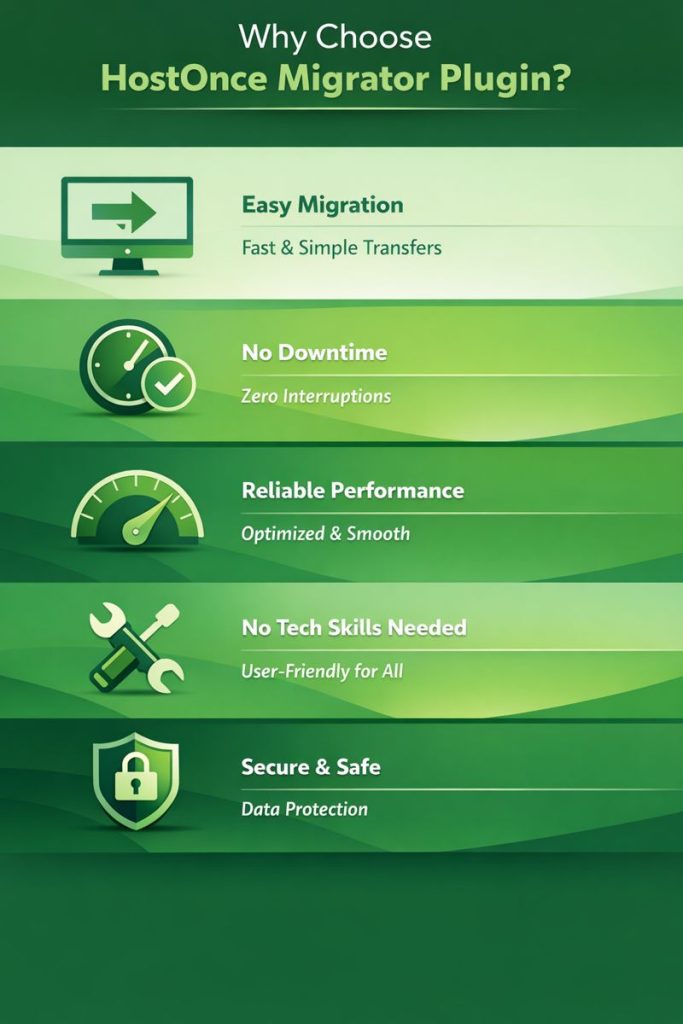
Easy Migration of Websites
Moving your WordPress website is easy and stress-free using the HostOnce Migrator Plugin. Your whole website, including databases, media assets, themes, and plugins, like WordPress plugins, may be safely moved to HostOnce with a few clicks. You do not need manual backups, FTP uploads, or complex configurations. The automated process reduces errors, ensures accurate transfer of every website element, saves time, and allows even first-time users to migrate sites easily.
Manage Multiple Websites with Ease
Ready to efficiently manage and scale multiple websites from one place? Improve performance and growth with reliable, high-speed hosting from HostOnce.
Transfers with No Downtime
It’s crucial to keep your website up and running during the migration, especially for companies and active websites, like e-commerce websites (try E-commerce Hosting). The HostOnce Migrator Plugin carries out transfers without interfering with your live website. While the migration takes place in the background, your visitors can carry on browsing.
HostOnce Migrator Plugin is Designed for Dependability and Performance
Even on servers with constrained resources, the HostOnce Migrator Plugin’s streamlined, memory-efficient processing ensures dependable migrations. To avoid timeouts, crashes, or performance problems, the system sends data in precisely controlled pieces, just as HostOnce handles its Data Center and Servers. This method enables the plugin to manage both big, content-rich projects and small websites with equal effectiveness.
Technical Expertise Is Not Necessary
The HostOnce Migrator Plugin was created with simplicity in mind and has an easy-to-use interface that is suitable for all users. To properly move your website, you don’t require server access, database management expertise, or coding ability. Clear instructions guide each step and make the process manageable for beginners while still providing enough power for developers, agencies, and experienced users who manage multiple websites.
Migrate Your WordPress Website
Apply smart migration tips while keeping your site fast, secure, and reliable with premium WordPress hosting from HostOnce!
HostOnce Migrator Plugin Offers Safe And Reliable Migration Procedure
During any migration, security is of utmost importance. Sensitive data is protected during the process by the HostOnce Migrator Plugin, just like All-in-One WP Migration, which guarantees that all website data is transported via encrypted connections. The plugin offers a secure and reliable experience because it is based on tried-and-true migration technology.
Expert Tip
Update your HostOnce Migrator Plugin frequently to keep it compatible with the most recent iterations of WordPress. Regular updates minimize the possibility of problems with new WordPress features or plugins and guarantee seamless migrations. To take advantage of performance boosts, bug fixes, and security upgrades, keep an eye on update notes and implement them right away.

Conclusion
It’s not as difficult as you might think to migrate your website. It may take several hours to learn how to transfer a WordPress website to HostOnce using HostOnce Migrator plugin, but the procedure is quite simple.
A strong, safe, and easy-to-use option for anyone wishing to move WordPress websites is the HostOnce Migrator Plugin. It is intended to help users of all skill levels, save downtime, and simplify complicated transfers. It provides a dependable, expert-level migration experience with memory-efficient processing, encrypted transfers, and compatibility with all hosts.
FAQs
Why should I migrate my WordPress website to HostOnce?
For a number of reasons, such as poor website performance, insufficient assistance from your current host, or the need for additional resources or scalability, you might choose to move a WordPress website to HostOnce. Additionally, moving to a managed host like HostOnce can significantly increase the speed, dependability, and security of your website.
How long does website migration take?
A website's size, complexity, and migration technique are just a few of the variables that can affect how long a website migration takes.
What is the best migration plugin for WordPress?
The best migration plugins for WordPress are:
- All-in-One WP Migration and Backup.
- HostOnce Migrator Plugin.
- Migrate Guru.
How to migrate WordPress sites manually?
It is not difficult to migrate a WordPress website. If you choose to handle it manually, though, you'll need to be at ease with File Transfer Protocol (FTP), database access, and file modification on the back end of your previous website.
WordPress 6.3: What’s Coming in the Next Major Update
By Festus Nkopuruk on November 7, 2025
Hostonce is the #1 WordPress Host
Ranked by 930+ customers in G2's Best Software Awards.