







For a contemporary WordPress website, plugins can be considered as vital assets. They make it easy to integrate powerful functionalities for your website without the need for coding. Whether it is to enhance the speed of your website, improve your SEO standings, automate various tasks, or design your website, plugins can do it all.
With the right plugins, your website will remain relevant in 2026. They will take care of meeting stricter SEO guidelines, enhancing Core Web Vitals, allowing automated workflows, providing privacy-compliant analytics, and ensuring your website employs focused analytics. With these plugins, your website will always be a step ahead in the constantly changing online ecosystem.
5 Best WordPress Crowdfunding Plugins in 2026
By Aliza Irfan on November 10, 2025In this blog, we will discuss 17 unique WordPress plugins ranging from design and construction tools to automation, SEO, performance, marketing, and team collaboration. Each of these plugins will be essential in converting your website and making it future-ready for the new wave of online traffic.
Key Takeaways
- Lightweight architecture is the future — Builders like Spectra and Breakdance are moving away from bloated code, ensuring faster load times and better Core Web Vitals.
- Media at scale demands structure — Tools like HappyFiles Pro highlight how taxonomy and folder systems are now critical for SEO and content-heavy sites.
- Automation is becoming the backbone of WordPress — Plugins such as SureTriggers and Uncanny Automator show how integrations and no-code workflows reduce reliance on external SaaS tools.
- SEO plugins are shifting from keyword-centric to entity and schema-driven — Rank Math PRO and SEOPress Insights illustrate the move toward semantic search optimization.
- Privacy-first analytics is replacing legacy tracking — Lightweight solutions like Fathom Analytics align with GDPR and cookieless tracking trends.
- Performance optimization is no longer just caching — Tools like FlyingPress demonstrate that modern performance covers lazy loading, font optimization, and script deferral.
- Marketing is going native — FluentCRM and Newsletter Glue reflect the demand to manage email and retention inside WordPress rather than relying on third-party services.
The 17 Must-Have WordPress Plugins for 2026
The leading plugins are not only essential for expansion; they are a growth imperative. The gap between a standard website and one that has a competitive edge in 2026 will largely depend on the plugins that are seamlessly working in the background. These tools perform silently to elevate the way your visitors engage with your site by enhancing user experience, optimizing workflows, improving services, and even security.
This curated list of 17 plugins has been selected by keeping all the essentials in mind. Features like automations, user interactions, and design enhancements to the website’s functionality contribute to the boosted performance of your site.

Outdated Plugins Slowing Down Your Site?
Explore the game-changing WordPress plugins of 2026! Take control of your website’s future upgrade with confidence today!
Design & Building Plugins
We all know how critical design and usability are for a website. In 2026, website visitors will expect more than a design. They will be looking for fast-loading pages, easy navigation, and integration capability. That is exactly why design and building plugins are created. These plugins not only assist you in crafting eye-catching websites but also focus on the proper functionality and long-term maintenance of the site.
Spectra – Visual Website Builder

Spectra stands out because of its light weight. This website builder is designed to make WordPress’s localized Gutenberg editor more effective. Rather than depending on cumbersome, outside page builders, Spectra augments Gutenberg. With advanced design blocks and layouts, and customization options, Spectra makes design and page building effortless. This way, sites are not only user-friendly but also well-designed and optimizable for the future.
Key Features
- Pre-Built Templates & Patterns: Site templates designed with specific needs in mind are available for immediate use. This enables fast launching of the site.
- Advanced Blocks: Extra plugins will not be necessary as spacing tables, testimonials, and forms are easily addable through blocks.
- Performance Optimized: Text and image-heavy pages will no longer be a problem as Spectra will help pages stay lean, which is a characteristic of bulky builders. With that, core web vitals optimization also gets a helping hand.
- Seamless Gutenberg Integration: WordPress’s native editor provides a conflict-free and smooth environment for all design processes to be done in, hence no designing will be done on splash screens or through programming interfaces.
| Pros | Cons |
| ✅ Compared to bulky builders, they are more lightweight and performance-friendly | ❌ Less feature-rich than Elementor or Breakdance |
| ✅ Built right on the Gutenberg platform to ensure stability and for future updates | ❌ For advanced developers, it may seem a bit constraining |
| ✅ Extensive collection of templates and block designs | ❌ Compared to full builders, custom design freedom is less diverse |
Breakdance Builder

Breakdance Builder is one of the newest generations of site builders that is quickly gaining popularity. Unlike older tools that tend to bloat webs with redundant code, Breakdance focuses on clean performance and flexibility. It enables designers, developers, and even absolute beginners to construct modern and professional websites easily.
Key Features
- Drag and Drop Visual Builder: Build pages with all the necessary tools available in real time. No coding necessary.
- Advanced Animations and Effects: Add modern transitions, hover state features, and various scroll effects.
- Global Styling Options: Control the colors, fonts, and layouts for the entire site to maintain a brand throughout.
- Responsive Design Tools: Adjust how the site displays on desktops, tablets, and mobiles.
| Pros | Cons |
| ✅ Beginners are easily able to design because of the interface | ❌ Elementor and Divi have larger libraries |
| ✅ Code that is given to the user is oriented towards performance and is clean | ❌ Advanced tools have a learning curve |
| ✅ Modern features provide flexibility, which is useful in creation | ❌ Some features with the most flexibility are premium |
For a contemporary WordPress website, plugins can be considered as vital assets. They make it easy to integrate powerful functionalities for your website without the need for coding. Whether it is to enhance the speed of your website, improve your SEO standings, automate various tasks, or design your website, plugins can do it all. With…
For a contemporary WordPress website, plugins can be considered as vital assets. They make it easy to integrate powerful functionalities for your website without the need for coding. Whether it is to enhance the speed of your website, improve your SEO standings, automate various tasks, or design your website, plugins can do it all. With…
HappyFiles Pro

When a website is growing, the media library is surely going to turn into a cluttered mess. HappyFiles Pro solves this issue by letting you group your images, videos, and documents into folders systematically. Instead of scrolling through uploads endlessly, you can search for files in seconds. This is useful for content-heavy sites, e-commerce stores, or agencies that are working on multiple projects.
Key Features
- Unlimited Folders & Subfolders: Just like your computer’s file system, you can now organize your media library in folders and subfolders without any limits
- Drag and Drop Management: Folders and files can easily be moved with a simple drag.
- All Media Types Supported: Includes images, videos, PDFs, and even custom post types.
- Bulk Actions: Move or categorize multiple files all in one go and save time.
| Pros | Cons |
| ✅ Makes it effortless to handle huge media collections | ❌ Additional database queries on heavy websites |
| ✅ Easy-to-use drag-and-drop interface | ❌ Lacks design or creative features |
| ✅ Time-saving for bloggers, agencies, and e-commerce platforms | ❌ Overshadow small blog sites with content-centric features |
Automation & Workflow Plugins
Managing a modern website today often involves managing dozens of small and repetitive tasks such as sending reminder emails, updating databases, and even integrating external tools, as well as gathering feedback. With the growing number of tasks, the need for automation tools has arisen. Automation tools, for example, will free you from sending emails and updating your databases, as well as connecting external tools and gathering feedback. These automation tools are well-equipped for the growing number of interconnections among websites.
SureTriggers (Ottokit)

SureTriggers is an automation application that helps you integrate your WordPress website with a large number of applications and services. Similar to Zapier, SureTriggers aids you in your WordPress-to-app connections by creating triggers (events) and actions (results) that, when linked to automation tasks, ensure a smooth workflow without the need for your constant supervision.
Key Features
- App Integrations: Connects with tools like WooCommerce, Google Sheets, Slack, and more.
- Custom Workflows: Automate onboarding of customers, sales funnels, and submissions of forms.
- Multi-Step Automations: Combine various triggers and actions for complex tasks.
- Instant Automations: Triggers will not cause delays to actions, resulting in instant workflows.
| Pros | Cons |
| ✅ Time savings from eliminating repetitive tasks manually | ❌ Beginners unfamiliar with workflows may find it difficult to learn |
| ✅ Variety of app integrations | ❌ Only the premium version includes the necessary advanced features |
| ✅ Interface streamlined with drag and drop workflow construction is simple to navigate | ❌ Too many automations may lead to excessive complexity and overwhelm the user |
Uncanny Automator

Uncanny Automator is a remarkable WordPress automation plugin geared towards automating processes within your plugins and services. Instead of using outside services, it acts as the “glue” within WordPress, allowing you to build intelligent workflows that integrate various plugins. For instance, purchasing a product through WooCommerce categories can automatically enroll the user into a course.
Key Features
- Deep WordPress Integration: Works with popular plugins like LearnDash, WooCommerce, BuddyPress, and more.
- Custom Triggers & Actions: Define rules like “when X happens, do Y.”
- Supports External Apps: Connect to external services like Google Sheets and Slack.
- No-Code Setup: Design sophisticated automations without programming by using a straightforward visual interface.
| Pros | Cons |
| ✅ Excellent native integration with WordPress plugins | ❌ Complex workflows may take time to plan |
| ✅ Easy to use for beginners. No coding required | ❌ The free version has limited functionality |
| ✅ Saves time by automating plugin-to-plugin actions | ❌ Premium plans can get expensive for large sites |
WPCodeBox

WPCodeBox is a focused plugin for developers that streamlines adding and managing custom code on WordPress sites. In WPCodeBox’s single, tidy interface, all custom code snippets and WordPress themes can be stored, eliminating the need to edit theme files or use multiple snippet plugins. This plugin is great for developers who want to maintain a flexible, yet secure and lightweight site.
Key Features
- Centralized Code Management: Store all custom PHP, CSS, and JavaScript in one place.
- Safe Code Execution: Prevents site crashes by checking snippets before execution.
- Cloud Library: Save and reuse snippets across multiple sites.
- Conditional Loading: Execute snippets in targeted areas only to improve execution.
| Pros | Cons |
| ✅ No longer necessary to modify theme or child theme files | ❌ Fully utilizable only with coding knowledge |
| ✅ Snippet library in the cloud offers reuse possibilities | ❌ Not suitable for non-techies |
| ✅ Using fewer snippet plugins is safer and neater | ❌ Can add to the complexity in large-scale projects |
ProjectHuddle

ProjectHuddle is a feedback and collaboration tool for clients to leave comments for designers and developers. Clients can comment on the live site, which speeds up the communication process. Rather than dealing with endless emails to evaluate and respond, feedback is done in the vicinity where it is required, and so done quickly.
Key Features
- Visual Feedback: Clients can comment on a design element and leave feedback.
- Centralized Dashboard: It is easy to manage all client feedback in a single location.
- Supports Websites & Design Mockups: Functions with live WordPress sites and file designs.
- Collaboration Tools: Makes it easy to manage revisions and approval processes.
| Pros | Cons |
| ✅ Helps in streamlining the process of collecting feedback from clients | ❌ Most suitable for agencies and freelancers, not for general site owners |
| ✅ Minimizes the use of emails for communication | ❌ Might be difficult for small projects to utilize fully |
| ✅ Accessible for both design files and webpages | ❌ Standalone creators are burdened with higher prices for paid plugins |
SEO and Analytics Extensions
A website cannot succeed without notable traffic, regardless of its aesthetic appeal. Search Engine Optimization (SEO) and accurate analytics are crucial in drawing traffic, understanding users, and making informed decisions. As of 2026, SEO has become more sophisticated due to AI-based search engines and stricter algorithms enforcing compliance.
Ready to Upgrade Your Website’s Performance?
Experience top-tier shared hosting with all the features your site needs to thrive. Start now with HostOnce’s Shared Hosting plan and enjoy blazing-fast speeds.
Rank Math PRO

Among the more advanced SEO plugins, Rank Math PRO incorporates strong optimization schemes, schema markup, and keyword tracking, making it one of the best WordPress plugins. It is tailored for both beginners and professionals and utilizes smart automation to simplify SEO while still catering to advanced users through its in-depth features.
Key Features
- Advanced On-Page SEO: Meta descriptions, titles, and content can be optimized for relevant keywords.
- Schema Markup Support: Enable the addition of rich snippets like FAQs, reviews, and products.
- Keyword Tracking: Check the rankings from your dashboard, and monitor them afterwards.
- AI SEO Assistant: Best practice content suggestions to enhance relevancy.
- Local SEO Features: Enables businesses to specifically target regional users.
| Pros | Cons |
| ✅ An all-in-one SEO plugin and toolkit gathered in one place. | ❌ With so many features, it can feel overwhelming. |
| ✅ User-friendly and inclusive | ❌ Some advanced features are limited to the PRO Plan. |
| ✅ Supports keyword monitoring, tracking, and schema markup. | ❌ Often considered too much for a small personal website. |
SEOPress Insights

This is a bolt-on for the SEOPress plugin, which zeroes in on SEO performance monitoring – SEOPress Insights. Rather than optimizing content and providing some data about keyword rankings, backlinks, or competitive analysis, it uses advanced SEO tools to analyze and provide critical SEO data, making every one of your YouTube SEO investments count.
Key Features
- SEO Tracking: Tracking your site’s position in Google’s search results.
- Backlink Monitoring: Keep tabs on who is linking to your site, along with monitoring new backlinks.
- Competitor Analysis: Review rankings and track against set benchmarks.
- Compatibility: Provides lightweight integration and is compatible with the SEOPres.
| Pros | Cons |
| ✅ Lesser cost than Ahrefs and SEMrush | ❌ Requires SEOPress Pro to unlock full potential |
| ✅ Reports on rankings and backlinks are presented clearly | ❌ SEO suites that are premium offer more value for money due to their depth of data |
| ✅ Helps track SEO progress over time | ❌ May not be suitable for enterprise-level SEO needs |
Expert Tip
Security is just as important. Make sure your provider includes free SSL, strong DDoS protection, and clear privacy policies. Avoid getting caught up in “unlimited” claims since what really matters is the quality of the infrastructure. If you are running WordPress, go with WordPress hosting for better performance, updates, and compatibility right out of the box.

Fathom Analytics

Fathom Analytics is one of the few analytics tools that doesn’t compromise user privacy. Unlike Google Analytics, Fathom Analytics does not require analytics scripts that significantly weigh down websites or collect personally identifiable information. Fathom is a great fit for privacy-centric websites. Fathom is becoming the go-to for websites looking for fast speed and compliance due to rising privacy laws and decreasing third-party cookies.
Key Features
- Lightweight Script: Faster than Google Analytics.
- GDPR & CCPA Compliant: No invasive tracking. Privacy-focused design.
- Simple Dashboard: Accessible analytics devoid of complications.
- Unlimited Data Retention: Retain insights without a time limit.
| Pros | Cons |
| ✅ Does not slow down or weigh down a website | ❌ Lack of advanced features in comparison to Google Analytics |
| ✅ Fully privacy-compliant out of the box | ❌ Paid subscription required |
| ✅ Easy-to-read dashboard presents key metrics | ❌ Limited data on GA integrations |
Performance & Security Plugins
An exquisitely designed and well-optimized website is of little use if it is slow or exposed to vulnerabilities. In 2026, both security and performance functions are not optional; they are fundamental. Cyber threats are becoming ever more common, and so having a dependable backup and recovery solution is critical. On its part, site performance is now a necessity as cyber visitors demand instant access.
FlyingPress

The flying press WordPress site is a premium performance optimization plugin with the aim of making WordPress sites very fast. Rather than having to multi-tweak with a caching, optimization, and performance plugin, find a single all-in-one performance center plugin. The flying press allows for easy one access to optimization tools. In addition, it aims at making sure every site achieves the best scores in Google performance with its core web vitals focus.
Key Features
- Smart Caching System in Flying Press: Site, browser, and object caching to improve rates and load speed.
- Image Automation for performance optimization: Web image and automation made easy.
- Database Clean-up: It removes the unneeded and unimportant for the sake of better performance.
- CDN: It helps in the integration with Global CDNs to improve the delivery of content.
- Focused core web vitals: Best optimally tuned, which helps the Google metrics.
| Pros | Cons |
| ✅ Integrated plugin for caching, optimization, and site speed | ❌ Paid version without a free option |
| ✅ Non-technical users can set it up with ease | ❌ Fewer customization options for developers who prefer to work with more detailed settings |
| ✅ Core Web Vitals performance metrics have improved significantly | ❌ Previously installed optimization plugins may conflict with it |
WPvivid Backup Pro
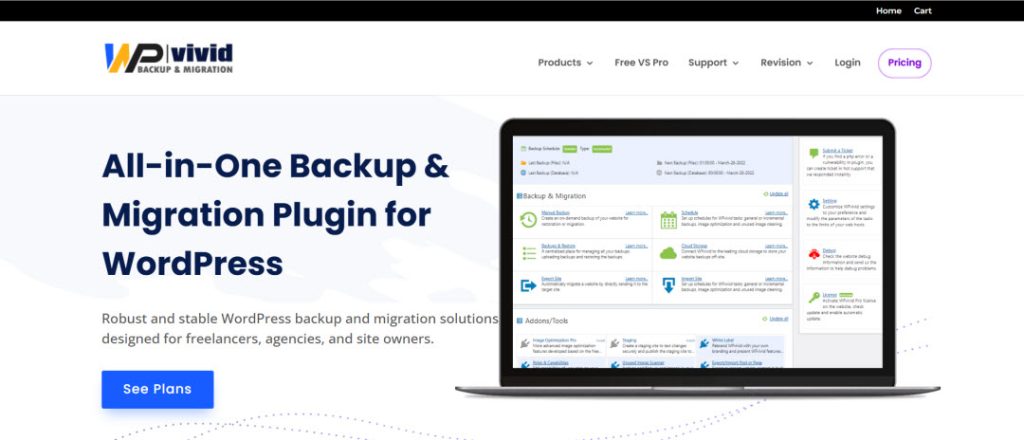
WPvivid Backup Pro is an all-in-one backup and migration tool for WordPress websites. Offering the option to set regular automatic backups provides peace of mind, and the ability to restore sites with a single click or migrate between domains and dedicated servers easily adds to the ease of use. For businesses and agencies that manage multiple sites, the plugin can help prevent data loss and minimize downtime, making it invaluable.
Key Features
- Automated Backups: Daily, weekly, or monthly backups can be set up.
- One-Click Restore: If, for any reason, a site is misconfigured, it can be recovered in a matter of seconds.
- Full & Incremental Backups: Helps optimize server space by performing a backup of only the changes made.
- Cloud Storage Integrations: Compatible with Google Drive, Dropbox, Amazon S3, and other services.
- Site Migration Tool: Facilitates the movement of websites across servers or domains.
| Pros | Cons |
| ✅ Assured data recovery and restoration functionality | ❌ Pro edition only offers some advanced options |
| ✅ User-friendly migration for agencies | ❌ If unmanaged, allocated space for backups can fill up due to relics |
| ✅ Diverse selections for off-site data storage | ❌ For novices, the initial configuration might be daunting |
Take Your WordPress Site to the Next Level
Optimized for speed, security, and seamless updates—HostOnce WordPress Hosting makes your life easier and your site more powerful.
Marketing & Engagement Plugins
Having a functional and dependable website can help one’s audience and business grow in 2026, but one also needs to engage and convert visitors effectively. With marketing plugins, audience relationship building is easier and includes automated messages, social media platforms, real-time chats, and other creative tools for fundraising or community building.
FluentCRM

FluentCRM is a well-known WordPress customer relationship management and email marketing automation plugin. With Fluent, you can manage your subscribers, send automated campaigns, and create email workflows all from your WordPress dashboard, doing away with costly email marketing platforms.
Key Features
- Manage and Create Emails and Newsletters: With Fluent, users can manage, create, and send emails and newsletters with great ease and without leaving WordPress.
- Automation Workflows: Automated campaigns for customer engagement allow users to set welcome sequences, drip campaigns, and other customer engagement workflows.
- Segmentation of contacts: Gain access to more features with the help of tagging and grouping subscribers for personalized messages.
- Integration of Ecommerce: With Fluent, one can conduct eCommerce transactions with WooCommerce and Easy Digital Downloads.
- Reporting & Analytics: With Fluent, one can track the open rates, clicks, and conversions to monitor the effectiveness of campaigns.
| Pros | Cons |
| ✅ Cheaper selection than Mailchimp and others. | ❌ Requires SMTP setup for email delivery |
| ✅ Fully integrated into WordPress | ❌ Some advanced automation features may have a learning curve. |
| ✅ Strong e-commerce and membership site integration. | ❌ Self-hosted emails may affect deliverability if not configured well. |

WP Social Ninja is a comprehensive social media plugin that brings in reviews and chat widgets to your WordPress hosting site. Instead of other plugins that showcase testimonials, Instagram feeds, or a Messenger chat, WP Social Ninja brings all of them to a single, powerful, and lightweight plugin.
Key Features
- Social Feeds: Display live feeds from Instagram, X, Facebook, and more.
- Social Reviews: Showcase reviews from Google, Yelp, and Facebook on your sites.
- Chat Widgets: Messenger, WhatsApp, Telegram, and other chat platforms can be integrated.
- Custom Styling Options: Design feeds and reviews to match your brand’s look.
| Pros | Cons |
| ✅ Reviews, feeds, and chats in a single platform | ❌ Some integrations require the Pro version |
| ✅ User-friendly miSimple to set up and personalize | ❌ Site speed may be negatively impacted by heavy use of multiple feeds |
| ✅ Boosts trust with genuine social proof | ❌ Not as comprehensive as dedicated social feed plugins |
Tawk.to Live Chat
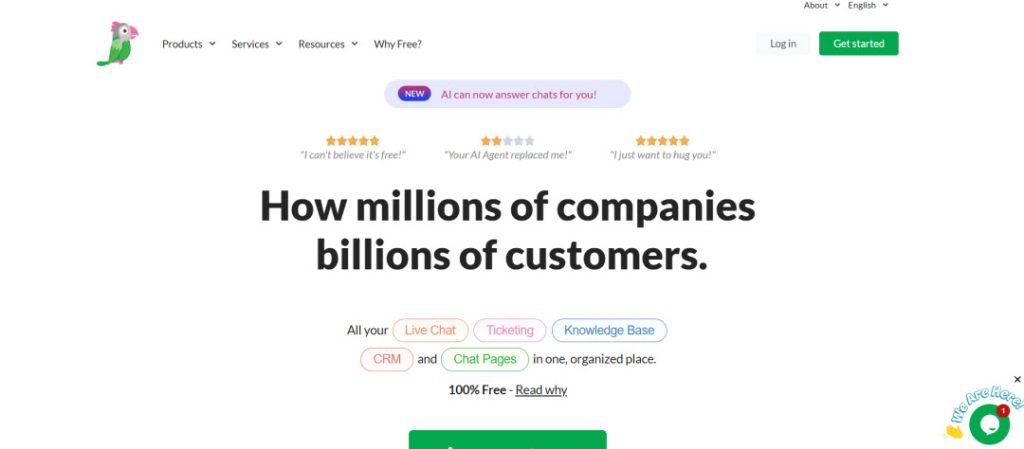
Tawk.to is among the best free live chat services for WordPress. It allows for real-time interaction with website visitors. The tool aids businesses in boosting interaction by answering queries in real time and helps to build confidence in the brand. Tawk.to ensure that you are always available to your audience with the support of multiple agents and mobile applications.
Key Features
- Free Forever Plan: Unlimited agents and chats for a lifetime.
- Real-Time Chat: Instant connection with site users.
- Custom Branding: Available for higher-tier plans.
- Mobile & Desktop Apps: Always connected, even on the move.
- Knowledge Base Integration: Allows visitors to help themselves to information.
| Pros | Cons |
| ✅ Completely free with unlimited agents | ❌ Requires an external Tawk.to account |
| ✅ Real-time communication increases conversions | ❌ Branding removal requires a paid plan |
| ✅ Easy to set up and manage | ❌ Limited customization compared to premium chat tools |

The Newsletter Glue plugin is mainly for magazine and blog publishers aiming to dispatch newsletters straight from their WordPress. Rather than crafting email and blog content separately, the plugin enables effortless transformation of blog content into email campaigns, facilitating seamless conversion with just one click.
Key Features
- One-click Send: Share WordPress posts directly to email as campaigns with one-click publishing.
- Email Template Builder: Customize layouts and branding.
- Integration with Email Services: Works with Mailchimp, ActiveCampaign, and more.
- Block Editor Support: Create newsletters visually using WordPress blocks.
| Pros | Cons |
| ✅ Time-efficient because blogging and newsletters are combined | ❌ Relies on an external email provider for sending out emails |
| ✅ Seamless integration with the block editor | ❌ May not be suitable for advanced automation requirements |
| ✅ Ideal for content-driven websites and publishers | ❌ Compared to full CRMs, it has basic analytics and reporting capabilities |
WP Charitable

WP Charitable is a donation and fundraising WordPress plugin designed for non-profit organizations and charitable institutions. It helps to execute donation campaigns simply and securely without using third-party platforms that charge a fee per transaction.
Key Features
- Donation Campaigns: Create unlimited fundraising campaigns.
- Payment Gateway Support: Integrates with PayPal, Stripe, Authorize.net, and others.
- Recurring Donations: Enable supporters to establish recurring donations.
- Customizable Forms: Design donation forms that are in line with your branding.
| Pros | Cons |
| ✅ No platform fees. | ❌ Some advanced features are only in Pro add-ons |
| ✅ Fundraising campaigns can easily be set up and launched | ❌ Limited marketing features compared to crowdfunding platforms |
| ✅ Recurring donations are supported, and multiple payment gateways | ❌ May require developer help for advanced customizations |
Conclusion
With respect to the design and automation as well as SEO, performance, marketing, and so on, these 17 plugins can help you create and flexible your WordPress site. They are not only relevant to today’s WordPress environment but also to face the trends and challenges of 2026.
The reason to start using these plugins now is that with respect to the website, it will improve the workflows, visibility, speed, and audience engagement, which will put the website ahead of its competitors.
FAQs
How can I automate workflows on my WordPress website without coding?
Yes, absolutely. Plugins like SureTriggers and Uncanny Automator make it possible to produce complex automations without ever typing a single line of code.
What plugin is best for WordPress SEO and keyword tracking?
For comprehensive SEO management and keyword tracking in 2026, Rank Math PRO and SEOPress Insights are among the best choices.
How do I handle media files efficiently in the WordPress admin dashboard?
Unlike the other options, HappyFiles is natively designed to work with WordPress and doesn't mess around with file paths, so it's theme and plugin-friendly.
How can one carry out email marketing campaigns within WordPress?
Yes, plugins like FluentCRM and Newsletter Glue allow you to carry out full-fledged email marketing campaigns within WordPress.
Top 10 Must-Have Plugins for WordPress Website in 2026
By Javeria Riaz on October 12, 2025
Hostonce is the #1 WordPress Host
Ranked by 930+ customers in G2's Best Software Awards.

