




Did you know that a comprehensive store locator can help customers find your store locations? WordPress store locators are perfect for increasing your visibility online and boosting sales for your eCommerce site.
If you are wondering what the 7 best WordPress store locator plugins for local business visibility are, then you are in the right place. As you read on, you will find the best WordPress plugins for building a business directory.
Installing a WordPress Theme via Dashboard, ZIP, FTP, and cPanel: Step-by-Step Guide
By Javeria Riaz on October 18, 2025
Improve your local business visibility!
Get started today and find the best store locator plugin for your WordPress site and host it with Hostonce’s reliable domain hosting.
What is a Store Locator Plugin?
A WordPress store locator plugin is an installable tool that is used by website owners to display their physical store locations on a Google Map. This store locator tool is effective for small-scale businesses and large ones with unlimited store locations because it acts as a guide for people to see nearby store locations via their current location.
Hitherto, these plugins have had minimal impact on your website and can increase your local SEO efforts as a business.
Features of Store Locator Plugins for WordPress
- Map Integration: The WP directory plugin for WordPress is compatible with Map software like Google Maps for showing locations and attracting nearby customers who are searching for products.
- Search Functionality: Another feature is the store locator functionality, where people can search store locations by city or ZIP code.
- Filtering Options: A locatoraid store locator, which is powered by WordPress + article directory plugin, comes with filtering options to show categories, custom tags, and other services for customers.
- Mobile Responsiveness: All WordPress theme store locators are fully responsive on different devices for a user experience.
- Custom Markers: A store locator widget can be used to map markets through different features, like custom icons.
- Store Details: When you add a store locator to your website, customers can see the relevant information about your business before reaching out.
- Geolocation Support: A geolocation feature is used to automatically show nearby store locations based on the location of a customer.
- Clustering: Using a powerful store locator is an intuitive way of making your website look presentable and preventing clustering.
7 Best WordPress Store Locator Plugins for Local Business Visibility
1. WP Store Locator
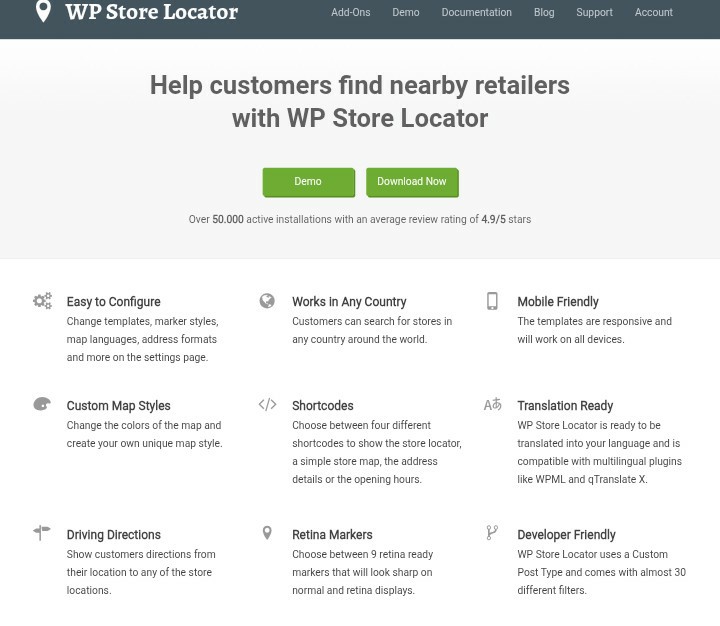
This is the best store locator plugin for WordPress websites that have different locations because it has a store locator function to simplify your daily operations and direct customers. Features like customizable mapping styles and filtering are effective in helping people find store locations.
WP Store locators allow integration with Google Maps and can improve your local search as a business. Furthermore, it is a lightweight interactive store locator plugin that supports major languages and is suitable for beginners and professionals.
Features:
- Responsive design: Seamless user-friendliness on different devices
- Store Management: Add, edit, and control different store locations from one place
- Directions: Give directions to stores with Google Maps
- Customizable Map: Edit how the map appears on your website
| Pros | Cons |
|---|---|
| ✅ Free & open-source | ❌ Needs Google Maps API |
| ✅ Customizable (filters, markers) | ❌ Limited design options |
| ✅ Supports directions & multilingual | ❌ No built-in analytics |
2. Store Locator Plus
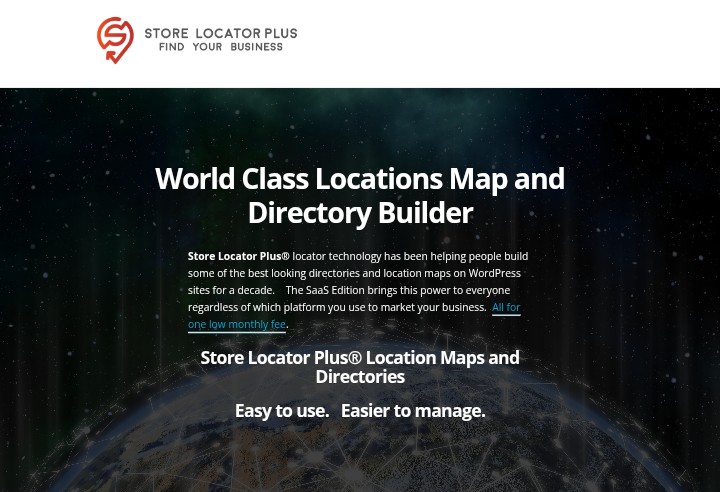
Store Locator Plus is a reliable store plugin for corporate businesses to display their store locations. It is one of the best WordPress store locator plugins with analytics reports and advanced filtering by location.
Store Locator makes it easy for customers to locate your store through the search feature and tagging. When you subscribe to this premium WordPress plugin, you get access to various themes and plugins that are relevant for your website.
Features:
- Analytics and reports
- Customizable maps
- Location search by city/zip
- Mobile-friendly design
| Pros | Cons |
|---|---|
| ✅ Easy to use | ❌ Many features are paid for |
| ✅ Scalable, proven plugin | ❌ Can be overwhelming |
| ✅ Supports filters & multiple maps | ❌ Reports of slow load times |
3. Agile Store Locator
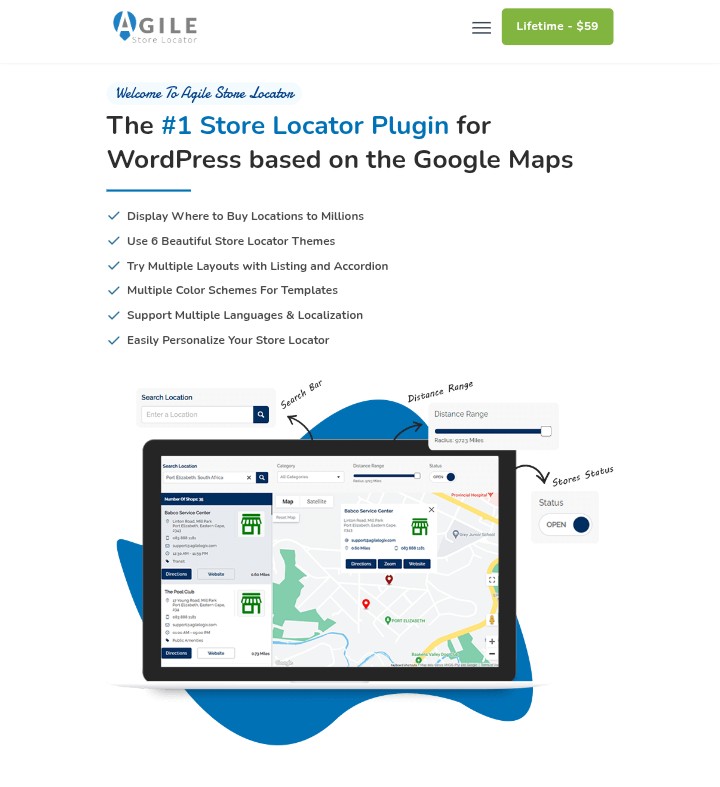
Are you looking for a plugin with an appealing UI and themes? Then try Agile Store Locator. It is a powerful WordPress store locator plugin for website developers and advanced users because of its numerous features and a management panel for backend users.
You can create a store locator page with this plugin and integrate it with different maps to help customers find your store locations easily.
Features:
- Responsive and mobile-friendly
- Interactive Google Maps integration
- Search by city, zip, or radius
- Category & filter options
| Pros | Cons |
|---|---|
| ✅ Feature-rich & responsive | ❌ Free version limited |
| ✅ Custom templates & analytics | ❌ Some features premium-only |
| ✅ Good support & updates | ❌ Some features are premium-only |
4. Locatoraid
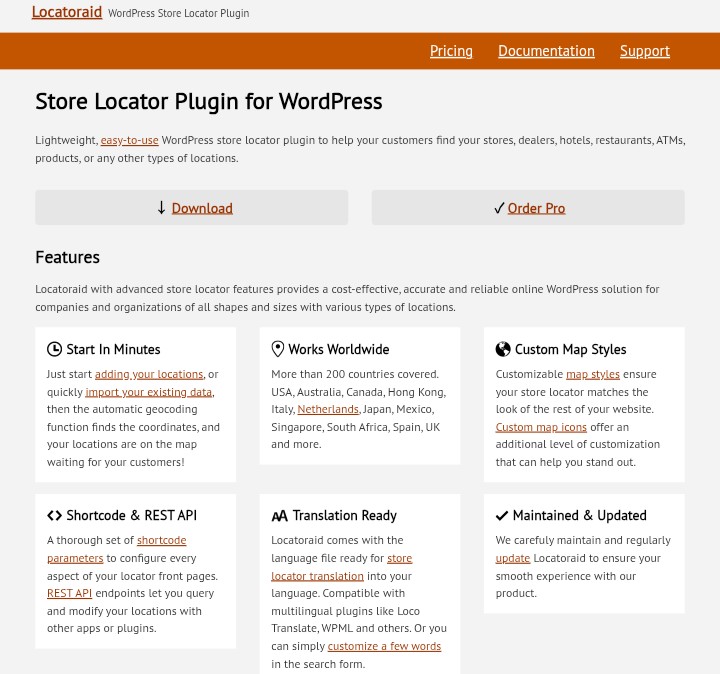
Locatoraid is a store finder that allows you to set up a store locator easily on your website. You can manually add your multiple store locations and enable geolocation for automatic search. If you need a simple store locator as a beginner, consider using this popular WordPress plugin with a user-friendly interface and mobile responsiveness.
Features:
- Responsive and mobile-friendly
- Interactive Google Maps integration
- Search by city, zip, or radius
- Category & filter options
| Pros | Cons |
|---|---|
| ✅ Lightweight & easy setup | ❌ Basic free version |
| ✅ Responsive design | ❌ Premium for advanced features |
| ✅ Shortcodes & API support | ❌ Small user base |
5. MapSVG

Most plugins have minimal impact on the performance of websites, and MapSVG is no different. You can customize your maps or make use of the integrated vector maps. Another notable feature of this plugin is that you can make your store location pages look appealing and interactive for customers searching for a business. MapSVG locator plugin is a tool that can greatly boost your local SEO and rankings.
Features:
- Fully responsive and mobile-friendly
- Interactive vector, image, and Google Maps
- Add custom markers, tooltips, and popups
- Directory & search options for locations
| Pros | Cons |
|---|---|
| ✅ Custom SVG/vector maps | ❌ Paid only |
| ✅ Covers 100+ countries | ❌ Basic design by default |
| ✅ Highly flexible layouts | ❌ External install needed |
6. Google Maps Easy by Supsystic
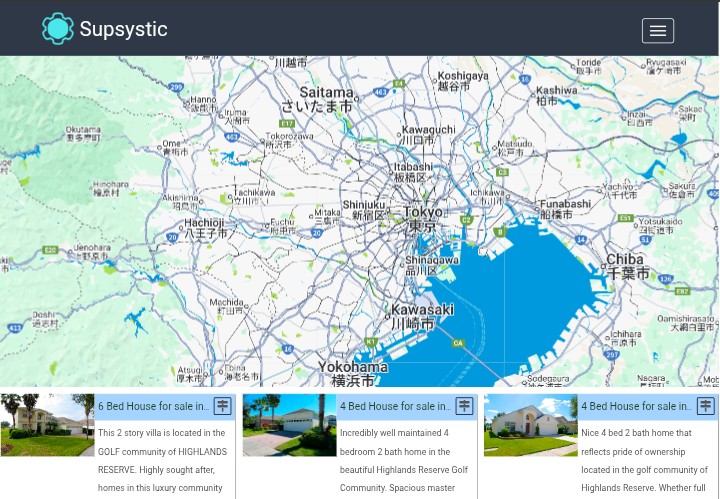
Google Maps Easy is a store locator plugin that offers easy integration with Google Maps. This store locator helps to make the layouts of your maps responsive on different devices, and you can choose to show your store in a directory. Furthermore, it is a simple locator plugin for your WordPress website and comes with a modern UI design layout.
Features:
- Create unlimited maps with markers
- Customizable map styles and layouts
- Responsive and mobile-friendly
- Easy shortcode integration for pages/posts
| Pros | Cons |
|---|---|
| ✅ Easy to use & responsive | ❌ Free version limited |
| ✅ Supports unlimited markers & layers | ❌ Pro can be pricey |
| ✅ Highly customizable | ❌ Interface feels outdated |
7. Simple Map
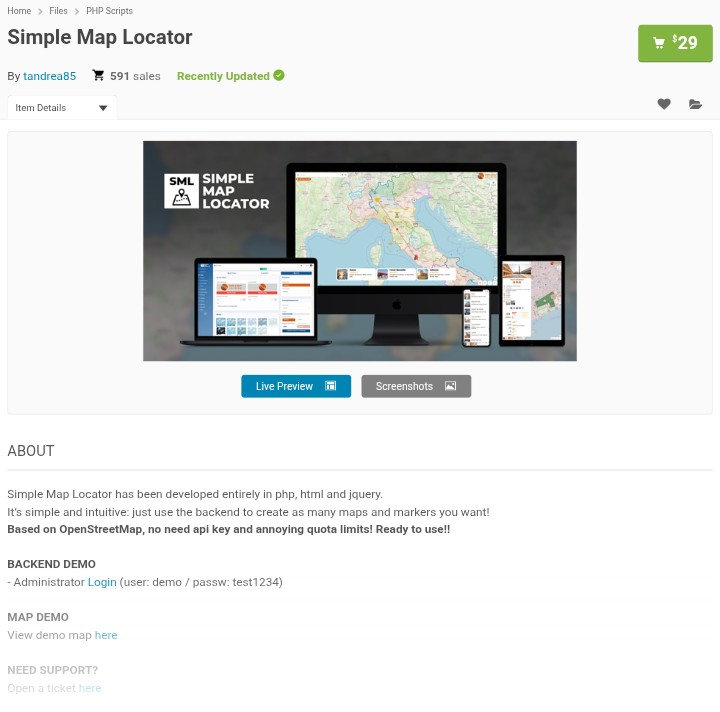
Simple Map store locator WordPress comes with basic features for setting up your store location. Although the features are limited when compared to other plugins, you can use shortcodes to integrate Simple Store on your website, making it a wonderful plugin for your WordPress site.
Features:
- Simple shortcode for adding maps to pages/posts
- Easy location search by address or zip code
- Google Maps integration
- Mobile-friendly and responsive design
| Pros | Cons |
|---|---|
| ✅ Very simple setup | ❌ A few advanced features |
| ✅ Customizable design & markers | ❌ Limited data control |
| ✅ A few advanced features | ❌ Weak support/docs |
Benefits of Using the Best Store Locator Plugin
- The best WordPress store locator plugin can help customers locate your store easily and get the necessary information about your business.
- If you own a physical store, using a simple store locator or a complex one can guide customers to the location of your store.
- Increase the local SEO of your website by using these plugins to add the relevant keywords and schema markup using business directory plugins, which is great for online visibility.
- Avoid the hassle of manually adding the multiple locations of your stores by using a locator or a complex mapping plugin. This is great for beginners who have no knowledge of manual map generation.
- When your business can be located on various maps, it increases the credibility of your business and lets customers know that you are trustworthy and reliable.
Tips for Using the Best WordPress Store Locator Plugins
- Choose a plugin that is easy to use with popular domain systems and map platforms like Google Maps, which is used by millions of users to locate businesses online.
- For automation and personalized targeting, ensure that you enable the geolocation feature to help customers find the nearest stores.
- Make sure that your store finder contains important information about your business to boost customer experience.
- Another important consideration is enabling the search option for customers to filter and get what they are looking for.
- For big businesses with different store locations, market clustering can help make your map look presentable and easy to use.
- You can also use the right keywords and schema markup to boost online traffic and visibility
- Ensure that the information about your business is current to help boost credibility around your brand.
- Lastly, use analytics to monitor the performance of your map to help you adjust and improve your business based on how customers behave on your website.
Final Thoughts on WordPress Store Locator Plugins
From boosting your online visibility to gathering leads for your business, store locator plugins can be used as an effective tool for positive marketing. You can register your store name with Hostonce and get access to various plugins that can make your website effective.
Remember that, knowing the 7 best WordPress store locator plugins for local business visibility is just the first step; you will have to do your research and gain more knowledge base on how to stand out from your competitors.
The goal of every business is to gain visibility in local search results and allow customers to find their nearest store locations. Get more information about WordPress plugins and themes by following our Twitter (X) page to stay updated.

Starting WordPress Sites on Hostonce Just Got Easier
By Javeria Riaz on June 15, 2026FAQs
2. Can I add multiple locations at once?
Yes, the right store locator plugin allows websites to add multiple locations simultaneously. This is done via CSV file upload and is suitable for large businesses with different outlets.
3. Are store locator plugins mobile-friendly?
Yes, popular WordPress plugins are responsive on mobile to boost a user-friendly experience for customers. Ensure that you test your preferred plugin before launching it online.
4. Can I customize the map markers and layout?
Yes, you can customize the layout and map markers to match your website design. Many store locator plugins have multiple options to help you design an appealing interface.
5. Do store locator plugins help with local SEO?
Yes, using the right keywords and following the necessary SEO guidelines can improve the local SEO of your business and help customers find you easily. It is essential to know how to optimize your website using Google Maps for better visibility.

Hostonce is the #1 WordPress Host
Ranked by 930+ customers in G2's Best Software Awards.