






Having a website launched is one of the major keys to having a healthy online presence, and launching a website announcement it without planning ahead may result in lost opportunities and lost time. This will help guide the design, development, and marketing efforts.
Every piece of content must serve a purpose and direct visitors to take certain actions. From a technical perspective. Ensure your site is mobile-friendly, loads fast, and adheres to accessibility best practices. Ask for feedback, engage with users, and be ready to adjust based on user behavior. A launch is merely the start; ongoing optimization is the key to sustained success.

The 30 Best Digital Marketing Agencies to Increase Your Sales in 2026
By Festus Nkopuruk on May 19, 2026Why a Website Launch Strategy Matters
Without a proper website launch plan, even beautifully constructed websites fail to be noticed or bring value. Planning ahead means that your site will be constructed from day one with the goal of attracting, engaging, and converting visitors. Select a blog name that is available by using domain generators like Hostonce or Bluehost.
A site that loads slowly or is insecure will lose search engine rankings and traffic. Any good website launch strategy involves the implementation of SSL certificates, image compression, and code bloat reduction. Without beta-testing, your site could be full of bugs or function breakage. A good pre-launch checklist ensures features are working properly on devices and browsers.

Stressed about launching your website the right way?
Don’t risk missed opportunities or a shaky start! Hostonce provides reliable hosting. Start your journey strong launch with Hostonce today!
Pre-Launch Essentials Checklist
- Define Your Website Goals and Audience. This way, your content, design, and functionality are aligned to meet user requirements.
- Do Intensive Keyword Research. SEMrush to discover suitable keywords. Use them moderately in page titles, headings, meta descriptions, and copy to maximize search visibility.
- Complete Site Structure and Navigation. Build a logical, intuitive site organization with a hierarchical framework. Provide intuitive navigation menus and internal linking to assist users. Facilitate search engine crawling of your pages.
- Optimize for Mobile and Page Speed. Make your website responsive across all devices and load speedily.
- Develop High-Quality, Optimized Content. Write engaging, unique content of value to the users. Optimize it, proper heading tags (H1, H2, H3), and readable CTAs.
- Set up SEO and Analytics Tools. Set up Google Analytics and Google Search Console and get them running to monitor traffic, behavior, and performance. Create and upload your XML sitemap for quicker indexing.
- Test All Functionalities. Test forms, buttons, eCommerce checkout, search boxes, and third-party apps. Test across different browsers and devices to achieve seamless functionality.
- Create a Launch Promotion Plan. Pre-book your marketing. This can include email promotions, social media posts, blog launches, or PR announcements to generate buzz and traffic on launch.
Content Strategy and SEO Optimization
An effective content strategy is important for the success of your website launch marketing plan and long-term achievement. It enables your site to provide real value to users and comply with SEO best practices. Have a clear content strategy that addresses user intent and enables your business goals. Every page, from the homepage to blog articles. It must serve a purpose.
Select evergreen topics that will remain relevant over the long term. Ensure that every page is authentic, informative, and well-designed. Thin or duplicate content negatively affects your rankings, and solidly researched, reliable content builds credibility. Don’t overlook user experience in content planning. Break text into bites of small size, limit calls to action (CTAs).
Create Interesting and Unusual Content
Originality is the foundation of a successful content campaign. Google favors content that shows expertise, experience, authoritativeness, and trustworthiness (E-E-A-T). To keep users interested, write in a conversational and straightforward manner. Storyboard your content, use everyday scenarios, and address pain points directly.
Utilize multimedia capabilities like videos, infographics, and high-definition pictures to enrich and beautify your content. Multimedia elements will de-scramble extensive text and increase comprehension. Use speedy-loading file sizes and descriptive alt text to not sacrifice accessibility and SEO benefits. Outdated information will confuse people and hurt your rankings.
Effective Use of Headings and Alt Text
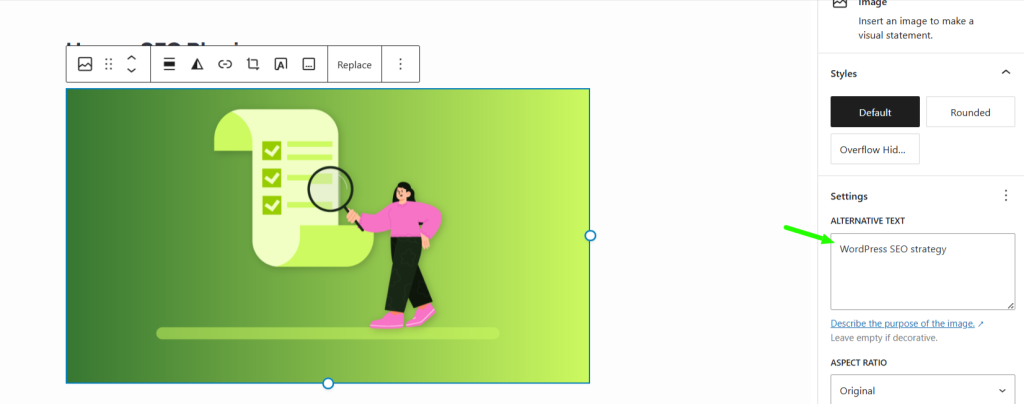
Repeat the H1 tag once on a page and declare the main topic of the page. Subheadings (H2, H3) need to have a structured order, reinforcing the key title and providing structure to your content. Clarity and usefulness should always precede keyword stuffing. It serves two critical purposes: it allows screen reader users to access images and helps search engines make sense of image content.
Always use descriptive alt text that simply and briefly describes what the image contains and how it relates to the surrounding context. Never call them generic things like “image1.jpg.” Structured headings and descriptive alt text, used together, provide a user-friendly experience and improve SEO.
Introduce Structured Data
Structured data, or schema markup, allows search engines to understand your content more effectively. They increase the visibility and click-throughs of your listings within search results. Schema.org is a collection of markups that are standard that you may use.
You can manually include the structured data in your HTML. More traffic and building trust with users. If you need more traffic, Hostonce offers high-performance WordPress hosting, along with easy-to-use dashboards.
Technical Installation and Testing
It is essential to ensure that all the technical components are correctly configured. Non-functioning functionality, or search engine ranking losses. See that your web host is capable of offering fast loading times, secure servers (SSL certificates), automated backups, and scalable resources. Your WordPress hosting configuration is the basis of your site’s reliability and responsiveness.
Reviews each button, links, contact forms, search fields, and eCommerce checkout flows. Test them on a range of browsers (Chrome, Firefox, Safari) and devices (desktop, tablet, phone) to verify consistency and usability. Non-functional features are a source of frustration for users and can lead to lost conversions.
Ready to optimize your content like a pro?
Sign up with Hostonce today and unlock powerful tools to structure your site effectively, boost SEO, and reach the right audience faster.
Launch Day Best Practices
- Promote your site launch through email newsletters, social media, blog posts, and related online forums to build anticipation and traffic.
- Check each page for spelling, broken links, absent images, and alignment problems. A quick proofread can save your reputation.
- Make sure automatic daily backups are set. A backup will enable you to get your site up quickly again.
- Answer comments, feedback, and questions of your users on social media, forums, or by mail to gain trust and loyalty.
- Use Google Search Console to check that your pages are being crawled and indexed correctly.
Conclusion
From content development and SEO readiness to technical configuration and final quality assurance, each phase is critical to making your site user-friendly and search engine-compatible. Lead generation and online reach expansion. With proper planning and a user-centric experience focus. Your site can gain long-term impact.

The 30+ best affiliate programs in 2026
By Favour Brown on May 18, 2026FAQs
Do I need a coming soon page before launch?
Yes, having a "coming soon" page is a good idea. It generates buzz, allows you to begin email list building early, and portrays professionalism. You can have a countdown timer, signup form.
Can I release without SEO and do it afterwards?
Technically. Yes—yet it's not advisable. SEO must be implemented from day one to promote correct indexing, keyword targeting, and technical optimizing.
Must it be HTTPS from day one?
Yes. HTTPS secures and encrypts your site. Which is vital in protecting user information—particularly if you are gathering information or selling items.
How do I get traffic once the site is up?
There are several ways to attract traffic post-launch. Leverage social media, run email campaigns.

Hostonce is the #1 WordPress Host
Ranked by 930+ customers in G2's Best Software Awards.

