







WordPress runs over 43% of all websites worldwide, making it the most used content management system today. With such a large global market share, the demand for adaptable and user-friendly solutions, such as a WordPress website builder, continues to rise.
Page builders make website production easier by allowing users to construct professional sites without coding. In this post, we’ll look at the top five WordPress page builders to help you choose the finest tool for creating quick, adaptable, and visually appealing websites.
WordPress Hosting vs Web Hosting: Advantages and Disadvantages To Help You Choose
By Javeria Riaz on October 11, 2025Key Takeaways
- Page builders enhance WordPress’s default editor, allowing users, particularly non-developers, to design pages and entire websites with drag-and-drop features, live previews, and adjustable layouts.
- Beaver Builder and Divi prioritize ease of use and ready-made layouts, while Elementor Pro focuses on complex widgets and connectors, and Themify and SiteOrigin cater to those seeking structural control and deeper customization.
- A decent page builder allows you to customize every aspect of your website without having to write a single line of code. This is really important since it allows you to concentrate on creativity rather than technical details.
- Some builders provide comprehensive site modification (headers, footers, templates), whereas others focus solely on page design. Free versions are frequently limited, with additional capabilities reserved for premium subscriptions.
What Is A WordPress Website Builder/Page Builder?
A WordPress page builder, commonly referred to as a WordPress website builder, is a plugin that enhances WordPress’s built-in website editing capabilities. It makes creating a page or a complete website on WordPress much simpler and more adaptable.
Some page builder plugins also identify as theme or website builders. This is because they allow you to alter not only pages but also other aspects of your website, such as the navigation menu, header, footer, sidebar, and so on.
Expert Tip
If you find WordPress difficult to use, using a site builder may be a suitable option. Most WordPress website builders have a drag-and-drop tool that allows you to effortlessly organize your content items precisely how you want. Furthermore, if users only use WordPress’ built-in capabilities, the website may appear generic, making it tough to stand out. Many site builders have a wide range of modification options, allowing you to design a fully bespoke theme.

The Best 5 WordPress Website Builder Options You Should Consider Trying
Try these 5 best WordPress website builder options:
1#. Beaver Builder
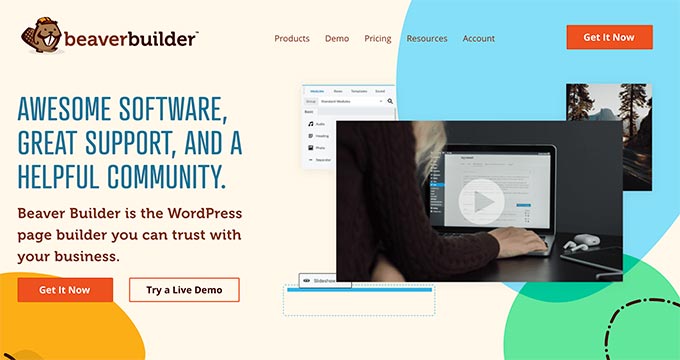
Beaver Builder is a popular WordPress page builder plugin that allows you to drag and drop elements. You can rapidly become acquainted with the interface and get started with the built-in onboarding tutorial.
Beaver Builder features a live drag-and-drop interface. You can view all of your changes as you make them by dragging things from the right sidebar and dropping them on your site. To update the characteristics of any element on a site, simply click on it.
Modules allow you to add nearly anything, including sliders, carousels, backdrops, content blocks, buttons, and more.
| Aspect | Details |
| Pros | |
| Ease of Use | ✅ Intuitive drag-and-drop visual editor for quick page building |
| Templates | ✅ Access to over 170 ready-made page templates |
| Compatibility | ✅ Fully compatible with the Gutenberg editor |
| E-commerce Support | ✅ Built-in support for WooCommerce stores |
| Cons | |
| Template Variety | ❌ Offers fewer templates compared to some competing page builders |
| Pricing | ❌ No free version is available |

Scale Your Online Website Presence!
Boost your online growth and performance with high-speed hosting packages from HostOnce.
2#. Divi

Divi is a premium drag-and-drop theme and WordPress page builder plugin. It’s simple to use and comes with hundreds of layout packs for all types of websites. Similar to SeedProd and Beaver Builder, Divi Builder has a full WYSIWYG (what you see is what you get) visual editor with visual drag-and-drop features.
You can simply click on your page to begin editing in real time, with a live preview of all changes. You do not need to save or click preview to see your new design. Divi includes dozens of content modules that can be dragged and dropped anywhere on your layout. It allows you to arrange these modules in different sections and row types.
| Aspect | Details |
| Pros | |
| Editor Experience | ✅ True WYSIWYG visual editor |
| Layout Packs | ✅ Hundreds of ready-made website layout packs |
| Theme Compatibility | ✅ Works with any WordPress theme |
| Pricing Option | ✅ One-time lifetime pricing available |
| Cons | |
| Ease of Use | ❌ Interface is less user-friendly than SeedProd and some other builders |
| Customization | ❌ Certain customization options are limited |
3#. Elementor Pro
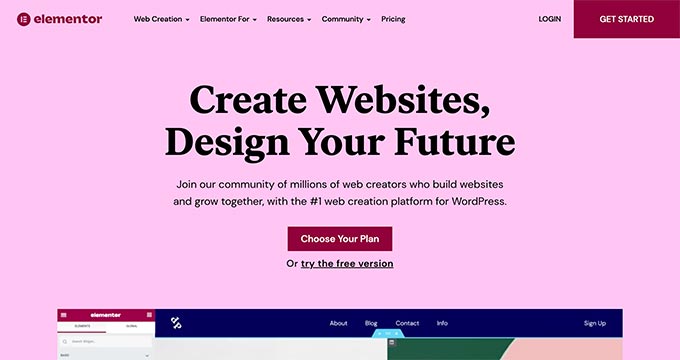
Elementor Pro is an advanced WordPress website builder/page builder plugin that lets you drag & drop elements. It is a live page builder plugin, so you can see your changes as you make them. Begin by establishing sections and specifying the number of columns for each. You can then drag and drop widgets from the left panel to your area.
Elementor includes many widgets, including the most regularly used website elements. These include anything from basic image and text widgets to complicated accordions, sliders, testimonials, icons, social media, and tabs.
Each widget is self-contained and includes its own settings. Elementor also allows you to add widgets produced by other WordPress plugins.
| Aspect | Details |
| Pros | |
| Page Builder | ✅ Live drag-and-drop page builder |
| Widgets | ✅ Large collection of advanced widgets |
| Templates | ✅ Ready-to-use page and section templates |
| eCommerce | ✅ Supports popular eCommerce integrations |
| Cons | |
| Code Quality | ❌ Generates less efficient code |
| Performance | ❌ Can negatively impact page speed |
4#. Themify Builder
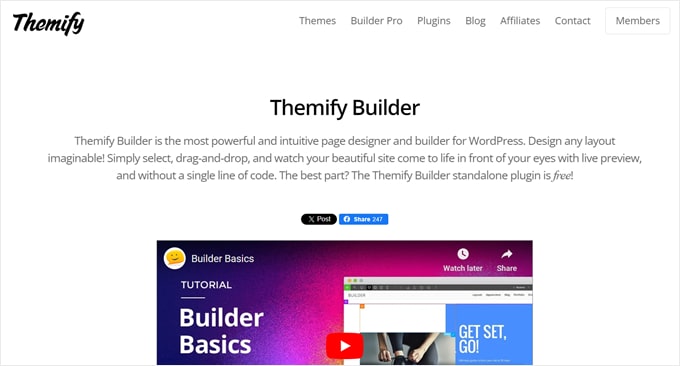
Themify Builder is a somewhat unique freemium WordPress website builder. This plugin provides two types of interfaces: a drag-and-drop WYSIWYG for customizing the look of your page and a backend for moving your content items.
Themify Builder is available in two versions: a free plugin and a Pro plan. The free plugin functions more like a page builder, allowing you to construct a custom page using its 40+ templates, but not other aspects of your site.
Discover Your Website Branding Now!
Get instant, data-backed business name ideas that match your brand vision. Use HostOnce’s smart AI tool to generate unique ideas in seconds.
Meanwhile, Themify Builder Pro allows you to change all of your page layouts, including headers and footers, single post designs, and custom post types. The plugin provides professional-looking pre-designed themes and layouts.
Themify Builder Pro now has a Display Conditions tool. You can use this to limit the display of certain templates to specific pages rather than the full site. This can help to display promotional banners on appropriate product pages.
| Aspect | Details |
| Pros | |
| Editor Options | ✅ Front-end visual editor and backend drag-and-drop editor |
| Templates | ✅ Ready-made layouts and templates included |
| Free Version | ✅ Free plugin available |
| Cons | |
| Learning Curve | ❌ More advanced builder with a steeper learning curve |
| Ease of Use | ❌ Not as beginner-friendly as other page builders |
| Free Limitations | ❌ Limited features in the free plugin |
5#. SiteOrigin

Site Origin is a WordPress page builder that operates differently from other builders. It seamlessly integrates with WordPress’s visual and text editors. This can be beneficial for users who do not want to switch between several interfaces when building their pages.
SiteOrigin also includes a strong row and column structure system, which allows you to design multi-column layouts. You can customize your website’s appearance by adjusting column widths, padding, and other stylistic variables.
The SiteOrigin page builder’s most notable feature is its “Widgets Bundle.” This contains headlines, graphics, post grids, pricing tables, and call-to-action buttons. You can add, remove, edit, and combine widgets as you design your page.
For web developers and individuals who appreciate fine-tuning their webpages, this page builder includes custom CSS for more customization. It also works nicely with other WordPress plugins, allowing you to smoothly combine specialized functionality.
| Aspect | Details |
| Pros | |
| Pricing | ✅ Free WordPress page builder |
| Editor | ✅ Simple drag-and-drop editor |
| Mobile Editing | ✅ Mobile-specific editing options available |
| Cons | |
| Learning Curve | ❌ Has a more advanced learning curve |
| Editing Style | ❌ Limited to side-panel site editing |
| Add-ons | ❌ Requires purchasing add-ons to unlock certain features |
Other WordPress Builder/WordPress Page Editor Plugin Options
Brizy is a WordPress website builder designed for agencies and SaaS enterprises, but it is also accessible to users of all skill levels. After you’ve installed the plugin, simply select one of the 50 free beginning designs for businesses, online stores, wedding websites, and more.
Live Composer is an entirely free WordPress website builder. To use it, enter your email address on the website, and you will receive a download link to install and activate the plugin.
This WordPress site builder features a WYSIWYG drag-and-drop editor and a bottom-side panel for inserting content blocks. While the plugin is free, it includes aspects similar to those seen in premium page builders, such as accordions, galleries, and progress bars.
Spectra is a WordPress website builder produced by the same team that made the renowned Astra theme.
This is another page-building plugin that works directly with the Gutenberg block editor. This makes it an excellent choice for those who are familiar with the built-in editor yet require additional features to customize their web pages.
Get Fast And Secure WordPress Hosting!
Boost your online growth and performance with high-speed WordPress hosting packages from HostOnce.
Conclusion
Many website owners want to produce visually appealing pages without knowing difficult programming. This is when the WordPress website builder comes in useful.
These five page builders allow you to easily create landing pages and even full websites from scratch. They can save a significant amount of effort and consistently produce excellent outcomes.
FAQs
Are there any drawbacks to using page builders over custom coding?
Most website builders allow you unlimited freedom to construct your site anyway you like. However, some builders restrict what you can and cannot customize. This is particularly true for hosted website builders such as GoDaddy and Wix.
Does using WordPress page builders harm website speed?
Yes, page builders can affect website speed, especially if they are constructed with complicated code. Most page builders, such as SeedProd, Thrive, and Spectra, use clean code, ensuring that your site loads quickly and is SEO-friendly.
Can I create an e-commerce store using page builders?
Absolutely! Page builders like SeedProd integrate with eCommerce plugins such as WooCommerce, allowing you to create online storefronts. However, for really complicated eCommerce functionalities, you may still require bespoke development.
Are page builders compatible with any WordPress theme?
Most page builders are compatible with any WordPress theme, but some may be more optimized for certain themes. Before purchasing or installing a page builder, you should ensure that it is compatible with your theme.
12 Best WordPress Ecommerce Plugins to Simplify Online Shopping
By Festus Nkopuruk on July 7, 2025
Hostonce is the #1 WordPress Host
Ranked by 930+ customers in G2's Best Software Awards.
