







According to studies, users tend to convert less the longer a page takes to load, and a single second delay can decrease conversions by 7 percent. 70 percent of online shoppers said the loading speed of a website influences their decision to buy. Nearly 53 percent of mobile users will abandon a site after it takes 3 seconds to load. Even though a website can have 99.9 percent uptime, it can still have over 8 hours of downtime a year. Given that e-commerce websites are 24/7, this amounts to thousands of dollars being lost in sales each year. Given this information, it is clear that site performance is a priority, and optimizing VPS value is crucial.
By optimizing VPS, your online store will remain reliable and stable. You will learn how to allocate your VPS resources to enhance the speed, uptime, and scalability of your store to enhance its performance.
Key Takeaways
- VPS optimization impacts e-commerce speed, uptime, and conversions directly.
- Compared to shared hosting, a dedicated CPU, RAM, and storage are more likely to provide the stable performance that is required.
- Effective planning is required to ensure that no slow checkouts and cart abandonments occur.
- Sudden spikes in traffic and sales events will leave a store at a standstill if no monitoring and scaling are in place.
- Websites that store data on SSDs or NVMe drives are more desirable due to improved page load times.
- Performance sacrifices are not required when using optimized firewalls and SSL.
- Long-term growth and stability are heavily dependent on the choice of the right managed or unmanaged VPS
Table of Contents
- Why VPS Hosting Is Ideal for E-Commerce
- Key VPS Resources That Affect E-Commerce Performance
- Assessing Your E-Commerce Website’s Resource Needs
- Scaling VPS Resources for E-Commerce Growth
- Security Optimization Without Performance Loss
- Common VPS Optimization Mistakes to Avoid
- VPS Optimization Checklist for E-Commerce Owners
- Final Thoughts
- FAQ
Why VPS Hosting Is Ideal for E-Commerce
VPS hosting is perfect for an e-commerce online store since it offers dedicated resources as opposed to shared hosting, where numerous websites fight for the same CPU and RAM resources. Being resource-isolated guarantees consistent and smoother checkout processes, which are crucial oxygen for online stores. With a VPS, your site is able to take on heavier workloads without the interference of other websites. It creates a more reliable shopping experience for the customers.
There is also the aspect of scalability, security measures during traffic spikes, and overall control of the server performance. It is very important for containing and securing customer data. You have the autonomy to fine-tune server software, caching, and other performance applications to best suit the specifications of your store. It is the very definition of VPS hosting as a scalable, future-proof solution for an e-commerce business.

Power Your E-Commerce Store with Optimized VPS Hosting
Take control of your store’s speed, security, and scalability with high-performance VPS hosting. Hostonce VPS solutions deliver dedicated resources, fast SSD storage, and flexible scaling to handle traffic spikes and growing sales with ease.
Key VPS Resources That Affect E-Commerce Performance
There are plenty of VPS performance resources that affect your online store’s functioning and efficiency, and affect the speed of various processes like load times, smooth checkouts, and a stable shopping experience. Because VPS resources like CPU, RAM, storage, and bandwidth determine how traffic is handled and how efficiently order processing and content serving are done, there must be no bottlenecks in any of these resources. When there are bottlenecks in any of these resources, the e-commerce performance and sales suffer.
CPU
The CPU manages how many concurrent users there are, how many dynamic pages are created, and how many checkout processes there are. Every user action requires the use of CPU resources and cycles. Activities like searches, updates, requests, and fills are actions that are CPU-intensive. When CPU resources are low, uncontrolled bottlenecking will occur, and users will abandon their activity. Therefore, sufficiency of CPU resources is extremely and critically important.
RAM
RAM is important for your site in how it affects your databases. Ecommerce software needs to have RAM in order to instantaneously retrieve product data, control ecommerce carts, and pages. When a site is experiencing low RAM, systems are moved to slower and lesser systems, leading the entire site to slow down. Smaller stores are generally able to function with 2-4 GB RAM, medium stores generally need 4-8 GB, while larger sites will need 8 GB and more.
Storage (SSD/NVMe)
Storage performance affects product page load times, image delivery, and order processing. Compared to traditional BDDs, SSD and NVMe storage reduce read and write latency, and even more, outperform HDDs. Higher I/O performance translates to more accessible databases. More rapid transactions and smoother experiences are possible, especially necessary for large and frequently updated stores, with updated inventory.
Bandwidth
Bandwidth determines how efficiently your store delivers images, videos, and other media content to your visitors. Ecommerce stores consume more bandwidth as there are product images to load and videos with more interactions. Increased traffic caused by promotions and seasonal sales can quickly exhaust limited bandwidth, resulting in lagging and even outages. Proper bandwidth allocation ensures consistent and seamless shopping experiences, especially during high-demand periods.
Assessing Your E-Commerce Website’s Resource Needs
- Future growth expectations and traffic volume: expected visitors, number of concurrent users, and pages consulted will drive system growth expectations, and this will affect the core and the RAM to be provisioned, and limits will ultimately be defined by the page load time and the overall stability of the site.
- The number of products and categories: this will drive the size of the databases, the expected query limitations, and the overall system design. More RAM and storage will be expected for more frequent use and greater complexity in storage strategies and isolation. More variations and levels, and therefore increased network latency.
- Additions to your server, such as payment processors, delivery tools, analytics, CRM systems, and digital marketing integrations, also use server power. Inefficiently designed or excessive tools can increase performance drain over time.
- Consider your resource surges. If you are running sales, new products, or holiday campaigns, making sure your WooCommerce VPS resources are equipped to handle the inflow of activity will help prevent system crashes and other performance issues.
Upgrade to Dedicated Power with VDS Hosting
When your e-commerce store demands even greater performance and isolation, VDS hosting delivers enhanced stability and dedicated resources for high-traffic workloads.
Scaling VPS Resources for E-Commerce Growth
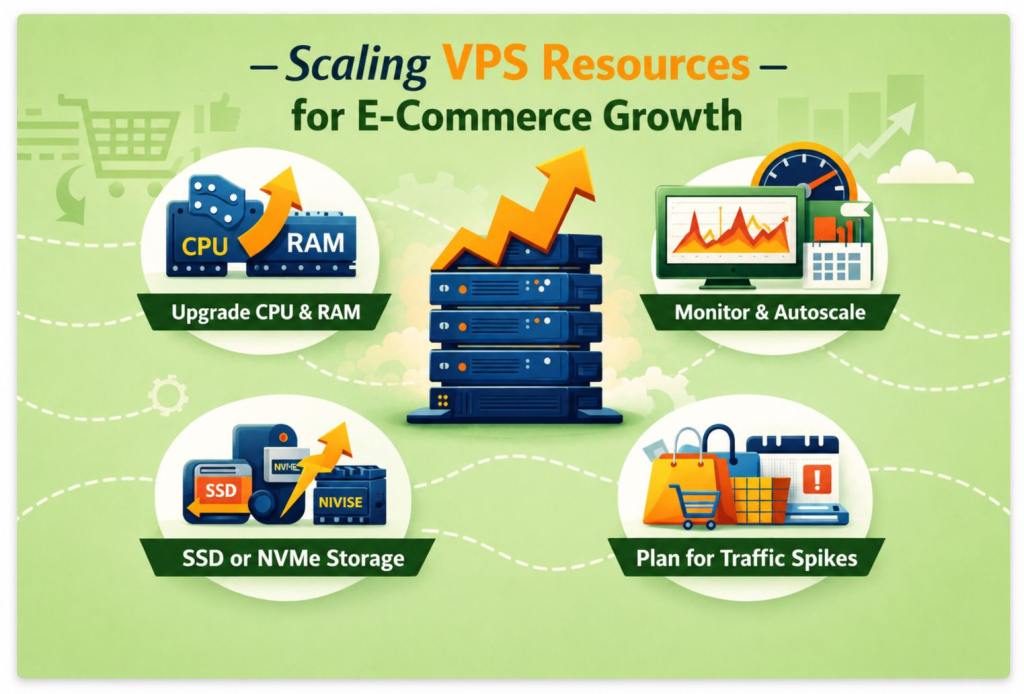
Adjusting the VPS resources as your ecommerce website grows is necessary in order to keep performance, reliability, and shopping experience running smoothly. Vertical scaling is when you are able to instantly upgrade CPU cores, RAM, and storage in the VPS environment, and it is the fastest and most efficient way to manage new workloads and traffic increases.
Knowing when to scale before traffic increases is just as crucial as scaling itself. Flash sales, new holiday campaigns, product launches, and other planned events all require temporary or permanent resources as e-commerce businesses experience large demand increases during them. Scaling before the events helps to avoid lagging, downtime, and increased cart abandonment.
The ease in scaling adjusted resources also varies depending on whether you are using a managed or an unmanaged VPS. A managed VPS is ideal for business owners who prefer to have hands-off scaling, performance, and optimization, as well as security and other technical elements tasks. Unmanaged VPS, however, offers increased control and reduced costs as long as the business owner has an adequate level of server management skills. There is no right or wrong answer to choosing between the two; it relies more heavily on your technical skills, time, and, of course, business goals.
Managed vs Unmanaged VPS Comparison
| Feature | Managed VPS | Unmanaged VPS |
| Server management | Handled by hosting provider | Fully managed by user |
| Scaling assistance | Provider handles upgrades and tuning | User responsible for scaling |
| Security & updates | Included and automated | Manual setup and maintenance |
| Technical expertise required | Low | High |
| Best for | Growing e-commerce stores, non-technical users | Developers, sysadmins, advanced users |
| Cost | Higher | Lower |
Security Optimization Without Performance Loss
The balancing act of maintaining security without compromising efficiency is critical for e-commerce businesses. Effective security setups protect customers’ personal and payment information without hindering user engagement and performance. As a business, you can achieve a responsive and high-performing online store and still maintain the security of your online store.
Firewall and DDoS Protection
Without the right DDoS protective measures in place, malicious traffic can reach your virtual private server (VPS) and steal critical system resources. DDoS Protection and Firewalls prevent malicious traffic in advance of reaching your VPS. With network and VPS layers of Firewalls, your VPS will also be able to run smoothly. Layered firewalls let unwanted requests be filtered and let legitimate users be consistent without performance hits and irregular servers, and even during attack or traffic flood attempts.
SSL Optimization and HTTPS Performance
Especially for e-commerce, to ensure all data in transit is protected, SSL encryption is a must-have. The latest TLS versions are strongly encouraged to be used along with performance-enhancing routines to support smooth encryption. You strike a balance when you manage your SSL certificate correctly and ensure your customers will maintain your business.
Malware Scanning and Server Hardening
Without exploiting server access or compromising server speed, server hardening and malware attack scanning ensure your store is also protected. Server performance is stable when lightweight scheduled scans and updates are made. You can also maintain server performance by disabling any services and functions that are not essential.
Secure Checkout Without Slowing Pages
When it comes to the checkout pages of an eCommerce server store, no one wants to compromise on security or speed. By optimizing payment gateways, reducing the use of third-party scripts, and optimizing the loading of security checks, one can ensure that the transfer of sensitive data does not get delayed, while security data relies on the speed of the transaction. Ultimately, numerous studies have shown that, yes. Fast and secure checkout experiences do reduce cart abandonment. More importantly, it improves sales transactions.
Expert Tip
Always optimize your VPS before upgrading resources. Removing unnecessary plugins, enabling efficient caching, and monitoring CPU and RAM usage can often deliver major performance gains without increasing costs. Proactive optimization ensures your e-commerce store stays fast and stable as traffic grows.

Common VPS Optimization Mistakes to Avoid
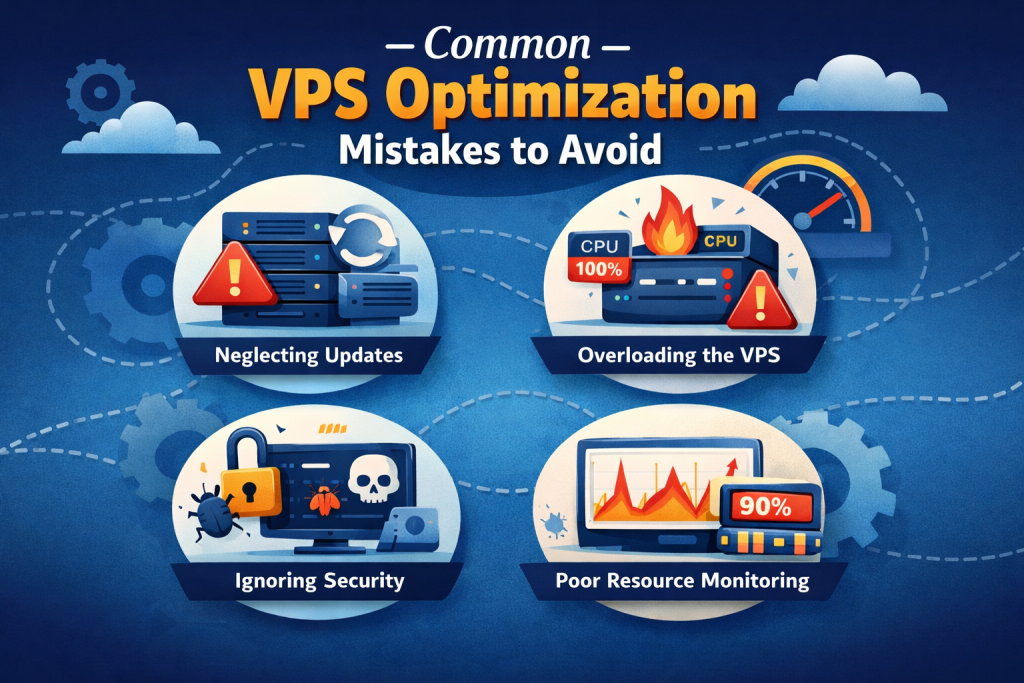
- Overloading the server with plugins: store owners tend to overload the server with WordPress plugins, whether due to the store’s design being unoptimized or simply having too many plugins. It increases the use of CPU and RAM, slows page loading, and even creates conflicts that undermine store performance.
- Ignoring monitoring and alerts, more often than not, a lack of monitoring CPU, memory, and bandwidth usage makes it difficult to identify if issues have arisen, which in turn allows performance issues to go unnoticed until customers can no longer access the website, and until it is too late.
- Underestimating traffic growth, failing to anticipate increases in website traffic due to marketing, SEO improvements, or seasonal sales, can greatly bring the website to a halt and inevitably lead to a loss of sales and revenue.
- Compromising on a company’s performance based on VPS downgrading for a cheaper plan is a poor business decision. It ultimately results in a loss-making investment.
VPS Optimization Checklist for E-Commerce Owners
- How many CPU cores are provisioned to support users logged in and processing checkouts?
- How many cores in the VPS are provisioned, and what is the kept amount for the OS and other static/threaded application processes outside your control?
- Are SSD or NVMe drives provisioned?
- Are page, object, and other database caches enabled for all servers in the various web, app, and database tiers?
- Is there an optimization schedule for periodic deletion of unused and irrelevant data, especially logs?
- Are CPU, RAM, disk I/O, and bandwidth performance counters/metrics gathered and logged on some monitoring system?
- Is the recurring overselling of VPS resources (CPU, RAM, disk I/O, bandwidth) scaled up before sales, special offers, or seasonal high traffic?
- Are DDoS protection and web application firewalls (with optimized deep packet inspection) applicable on the high-speed tier, and do they lack application performance throttling?
- Do you restrict the number of performance-heavy plugins to just what is needed, and are unused plugins and extensions removed?
- Is your choice between a managed or unmanaged VPS tier aligned with your level of technical expertise and projected growth?
This checklist provides a quick-reference guide for e-commerce owners and decision-makers to ensure their VPS is optimized for speed, security, and scalable growth.
Start Building a Faster, Scalable Online Store
Choose a hosting partner designed for performance, security, and growth. Hostonce offers reliable hosting solutions tailored to e-commerce businesses of all sizes, helping you scale confidently without performance limits.
Final Thoughts
Speed and stability at all times must be prioritized for e-commerce websites. Keeping customers is part of the business, and loyalty is built on reliability. Well-optimized VPS = fast page loads and smooth checkouts with stable uptime. More than a mediocre VPS allows for the reduction of cart abandonment and improved revenue collection.
As your store expands, proactive oversight and scaling should be done on time if you want to keep the performance of your store as seamless as possible. Monitoring the traffic and upgrading to higher performance specs builds reliability for the store that is performing at higher tier levels during peak traffic.
All in all, the value and reliability of the e-commerce store start with the VPS setup. Whether you want a managed service or want to tackle the initiative yourself, pick a VPS for ecommerce that aligns with your tech skills. Your future deployment plans allow your store to scale, keep levels of performance, and build reliability as your brand gets bigger, which is a wise choice.
FAQ
Is VPS enough for high-traffic online stores?
Yes, a properly optimized and scalable VPS can handle high-traffic e-commerce websites effectively. With sufficient CPU, RAM, fast storage, and caching, VPS hosting can support thousands of concurrent users.
Can VPS handle flash sales and promotions?
Absolutely. VPS hosting is well-suited for flash sales and promotions, especially when resources are scaled in advance. Proactive upgrades and caching help maintain performance during sudden traffic spikes.
How often should VPS resources be reviewed?
VPS resources should be reviewed monthly or before major events like sales, product launches, or seasonal campaigns. Regular monitoring helps identify performance limits early and prevents unexpected downtime.
Managed vs unmanaged VPS for e-commerce?
Managed VPS is ideal for store owners who want expert support, security management, and performance optimization. Unmanaged VPS offers more control and lower costs but requires strong technical knowledge and ongoing server maintenance.

Hostonce is the #1 WordPress Host
Ranked by 930+ customers in G2's Best Software Awards.
