WordPress has over 60,000 free plugins, including popular WordPress booking plugins like Bookly and Amelia, which enable clients to make appointments with a few clicks. Going back and forth over phone calls and emails to schedule a straightforward appointment can be annoying.
As your business grows, you can use any WordPress appointment plugin to handle your scheduling with ease. In fact, an appointment plugin for your WordPress website can be revolutionary because it is efficient to use regardless of the size of your business or the services you provide.

Starting WordPress Sites on Hostonce Just Got Easier
By Javeria Riaz on June 15, 2026Key Takeaways
- From straightforward scheduling to intricate multi-staff calendars with payment processing, WordPress offers several top-notch appointment booking plugins.
- Check out Booked or Simply Schedule Appointments for one of the most straightforward yet elegant booking calendars.
- Consider the Booking Calendar – Appointment Booking System and use it to create an internal scheduling calendar, but without a payment system, so you can manage bookings easily because it simplifies scheduling.
What Are WordPress Booking Plugins?
The most effective solution you can add to your website to automate the entire scheduling procedure and put an end to the turmoil is a WordPress booking plugin. Beyond simply filling your calendar, quality WordPress booking plugins improve the efficiency of your company by assisting you with:
- Save Dozens of Hours: Put a stop to the time-consuming back-and-forth emails by automating your scheduling.
- Cut Expensive No-Shows: Make sure your clients arrive on time by sending them automated SMS and email reminders.
- Get Paid Right Away: By requesting deposits or full payments at the time of booking, you can safeguard your income.
- Take reservations around-the-clock: Customers can schedule your services at any time of day or night, and they can do so even while you are asleep.
Expert Tip
In addition to being a headache, manually managing your calendar is a bottleneck, and it wastes both your time and potential customers. A solid booking plugin makes your website an effective, profitable machine by collecting leads, securing payments up front, and lowering no-shows with automated reminders. It works for you around-the-clock. A good plugin should support two-way calendar synchronization to avoid multiple reservations, automated email or SMS notifications for you and your clients, and the flexibility to create various appointment kinds.


Scale Your Booking Business!
Boost your online booking growth and performance with high-speed hosting packages from HostOnce.
Things to Take Into Account While Selecting the Best WordPress Booking Plugins
Consider these factors while choosing the perfect WordPress booking plugins:
- Easy to Use: Select plugins for calendars, events, and forms that are suitable for beginners and have straightforward editors. The settings ought to be simple and easy to use.
- Booking Features: Make sure the plugin provides email notifications and supports recurring events so users can make appointments during business hours.
- Mobile-Friendliness: Verify that clients can conveniently schedule appointments using desktop, tablet, and smartphone devices.
- Useful Integrations: Seek out plugins that work with prominent payment gateways, WooCommerce, Google Calendar, and other necessary tools.
- Templates and Customization: To improve the client experience and preserve your brand identity, choose plugins that provide pre-made designs for speedy deployment.
- Customer Reviews: Take into account user comments to learn about actual performance and any constraints outside of your own testing.
WordPress Appointment Plugins
Try these WordPress plugins for appointment scheduling:
1#. Sugar Calendar Bookings
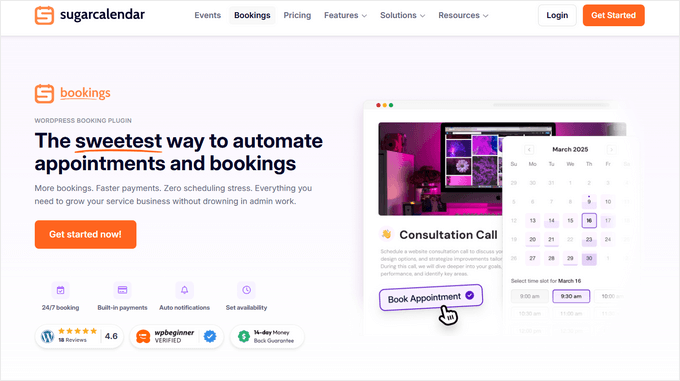
Sugar Calendar is our first choice if you’re looking for a simple approach to allow users to schedule appointments on your WordPress website. It comes with a comprehensive booking system that lets you schedule services, control availability, take payments, and manage all of your appointments in one location.
Sugar Calendar’s speed, portability, and actual ease of use are what make it fantastic. It doesn’t overwhelm you with options or complex menus like some booking plugins do.
Without touching any code, you can create services on your WordPress website with a specific price and duration, specify your company hours, and allow clients to reserve time slots around the clock. It also manages booking windows and minimum notice periods, preventing you from being overburdened with last-minute appointments.
Key Features
- Complete Booking System: Establish services, control availability, take payments, and schedule appointments.
- Easy to Use: Simple settings, lightweight, quick, and suitable for beginners.
- Flexible Scheduling: Establish minimum notice periods, booking windows, and business hours.
- Customizable Forms: WordPress block/shortcode compatibility and a variety of layouts for clean booking forms.
- Schedule Management: A dashboard summary that may be filtered by customer, date, or service.
✅ Advantages
- Great for scheduling and organizing appointments for companies that provide services.
- Built-in tools for controlling minimum notice periods, availability, and services.
- Supports offline payments and takes Stripe payments for reservations.
- Clean, mobile-friendly booking forms and an easy-to-use UI.
- All bookings can be viewed, filtered, and managed in one location with our powerful appointment dashboard.
❌ Disadvantages
- Sugar Calendar Bookings’ free edition is only available for a limited time.
- Has less integrations than other booking plugins at the moment.
Get Fast And Secure WordPress Hosting!
Boost your online growth and performance with high-speed WordPress hosting packages from HostOnce.
2#. WP Forms
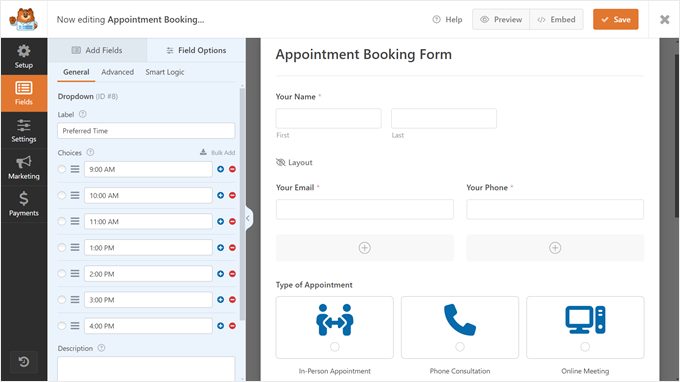
The greatest WordPress contact form plugin is WPForms, which can also be used for appointment scheduling. It is one of the WordPress booking plugins that makes it simple to create forms for scheduling appointments with a payment option.
The good thing about WPForms is that it has an easy-to-use, drag-and-drop form builder that lets you design any type of form in a matter of minutes. To get you started, you also receive more than 2,000 distinct form templates.
You can quickly develop an appointment booking form in WordPress with WPForms. We appreciate that it provides a wide variety of customizable form fields.
Key Features
- Drag-and-Drop Builder: An easy-to-use form builder for creating forms quickly.
- Form Templates: More than 2,000 templates make it simple to get started.
- Payment Integration: Use forms to directly accept payments.
- WordPress Integration: For simple placement, it integrates perfectly with the block editor.
✅ Advantages
- Incredibly user-friendly drag-and-drop form builder.
- A large collection of pre-made form templates.
- Takes payments with ease thanks to Square, PayPal, and Stripe connections.
- Several powerful fields, such as conditional logic and date/time pickers.
- Create PDF bills or contracts automatically depending on booking form submissions.
❌ Disadvantages
- Zapier or another third-party solution is needed for Google Calendar integration.
- Templates for appointments are not included in the free version.
3#. Simply Schedule Appointments
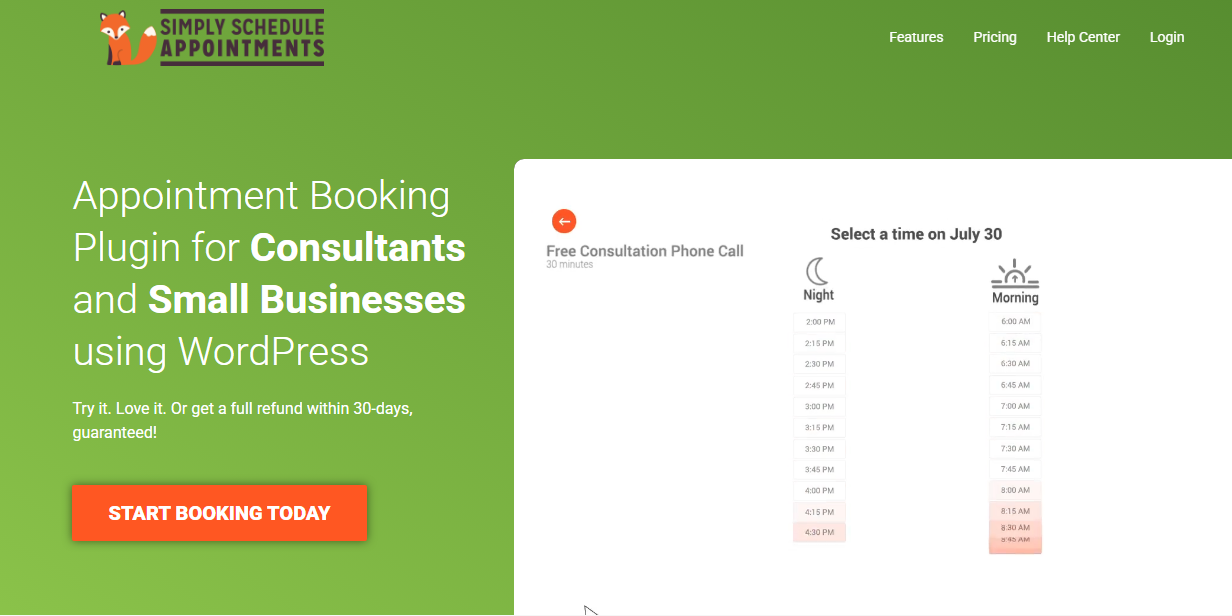
For companies using WordPress, Simply Schedule Appointments is a sophisticated and user-friendly scheduling plugin. They provide three paid versions of their plugin, which provide access to more sophisticated features and special integrations, in addition to a free version.
The purpose of Simply Schedule Appointments is to give WordPress websites an easy method to implement and manage online appointment scheduling. Their interactive setup process, which takes you less than five minutes to set up your booking form and post it on your website, reflects this.
Additionally, all of their versions, including their free edition, integrate with well-known page builders like Divi, Elementor, and Beaver Builder, enabling WordPress users to easily style and modify their booking form to fit the website.
Key Features
- Unlimited Appointments: With the 100% free version of this plugin, you may make an unlimited number of appointments, modify your booking form to fit your website, and use well-known page builders to drag and drop it onto your website’s pages.
- Easy Payment Options: With the ability to accept PayPal and Stripe payments, premium editions make it simple to receive payment in advance for appointments or reservations.
- Compatibility: They work with more than fifteen different tools, such as LifterLMS and Gravity Forms.
- Customer Service: Their customer service team always responds the same day and is ready to jump on live Zoom calls to troubleshoot issues.
✅ Advantages
- Great for showing availability in real time on a public calendar.
- enables you to oversee the schedules of several team members.
- Zoom, Google Meet, Outlook Calendar, and Google Calendar are all directly integrated.
- Incredibly easy-to-use setup wizard.
❌ Disadvantages
- The free edition has extremely few features and excludes most integrations and payments.
- May cost more than alternative solutions, particularly if you only require basic capabilities.
Fast, Secure Hosting for Booking Business!
Secure ecommerce hosting for your booking business and boost your online growth and performance with high-speed ecommerce hosting from HostOnce.
4#. BirchPress
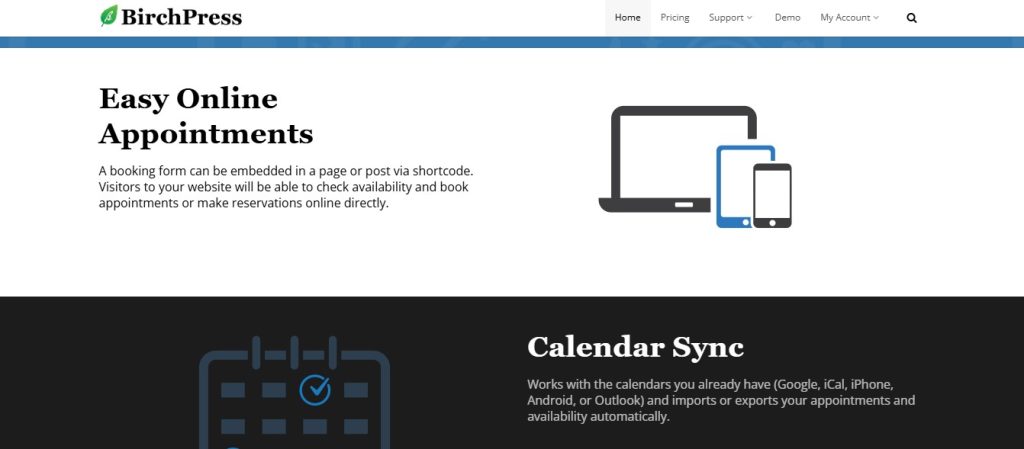
BirchPress is one of the WordPress booking plugins for scheduling appointments that makes it simple to incorporate calendars and set up email alerts.
With configurable forms, payment integrations, and a variety of calendar alternatives, including Google Calendar, iCal, iPhone, Android, and Outlook, and it streamlines the appointment booking process.
Your customers can schedule appointments on your website using BirchPress and pay with a credit card or PayPal account. Additionally, it uses WooCommerce connectors to offer additional payment gateways.
Key Features
- Calendar Integration: Connects to widely used calendars
- Smart Automation: Provides an integrated form editor and automated email reminders and notifications.
- Flexible Scheduling: Permits buffer times, holidays, and custom availability; permits payment channels such as PayPal
- Developer Customization: Hooks and filters for custom functions make it developer-friendly.
✅ Advantages
- Great calendar syncing with Android, Outlook, iCal, and Google Calendar.
- You and your clients will receive automated email reminders and notifications.
- Interacts with WooCommerce and takes PayPal payments.
- Custom fields for various services can be added to booking forms.
❌ Disadvantages
- There isn’t a free version for testing.
- Slow customer service has been complained about by a few users.
WordPress Reservation Plugins
Try this WordPress reservation plugin:
5#. Booking Calender
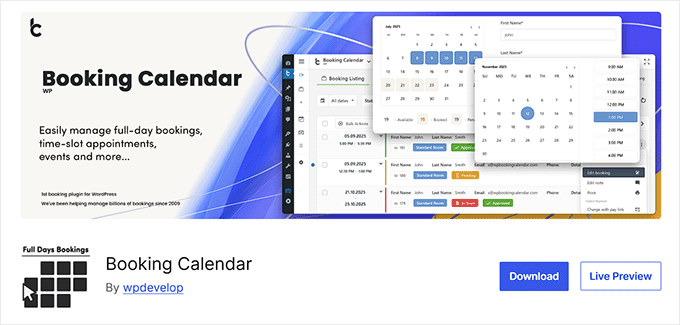
One of the earliest WordPress booking plugins is Booking Calendar, and reviews indicate that its high-quality development hasn’t slowed over time.
The majority of the functionality that a typical small business, like a restaurant website, would require is included in the free core plugin. You can, however, upgrade to one of the numerous larger business plans, which start at about $60 for a single website.
In addition to the pricing ambiguity, the sales page is difficult to navigate. Since it’s a rather sophisticated plugin, it is usually advised that consumers install the core plugin and evaluate if it meets their needs. However, it can be confusing to find out which capabilities are available with which subscription.
Key Features
- Multi-Platform Syncing: This plugin allows syncing with other websites, such as Booking.com, TripAdvisor, and Airbnb, in addition to Google Calendar.
- Sidebar Widget Support: The Booking Calendar plugin can be easily positioned in sidebars by using widgets.
- Multilingual Communication: It is possible to communicate with clients in other nations using a variety of languages.
- Custom Date Blocking: You can block off specific times and dates throughout the year to show your unique availability.
- Advanced Style Customization: Although there is some color tweaking available, using your own CSS yields the finest styling options.
✅ Advantages
- Incredibly strong feature set for a free plugin.
- Users can easily comprehend the flexible calendar view.
- Enables you to add custom fields to the booking form.
- Incorporates CAPTCHA for spam protection.
❌ Disadvantages
- Lacks the high-end competitors’ sophisticated user experience.
- Only the paid versions have access to advanced features like payment gateways.
Conclusion
Selecting WordPress booking plugins involves determining which tool best suits your company’s specific processes. These plugins make your life and the lives of your clients easier by striking the ideal balance between robust, enterprise-level functions and a lovely, user-friendly appearance.
FAQs
How can I incorporate the booking calendar into my website?
The majority of contemporary plugins make this quite simple. A specific WordPress block is included with tools like Sugar Calendar, WPForms, and Simply Schedule Appointments. To display a particular calendar or form, simply look for the plugin's block in the block editor, add it to your page, and choose it.
Which plugin is the best for scheduling appointments?
Amelia is the greatest all-around plugin for scheduling regular appointments for service businesses such as consultants, salons, and clinics. It is the best option for a dependable and expert system because of its smooth automation, strong staff and service management, and elegant user interface.
What should a booking plugin have?
Pay attention to the characteristics that will affect your business the most. The most important factors to consider are two-way calendar synchronization (with Google or Outlook), automated email/SMS notifications, dependable payment method integration (such Stripe or PayPal), and ease of use (for both you and your clients).
Which free booking plugin is the best?
BookingPress is the undisputed winner for having the most functionality in a free package. It offers more than 20 payment channels and sophisticated customization choices without requiring a premium membership. Booking Calendar is a traditional and dependable option for showing a basic availability calendar if you want complete, hassle-free simplicity.

WordPress Post-Migration Checklist: Guide to SSL, DNS, and Email Issues
By Festus Nkopuruk on May 5, 2026
Hostonce is the #1 WordPress Host
Ranked by 930+ customers in G2's Best Software Awards.